Hey everyone, I’m trying to set up an ArduCam 12MP IMX708 on my Jetson Nano following the quick start guide, but the driver package install keeps failing with an “unknown error”. The .deb gets partway through and then the post-installation script dies. Here’s the full terminal output:
Selecting previously unselected package arducam-nvidia-l4t-kernel.
(Reading database ... 181243 files and directories currently installed.)
Preparing to unpack arducam-nvidia-l4t-kernel-t210-4.9.299-tegra-32.7.3-20230906151208_arm64_imx708.deb ...
Unpacking arducam-nvidia-l4t-kernel (4.9.299-tegra-32.7.3-20230906151208) ...
Setting up arducam-nvidia-l4t-kernel (4.9.299-tegra-32.7.3-20230906151208) ...
ls: cannot access 'nv_imx477.ko': No such file or directory

Traceback (most recent call last):
  File "/opt/arducam/jetson-io/config-by-hardware.py", line 125, in <module>
    main()
  File "/opt/arducam/jetson-io/config-by-hardware.py", line 117, in main
    dtbo = configure_jetson(jetson, header, hw)
  File "/opt/arducam/jetson-io/config-by-hardware.py", line 55, in configure_jetson
    % (hw, header))
NameError: No configuration found for Camera IMX708 on Jetson Nano CSI Connector!
An unknown error occurred while installing dtoverlays.
dpkg: error processing package arducam-nvidia-l4t-kernel (--install):
 installed arducam-nvidia-l4t-kernel package post-installation script subprocess returned error exit status 255
Errors were encountered while processing:
 arducam-nvidia-l4t-kernel

Unknown error, please send the error message to [email protected]
Anyone seen this before? Not sure if it’s a driver package problem or something wrong on my end.
Thanks for pasting the whole output. That “unknown error” is coming from the package post-installation script, not the dpkg unpack step itself. Before digging into the traceback, can you grab your Jetson environment info so we can check the exact L4T/kernel combo?
Thanks, that helps. Your L4T and kernel versions look like what that package was built for, so a version mismatch probably isn’t the immediate issue.
Looking back at your install log, the two key lines are:
ls: cannot access 'nv_imx477.ko': No such file or directory
and the Python traceback that ends with:
NameError: No configuration found for Camera IMX708 on Jetson Nano CSI Connector!
That NameError is raised by /opt/arducam/jetson-io/config-by-hardware.py. The post-installation step runs that script to select the right dtoverlay, and it has no config entry for the IMX708 on the Nano CSI connector, so it exits 255 and dpkg marks the package as failed.
The odd part is the nv_imx477.ko reference — that’s an IMX477 module, not IMX708. That suggests the package/config for your board might be mismatched or missing the IMX708 entry.
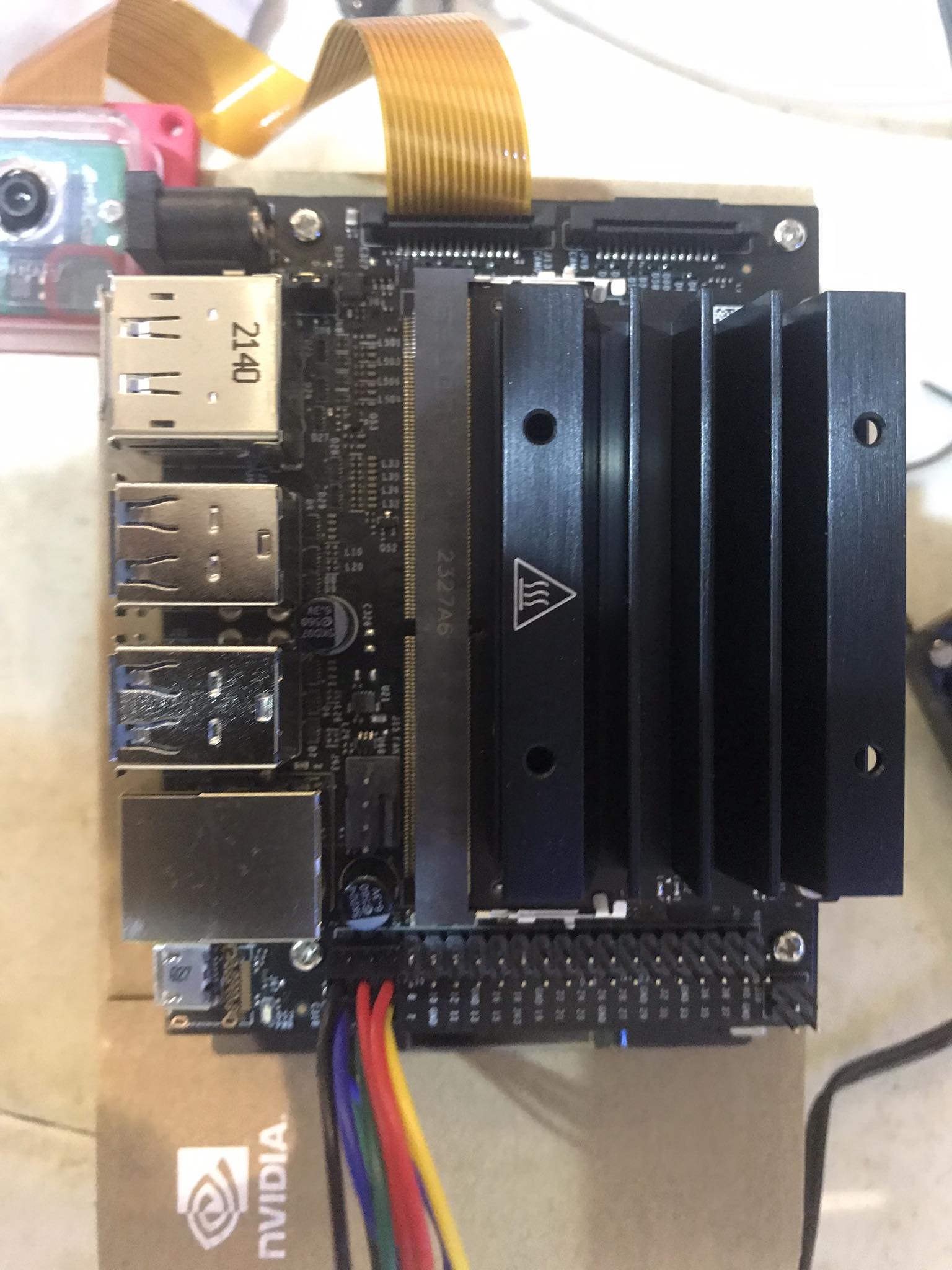
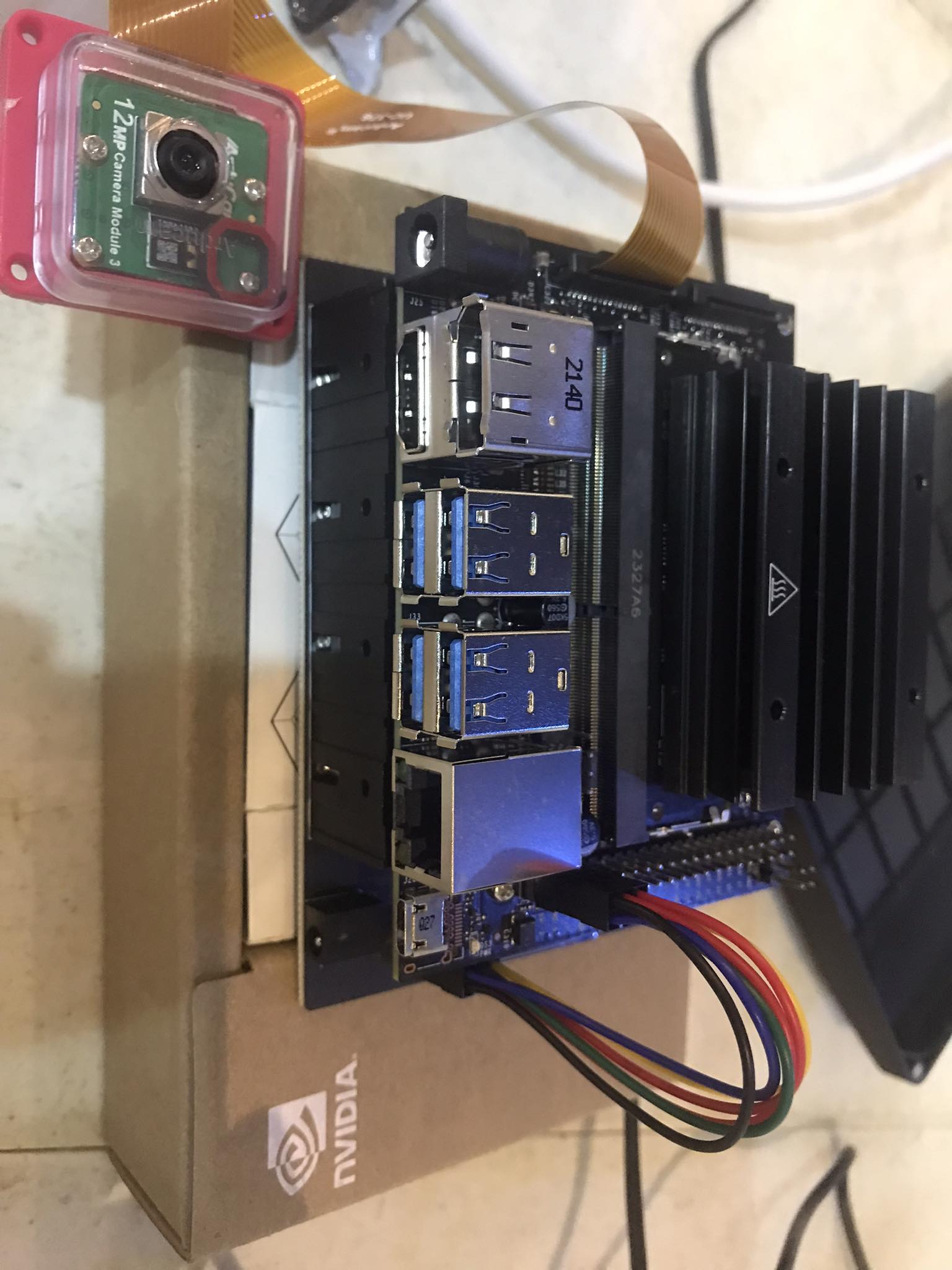
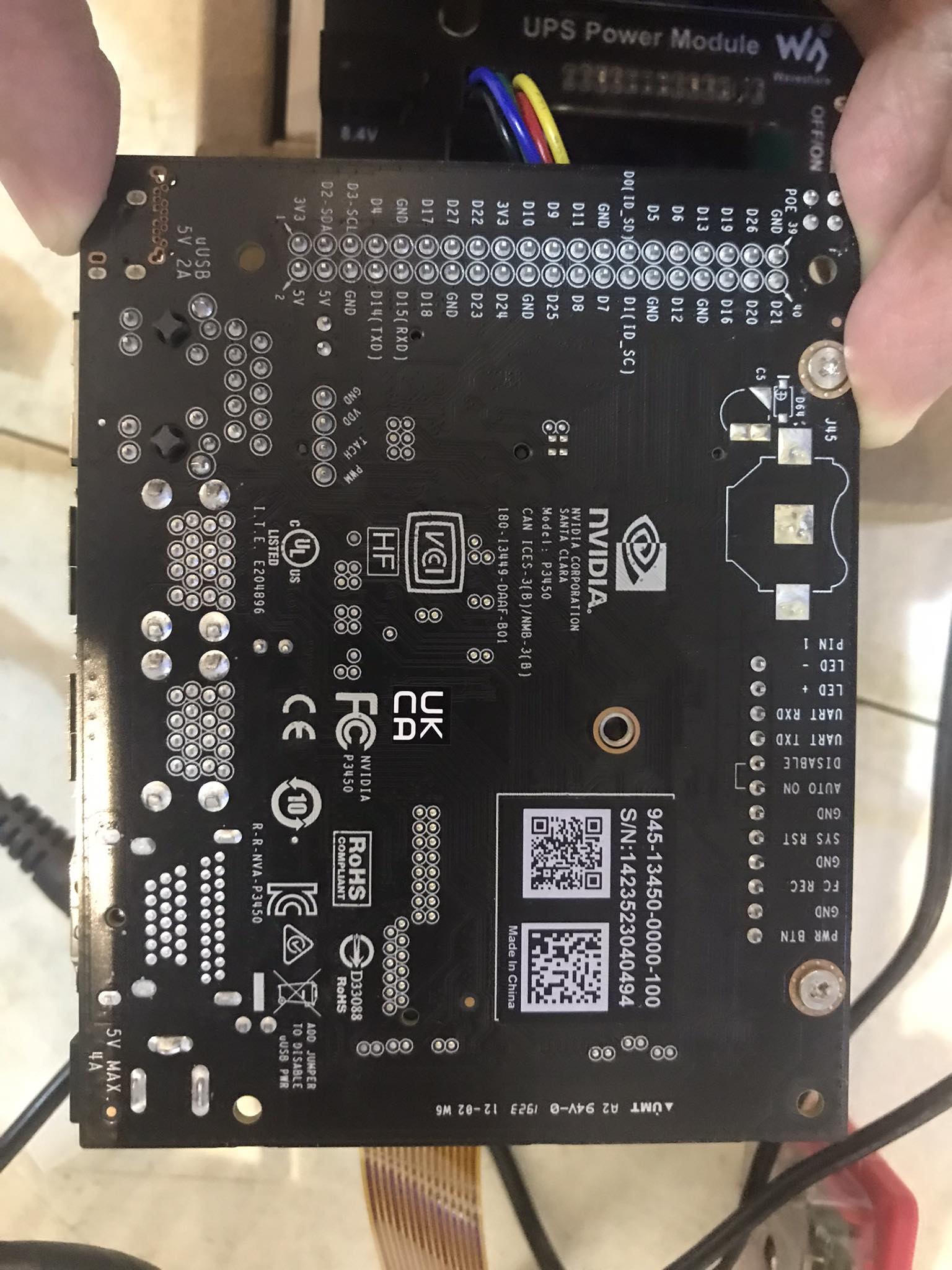
To rule out a board/revision issue, can you post clear photos of the Jetson Nano, front and back? Especially the marking near the module/CSI connector.
Thanks for the photos. To summarize where this stands:
The package post-installation script returns exit status 255 while installing dtoverlays.
config-by-hardware.py raises: NameError: No configuration found for Camera IMX708 on Jetson Nano CSI Connector!
The package references nv_imx477.ko, which doesn’t exist and points to the IMX477 module rather than the IMX708.
So the IMX708 package appears to be missing (or mismatched for) the IMX708 configuration for the Jetson Nano CSI connector, and the post-install script aborts before the overlay gets set up.
I’d hold off on reinstalling the .deb for now. We’re checking the board photos to verify the hardware side, and I’d also recommend following up with ArduCam support directly so they can confirm the package/config for this exact IMX708 + Nano combination. I’ll update this thread if anything changes.