Hey everyone, I’m stuck trying to get my Arducam stereo camarray HAT (B0266 / B0622) working with a Raspberry Pi 5. The Pi just doesn’t see the cameras at all — it’s like they’re not even connected. I’ve been going in circles between Google, ChatGPT, and every page on the Arducam site. I can’t even figure out which driver I’m supposed to be using. This setup has never worked since day one. I’m running a Raspberry Pi 5 and following the online docs, but no luck. Has anyone got this combo working? I could really use a step-by-step guide or at least a pointer on where to start.
Sorry to hear you’re having trouble. Let’s start with the basics — we need to see what’s actually going on. Could you do two things for me?
First, grab some clear photos of your hardware setup — I want to see how the cameras are connected to the HAT and how the HAT is connected to the Pi.
Second, let’s pull a diagnostic report. Run these commands on your Pi:
wget -O arducam-camera-bug-report https://github.com/Dion4cen/arducam-camera-bug-report/releases/download/Tool/arducam-camera-bug-report
chmod +x ./arducam-camera-bug-report
./arducam-camera-bug-report
That’ll spit out an arducam-bug-report.txt file in your current directory. Attach that along with the photos and I’ll dig into what’s going on.
Thanks for the quick reply. Here’s what I’ve got:
Photos of my setup:
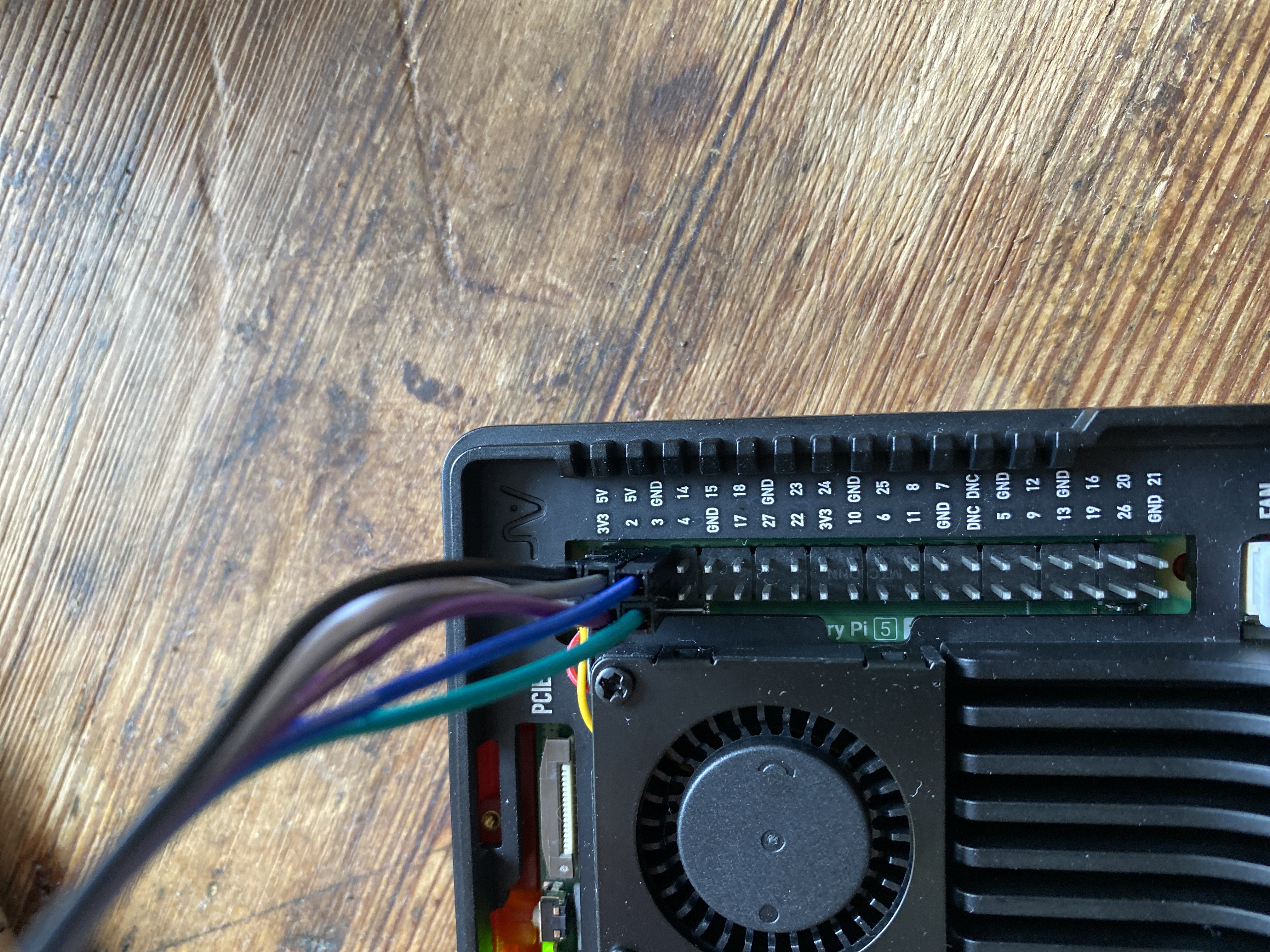
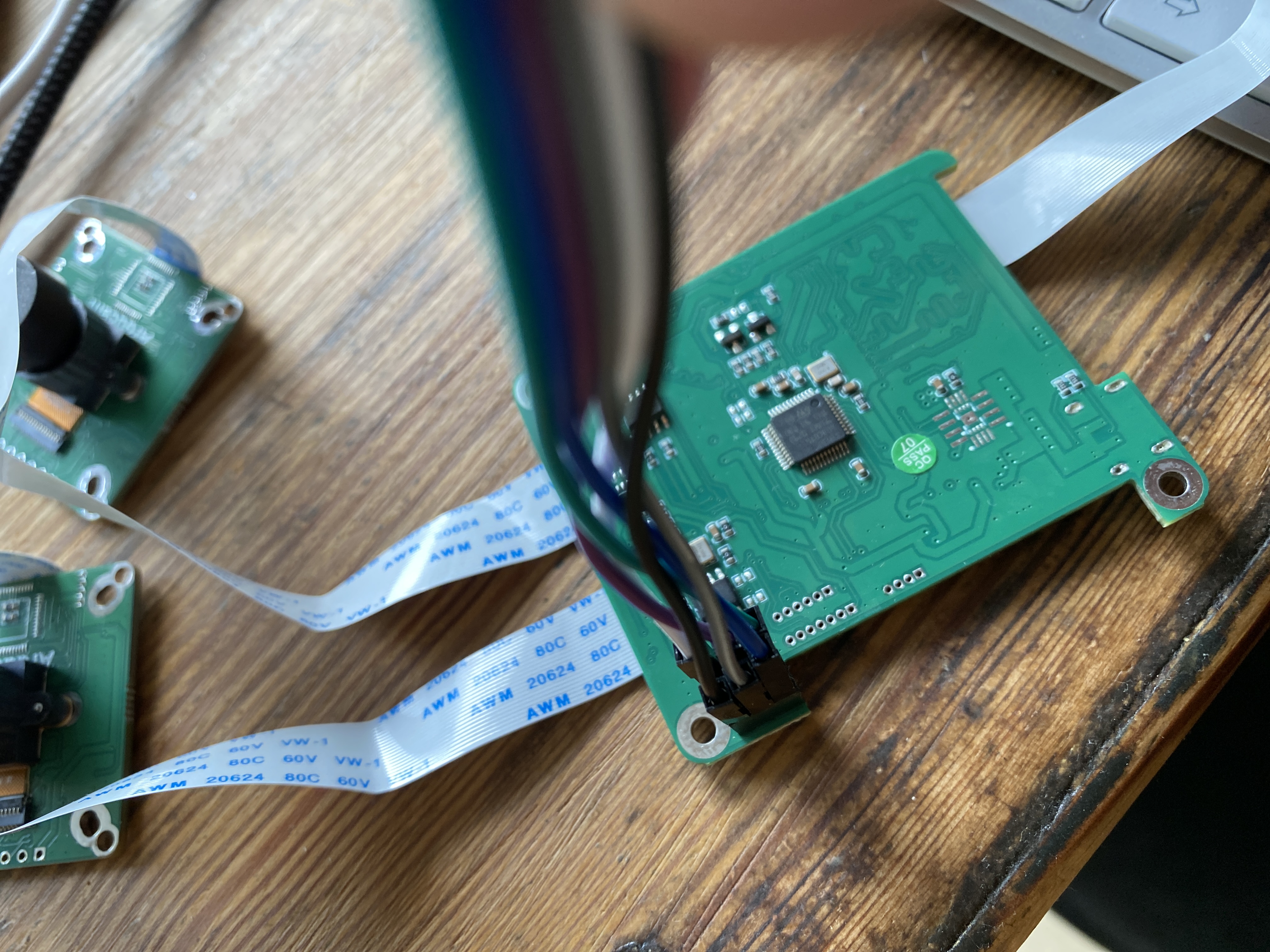
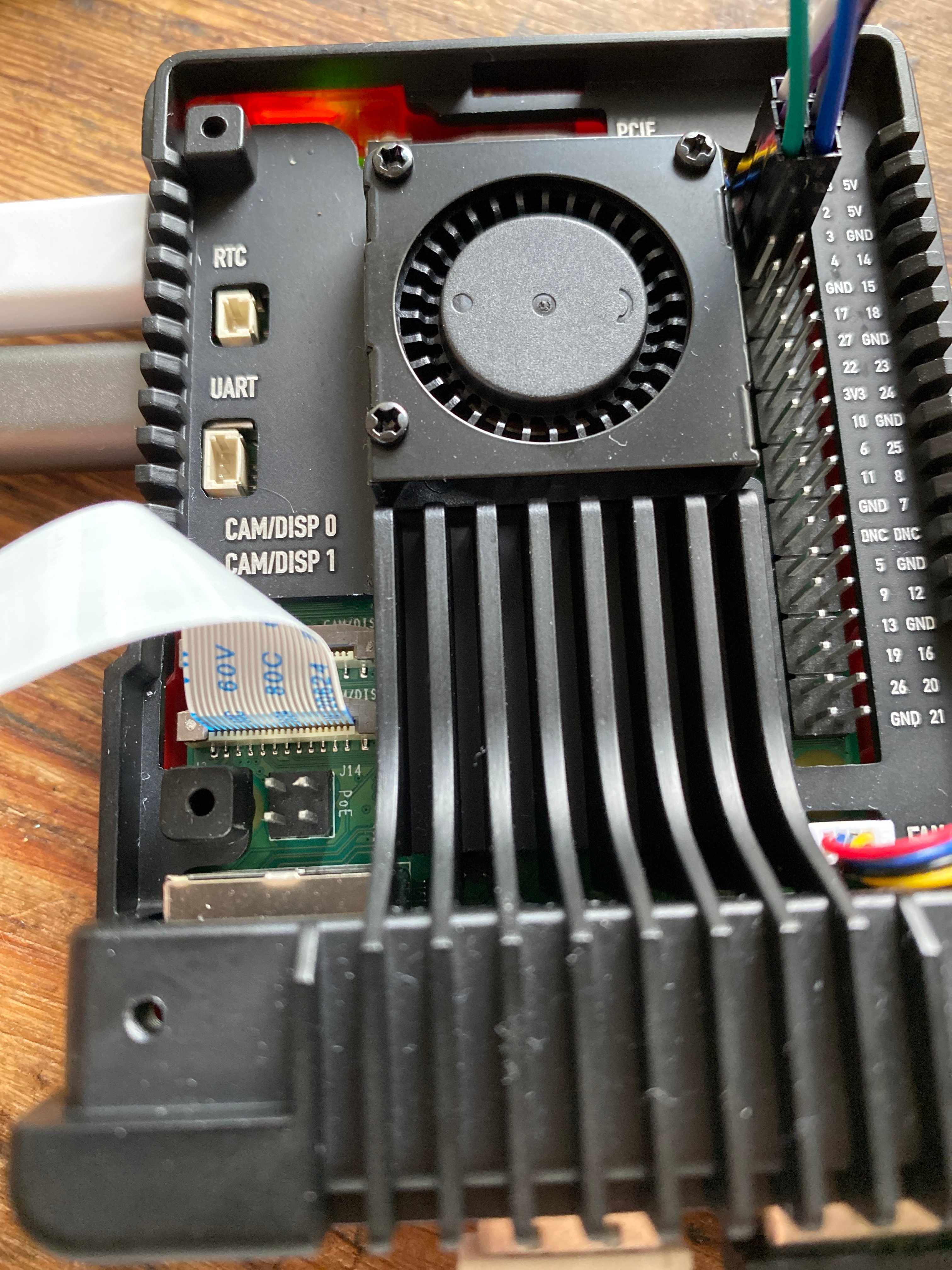
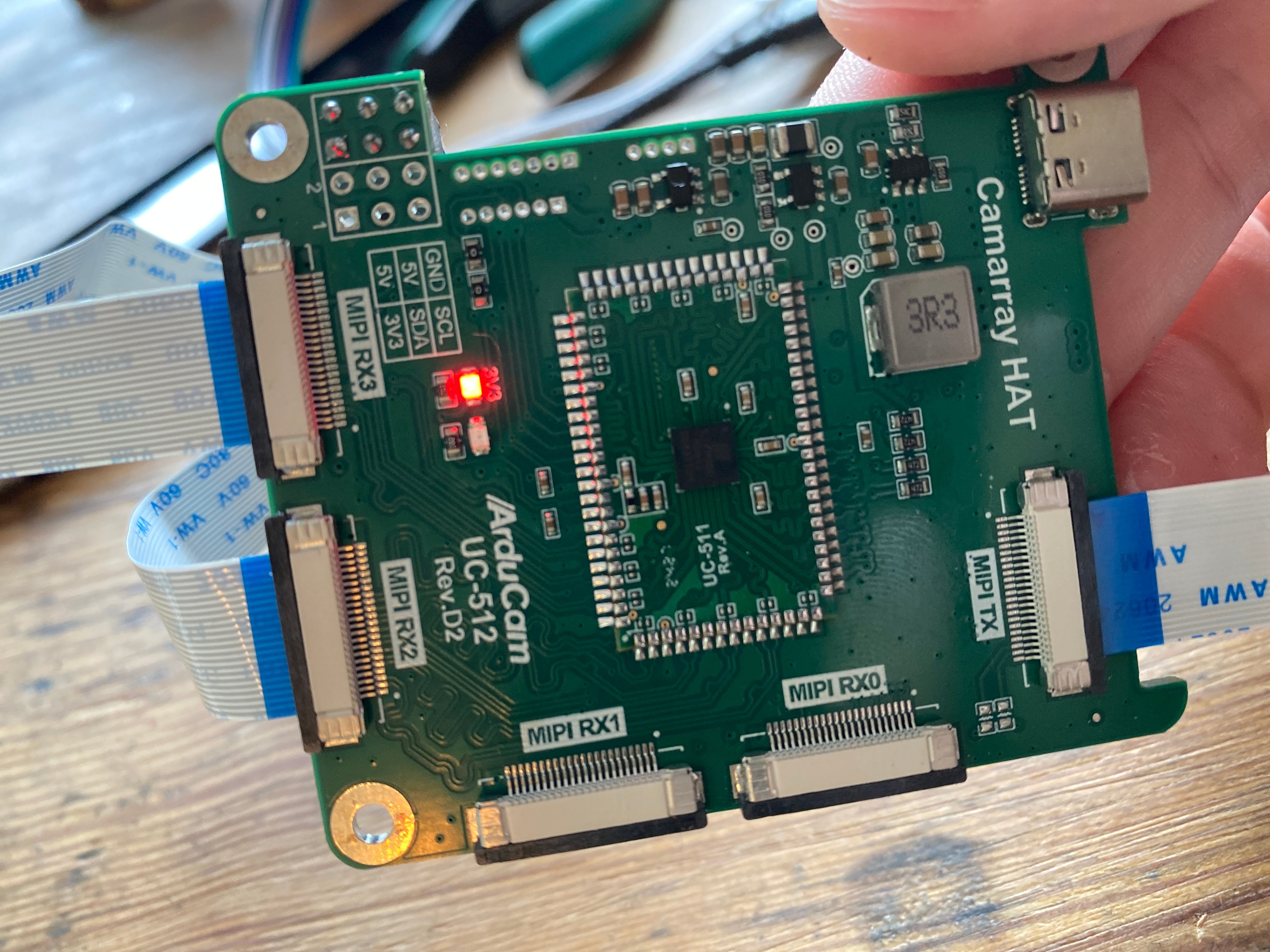
And here’s the bug report: arducam-bug-report.txt
For context: Raspberry Pi 5, Arducam stereo camarray HAT (B0266 / B0622). I’ve been trying to follow whatever documentation I could find online but nothing has worked so far. The end goal is to capture stereo images from the two cameras. Let me know what you see.
Alright, I had a look at your photos and the bug report, and I can see two separate issues — both need to be fixed.
Problem #1 — Cameras on wrong HAT ports
Your cameras are plugged into RX 2 and RX 3 on the HAT board. Those ports aren’t the ones that carry the primary signal — you need to be using RX 0 and RX 1. Disconnect both cameras and move them over to RX 0 and RX 1.
Problem #2 — CAM port mismatch
Your config.txt has dtoverlay=arducam-pivariety, which enables the CAM1 port on the Raspberry Pi 5. But looking at your photos, the HAT ribbon cable is physically connected to the CAM0 port. So the overlay is telling the Pi to look for cameras on CAM1 while the HAT is wired to CAM0 — it’ll never find anything like that.
Here’s the fix:
- Move both camera ribbon cables from RX 2 / RX 3 over to RX 0 and RX 1 on the HAT board.
- Move the HAT ribbon cable from CAM0 to CAM1 on the Raspberry Pi 5 (this matches what your
dtoverlayis already configured for).
Give that a try and let me know what happens.
Okay, I followed both steps — moved the cameras to MIPI RX0 and RX1 on the HAT, and switched the HAT ribbon over to CAM/DISP 1 on the Pi 5. Here are photos of the new connections:
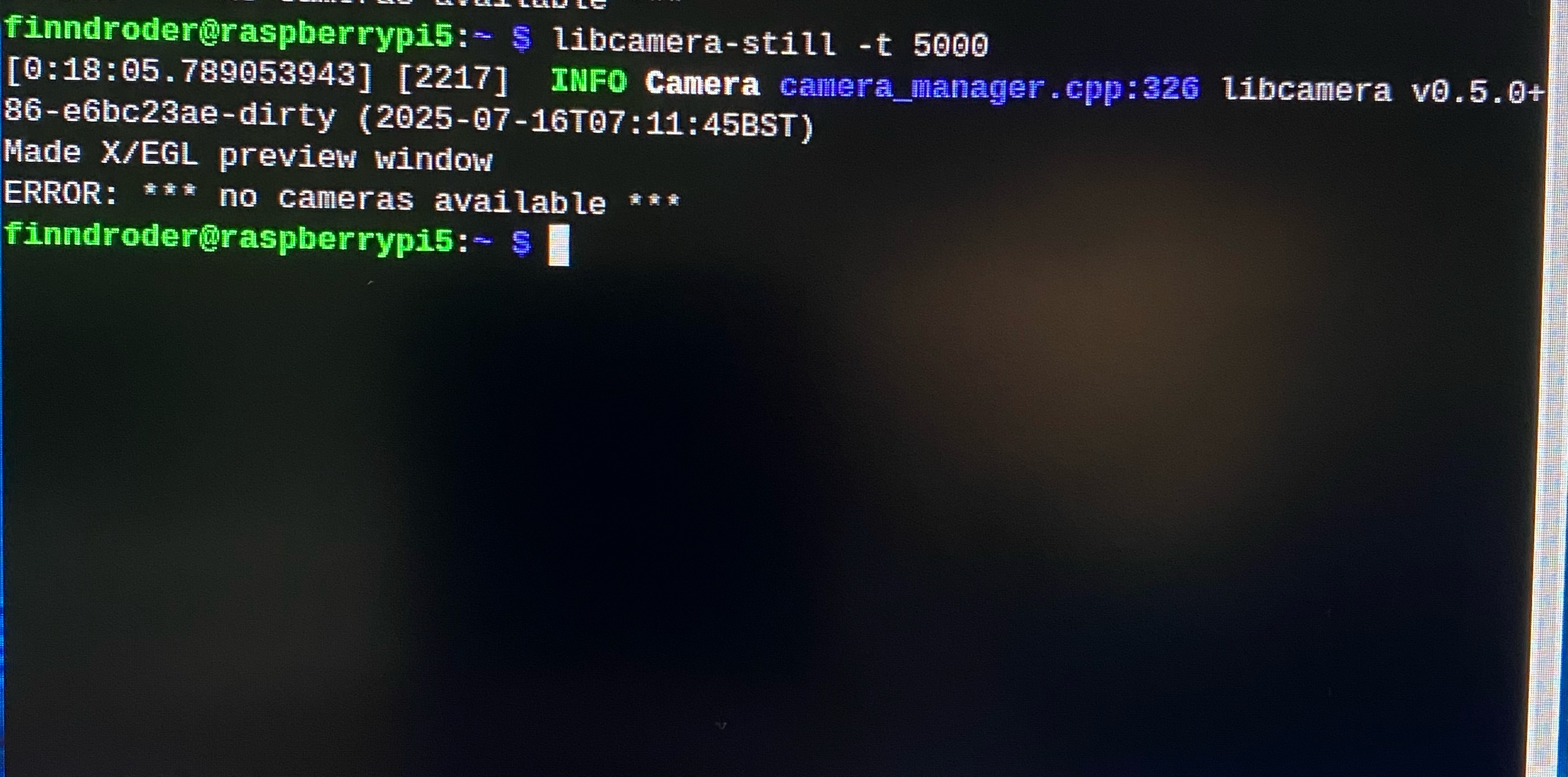
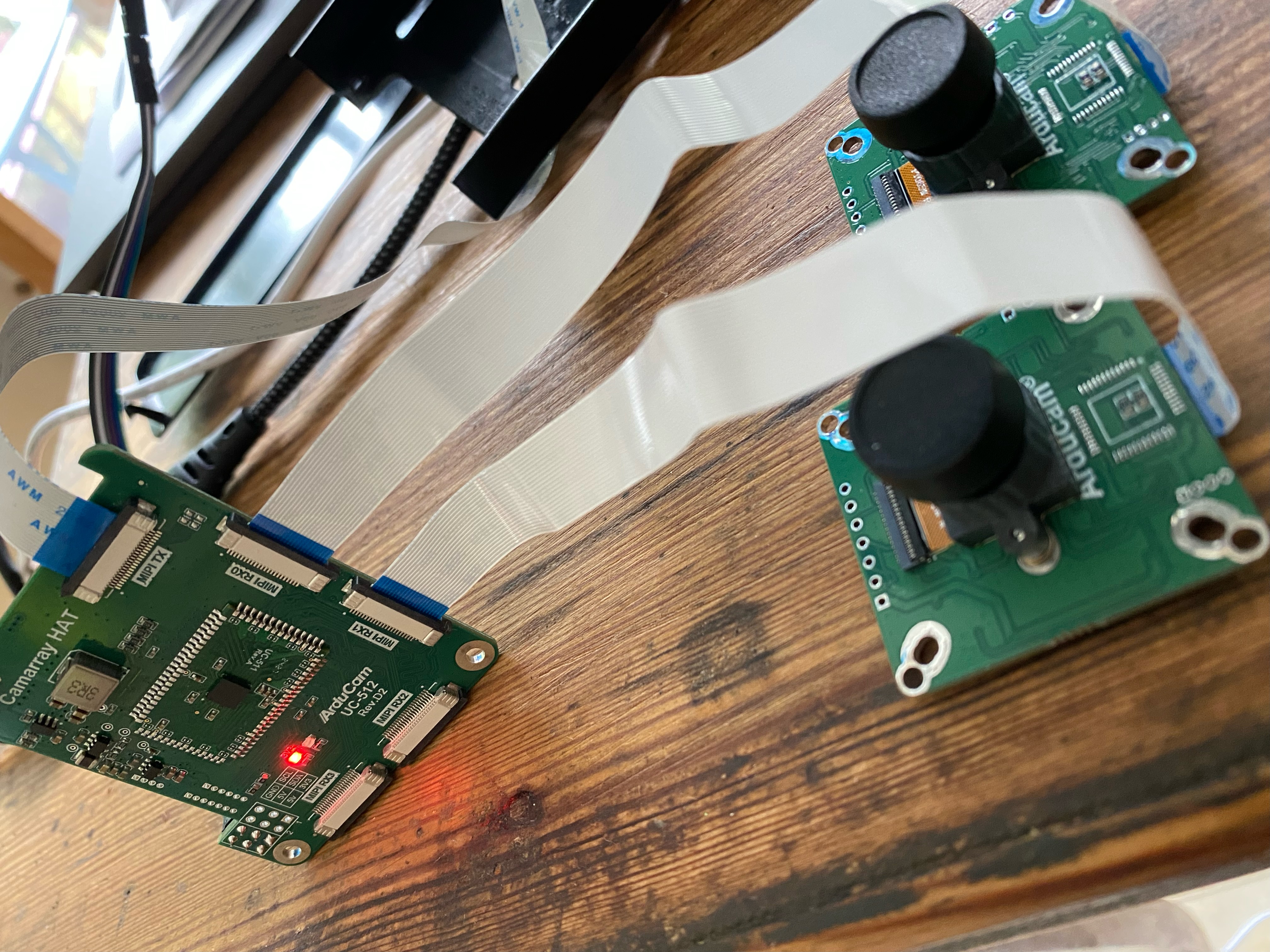
But unfortunately I’m still getting the same result in the terminal:
ERROR: *** no cameras available ***
So the connections look right now, but something else is still wrong. Any other ideas?
That’s frustrating — the physical connections look correct now after your changes, so the issue is likely something deeper in the software stack or configuration. Rather than going back and forth with more commands, let me take a direct look at your system.
I’ve sent you details via private message for setting up a remote support session. Please check your messages for the instructions on getting the remote access tool installed and how to schedule a time. We’ll get this sorted out in a live session where I can diagnose things in real time.
Quick update — we did the remote session and the cameras are now detected and working, which is great. But I’ve hit a new snag.
It looks like my Raspberry Pi OS has moved away from libcamera-commands — the system is now using rpicam-commands instead. And once again, it’s not seeing the cameras. After all that work to get them recognized, I’m now getting nothing from the rpicam tools. Has anyone else run into this after an OS update?
Following up with more detail — when I try to use the rpicam commands, I’m getting a device timeout. Here’s what the logs show:
[0:10:19.290632954] [2829]  WARN V4L2 v4l2_videodevice.cpp:2151 /dev/video4[16:cap]: Dequeue timer of 1000000.00us has expired!
[0:10:19.290687954] [2829] ERROR RPI pipeline_base.cpp:1408 Camera frontend has timed out!
[0:10:19.290696991] [2829] ERROR RPI pipeline_base.cpp:1409 Please check that your camera sensor connector is attached securely.
[0:10:19.290704583] [2829] ERROR RPI pipeline_base.cpp:1410 Alternatively, try another cable and/or sensor.
ERROR: Device timeout detected, attempting a restart!!!
It’s targeting /dev/video4 and the V4L2 dequeue timer keeps expiring after about 1 second. I’ve double-checked the ribbon connections and they seem seated properly, but no dice. This is a different error than before — the cameras were working after the remote session, but the switch to rpicam seems to have broken everything again.
Good catch on the rpicam transition — yeah, the newer Raspberry Pi OS builds have deprecated the old libcamera-* command set in favor of rpicam-*, so that part is expected. The timeout, however, is definitely not.
Looking at your log, the V4L2 dequeue timer on /dev/video4 is expiring at exactly 1,000,000µs (1 second), which means the pipeline is never receiving a frame from the sensor. That timeout cascade you’re seeing — Camera frontend has timed out! — usually points to one of a few things:
- The sensor flex cable isn’t making solid contact (even if it looks seated, it’s worth reseating both ends)
- A faulty ribbon cable (the high-speed MIPI lines are sensitive — a marginal cable can cause exactly this)
- A sensor module issue
Since the cameras were working after our remote session and this only cropped up after the rpicam switch, it could also be worth checking whether any libcamera-era configuration got left behind that’s confusing the new pipeline. But those timeout errors are pretty clearly at the hardware/driver interface layer, so let’s not rule out a physical connection gremlin.
I’ve sent you another remote session invite via private message — same time slot as last time. Let’s jump back in and trace what’s happening between the V4L2 layer and the sensor directly. In the meantime, try reseating all three ribbon cables (both camera-to-HAT and HAT-to-Pi) and see if the behavior changes at all.