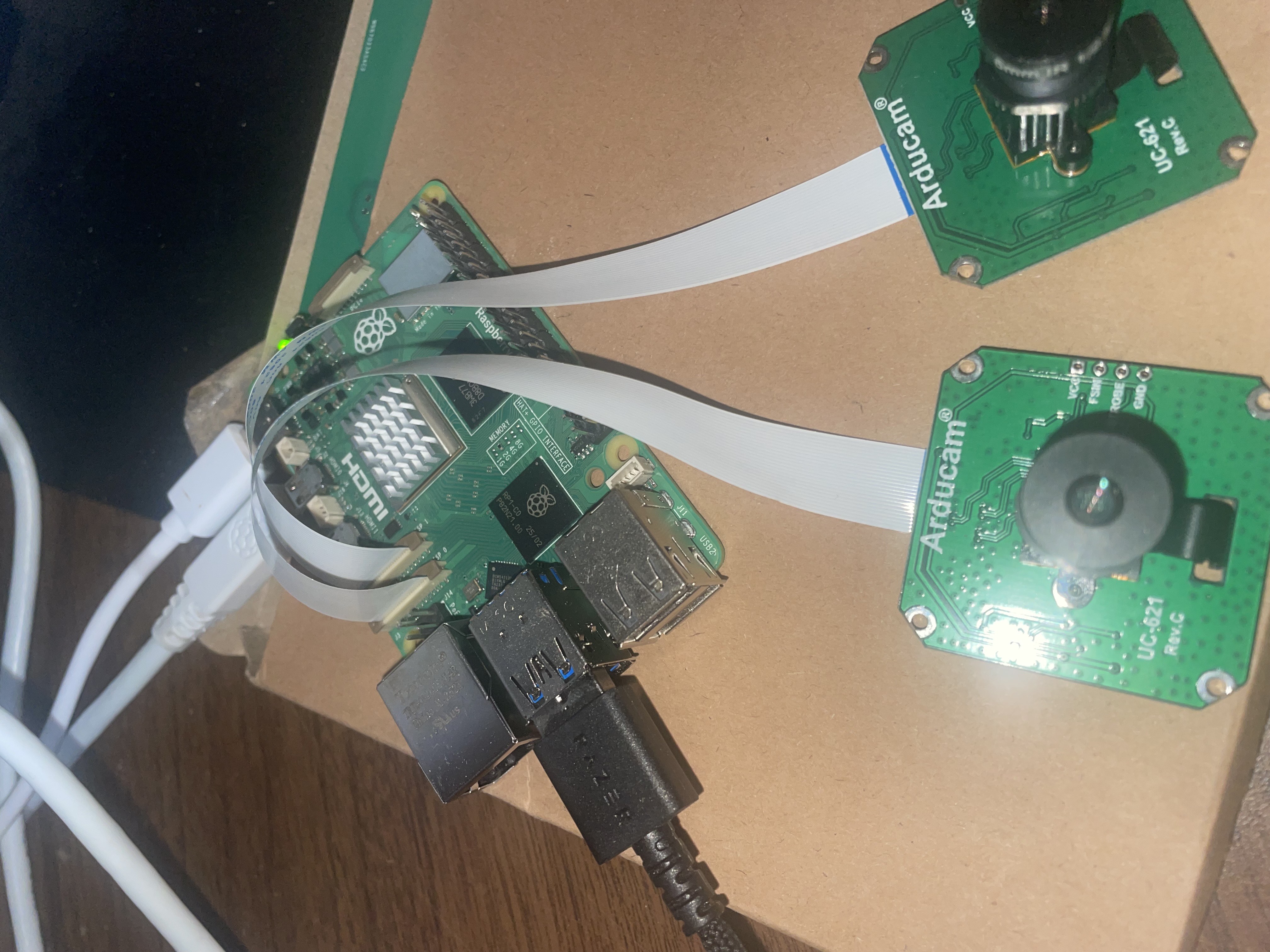
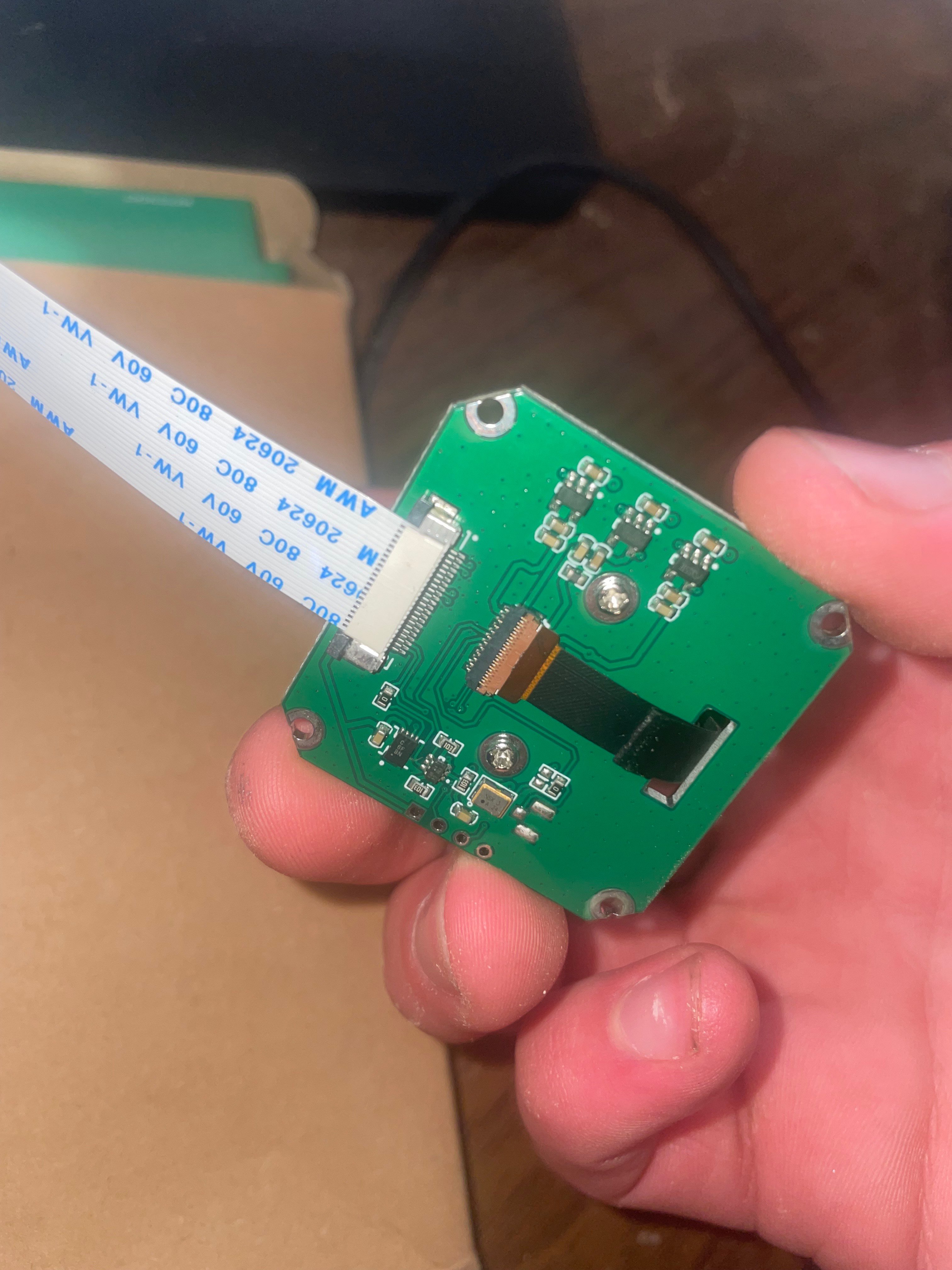
Hey everyone, I’m having trouble getting my OV2311 camera module to work on a Raspberry Pi 5 (2GB model). When I try rpicam-still --list-cameras it doesn’t detect anything at all. The camera just isn’t showing up.
I checked dmesg and I’m seeing some arducam-pivariety errors that don’t look right:
I’ve double-checked the ribbon cable connections and everything seems seated properly. Running Raspberry Pi OS Bookworm. Anyone have any ideas what’s going on here?
Those dmesg errors definitely point to a driver issue rather than just a loose cable. The pivariety_read failure at register 0x103 usually means the driver is trying to talk to hardware that isn’t responding the way it expects.
Before we go further, could you help me with a couple things? First, I’d like to get a full diagnostic snapshot of your setup. Can you run these commands:
This will generate a file called arducam-bug-report.txt that dumps your OS version, camera status, and current config. Attach that here.
Also, could you snap a couple photos of your hardware setup? I’d like to see both ends of the ribbon cable — the camera board side and the Pi connector side. That’ll help me identify exactly which module you’ve got.
Thanks for the report and photos — that clears things up. I can see from the pictures that you’ve got a Standard Legacy OV2311 module. This is an older revision that does not have the Pivariety bridge chip on board.
The problem is right there in your config: you’re loading the arducam-pivariety device tree overlay, which is meant for the newer Pivariety-series boards. That driver probes for the Pivariety bridge chip at I2C address 0x0c, doesn’t find it (because your board doesn’t have one), and that’s exactly why you’re seeing:
2. Find and remove any line that references arducam-pivariety. It’ll look something like:
dtoverlay=arducam-pivariety
Delete that line entirely.
3. Add the correct overlay for your legacy OV2311. Depending on which camera port you’re using:
If connected to CAM 0: dtoverlay=ov2311,cam0
If connected to CAM 1: dtoverlay=ov2311
You can add both if you want, it won’t hurt:
dtoverlay=ov2311,cam0
dtoverlay=ov2311
4. Save, exit, and reboot:
sudo reboot
5. After reboot, check dmesg again to confirm the camera probe succeeds this time.
One thing to be aware of though: that legacy OV2311 module was originally designed for the older Raspberry Pi OS (Buster era). You’re running a Pi 5 with Bookworm/Trixie, and the native ov2311 overlay support for these older sensors isn’t always fully maintained on the Pi 5’s ISP stack. If you swap overlays and the camera still isn’t detected, it’s likely an electrical compatibility issue between the legacy sensor module and the modern Pi 5 hardware. In that case, you’d want to look at the current OV2311 revision that’s been verified for Pi 5: Arducam 2MP OV2311 Global Shutter M12 Mount NoIR Mono Camera Modules for Jetson Nano
Give the overlay change a shot first and let us know what dmesg shows after the reboot.