Hi, I just got an Arducam IMX519 autofocus camera module (B0371) and I can’t get it to capture a test image at all. When I run libcamera-still -t 0 --autofocus it just fails/aborts. Not sure if I wired something wrong or if it’s a software thing. Any help appreciated.
Happy to help! Let’s start with the basics so I can see what we’re working with. Can you share the output of these commands?
uname -acat /etc/os-release
Also let me know which Raspberry Pi board you’re using and how the camera is physically connected (a photo of the connection would be great).
Sure. Here’s the stuff:
uname -a:
Linux raspberrypi 5.10.103-v7+ #1529 SMP Tue Mar 8 12:21:37 GMT 2022 armv7l GNU/Linux
cat /etc/os-release:
PRETTY_NAME="Raspbian GNU/Linux 10 (buster)"
VERSION_ID="10"
VERSION="10 (buster)"
VERSION_CODENAME=buster
ID=raspbian
ID_LIKE=debian
From dmesg, the CPU/HW is:
ARMv7 Processor [410fd034] revision 4
Machine model: Raspberry Pi 3 Model B Plus Rev 1.3
4 CPUs (BCM2835 cortex_a7 PMU)
Memory info:
MemTotal:         892584 kB
MemFree:           45340 kB
MemAvailable:     254852 kB
SwapTotal:        102396 kB
SwapFree:          62972 kB
And from dmesg:
Continuing the earlier post with the module + hardware details.
Camera module: Arducam IMX519 autofocus camera module for Raspberry Pi (Arducam B0371).
Here’s a photo of how it’s connected:
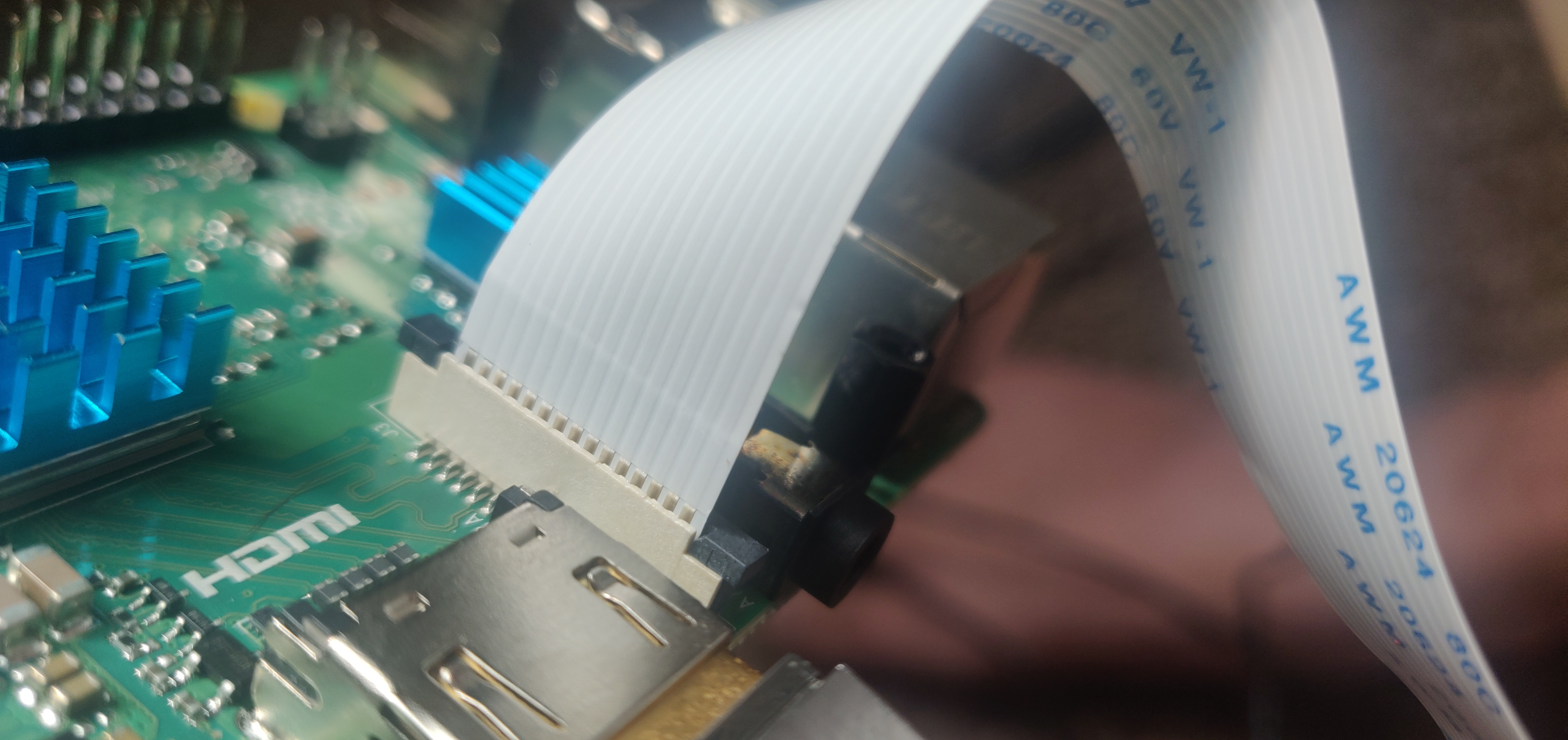
Got it, thanks. A couple more things to check.
- Can you paste the relevant entries from
/boot/config.txt? Specifically I want to confirm the overlays and the camera enable settings. - Can you run the capture command again and paste the full output/log?
Also, if you can grab dmesg too that would help a lot.
Here are the relevant entries in /boot/config.txt:
dtparam=i2c_arm=on
dtparam=spi=on
dtparam=audio=on
[pi4]
dtoverlay=vc4-fkms-v3d
max_framebuffers=2
[all]
start_x=1
gpu_mem=128
dtoverlay=imx519
And here’s the command I’m running and the log it spits out:
Command:
libcamera-still -t 0 --autofocus
Output:
libEGL warning: DRI2: failed to authenticate
[0:02:27.233558965] [1648]  INFO Camera camera_manager.cpp:293 libcamera v0.0.0+3139-5baab39e
terminate called without an active exception
Aborted
It just aborts after that.
Here’s the dmesg output (selected relevant parts):
[    0.000000] Linux version 5.10.103-v7+ (dom@buildbot) (arm-linux-gnueabihf-gcc-8 (Ubuntu/Linaro 8.4.0-3ubuntu1) 8.4.0, GNU ld (GNU Binutils for Ubuntu) 2.34) #1529 SMP Tue Mar 8 12:21:37 GMT 2022
[    0.000000] OF: fdt: Machine model: Raspberry Pi 3 Model B Plus Rev 1.3
[    0.000000] Reserved memory: created CMA memory pool at 0x34000000, size 64 MiB
[    0.080120] raspberrypi-firmware soc:firmware: Attached to firmware from 2021-12-01T15:08:00, variant start_x
[    0.090132] raspberrypi-firmware soc:firmware: Firmware hash is 71bd3109023a0c8575585ba87cbb374d2eeb038f
[    1.901728] bcm2708_fb soc:fb: FB found 1 display(s)
[    1.937445] Console: switching to colour frame buffer device 228x61
[    1.967960] bcm2708_fb soc:fb: Registered framebuffer for display 0, size 1824x984
[    2.933955] WARN::dwc_otg_hcd_init:1074: FIQ DMA bounce buffers: virt = b4114000 dma = 0xf4114000 len=9024
[    3.015000] Waiting for root device PARTUUID=d9b3f436-02...
[    3.168758] mmc0: new high speed SDHC card at address 0001
[    3.170025] mmcblk0: mmc0:0001 SD32G 28.9 GiB
[    3.173208]  mmcblk0: p1 p2
[    3.208998] EXT4-fs (mmcblk0p2): mounted filesystem with ordered data mode. Opts: (null)
[    7.366989] bcm2835-isp bcm2835-isp: Device node output[0] registered as /dev/video13
[    7.368557] bcm2835-isp bcm2835-isp: Device node capture[0] registered as /dev/video14
[    7.369091] bcm2835-isp bcm2835-isp: Device node capture[1] registered as /dev/video15
[    7.370043] bcm2835-isp bcm2835-isp: Device node stats[2] registered as /dev/video16
[    8.004474] bcm2835-codec bcm2835-codec: Device registered as /dev/video10
[    8.019661] bcm2835-codec bcm2835-codec: Device registered as /dev/video11
[    8.028423] bcm2835-codec bcm2835-codec: Device registered as /dev/video12
[    8.032054] bcm2835-codec bcm2835-codec: Device registered as /dev/video18
[   19.914957] Under-voltage detected! (0x00050005)
[   24.074871] Voltage normalised (0x00000000)
[  184.236812] Under-voltage detected! (0x00050005)
[  190.476675] Voltage normalised (0x00000000)
[  202.956574] Under-voltage detected! (0x00050005)
[  207.116515] Voltage normalised (0x00000000)
[  623.121211] rpi_firmware_get_throttled: 1 callbacks suppressed
[  623.121222] Under-voltage detected! (0x00050005)
[  627.281232] rpi_firmware_get_throttled: 1 callbacks suppressed
[  627.281242] Voltage normalised (0x00000000)
[  795.772835] Under-voltage detected! (0x00050005)
[  799.922821] Voltage normalised (0x00000000)
[  802.002899] Under-voltage detected! (0x00050005)
[  806.162851] Voltage normalised (0x00000000)
[ 1396.891437] rpi_firmware_get_throttled: 1 callbacks suppressed
[ 1396.891452] Under-voltage detected! (0x00050005)
[ 1403.131424] rpi_firmware_get_throttled: 1 callbacks suppressed
[ 1403.131434] Voltage normalised (0x00000000)
[ 1413.531620] Under-voltage detected! (0x00050005)
[ 1421.851657] Voltage normalised (0x00000000)
I already tried the capture command a few times and always get the same abort.
Thanks, this gives me a clear picture. A few observations:
- Your system is running Raspbian GNU/Linux 10 (buster), kernel
5.10.103-v7+, on a Raspberry Pi 3 Model B Plus Rev 1.3. - Your
/boot/config.txthas the camera overlay set correctly:dtparam=i2c_arm=on,dtparam=spi=on,start_x=1,gpu_mem=128,dtoverlay=imx519. - The failure is:
libEGL warning: DRI2: failed to authenticate, thenterminate called without an active exceptionandAborted.
One quick thing to rule out on the hardware side — I notice a lot of Under-voltage detected! (0x00050005) entries in your dmesg. That usually means the power supply/cable isn’t delivering enough power. Can you try a solid 5V/3A supply and a good short cable, then re-run the capture command? Just want to eliminate that as a contributing factor.
OK, I swapped to a better power supply and the under-voltage messages mostly went away, but the camera command still aborts exactly the same way:
libEGL warning: DRI2: failed to authenticate
[0:02:27.233558965] [1648]  INFO Camera camera_manager.cpp:293 libcamera v0.0.0+3139-5baab39e
terminate called without an active exception
Aborted
So I don’t think it’s the power.
Thanks for confirming. So here’s where this lands: the IMX519 autofocus camera is no longer supported on the Buster system. The Buster kernel is no longer maintained, which is why the camera stack (libcamera) fails to initialize the sensor and aborts with that terminate called without an active exception message — you’ve set everything up on the config side correctly, but the underlying OS/kernel is the blocker here.
Recommended fix: move to the Bullseye system. That’s what the IMX519 autofocus module needs.
You can get the Bullseye image here:
https://downloads.raspberrypi.org/raspios_full_armhf/images/raspios_full_armhf-2022-04-07/
Technically you could compile the driver yourself on Buster, but honestly it’s a pain and not worth it — just use Bullseye and it’ll work out of the box.
Key takeaway: Buster isn’t supported by the IMX519 autofocus camera and its kernel is unmaintained. Switch to Bullseye (and avoid manually compiling the driver). Let me know how the Bullseye install goes!