Hey everyone, I’m trying to install the driver for my Arducam B0223 camera on a Jetson Orin Nano and it keeps failing. I’ve followed the installation steps but the driver just won’t build properly. I’ve attached the error log (安装驱动报错.docx) but basically it throws a bunch of compilation errors during the driver install script. Has anyone run into this before? The camera itself seems fine but the Jetvariety driver setup just won’t complete.
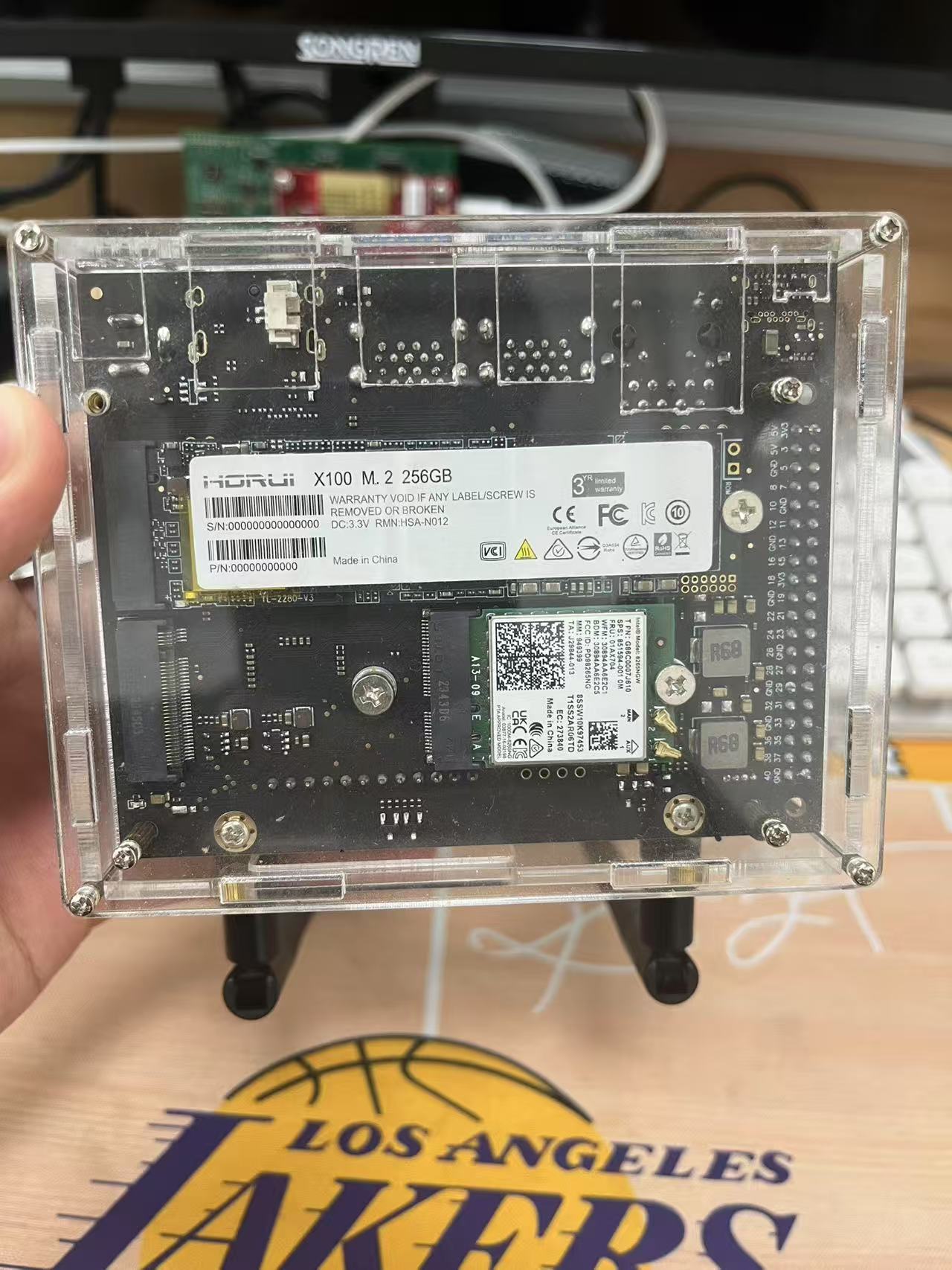
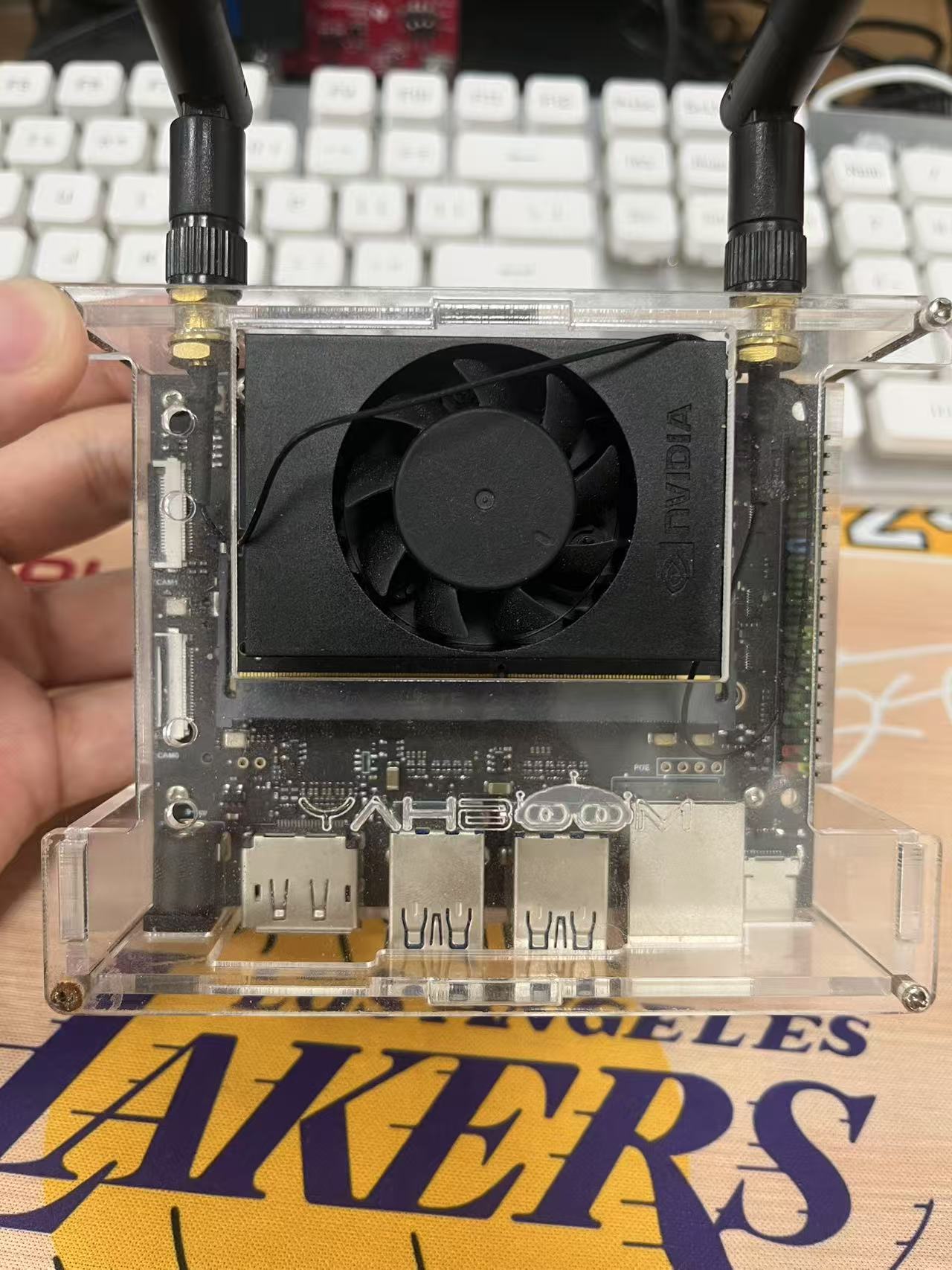
Hi there — can you post photos of the front and back of your Jetson development board? We need to check whether you’re using a third-party carrier board. The Jetvariety camera driver has known compatibility issues with third-party carrier boards, and in those cases we unfortunately can’t guarantee successful installation of the Arducam camera driver. A clear shot of both sides would help us narrow this down.
Sure, here are the photos of my board:
Front:
Back:
It’s a Waveshare (微雪) board if that matters.
Thanks for the photos. That confirms it — you’re running a third-party carrier board, which is the root cause of the B0233 driver installation failure. The Jetvariety camera driver is simply not compatible with third-party carrier boards like the Waveshare custom one you have. The driver expects certain hardware-level interfaces that these third-party boards handle differently.
The solution is to use an official NVIDIA carrier board instead. What you need is the Jetson Orin Nano official developer kit — that comes with the NVIDIA reference carrier board and is fully compatible with the Arducam camera driver.
You can find it here:
Wait, I’m a bit confused now. You’re saying my Waveshare board is incompatible, but the link you gave me is also for a Waveshare product. Is the board at that link actually confirmed to work with the Arducam camera driver? Because my current board is also from Waveshare and it clearly doesn’t work. I just want to be sure before I spend money on something that might have the same problem.
That’s a fair question and I should clarify — Waveshare sells two different things and it’s easy to mix them up:
-
The product in the link I shared (英伟达 Jetson Orin Nano Super 人工智能(AI)开发套件 适用于嵌入式系统和边缘系统 内置Jetson Orin Nano 8GB显存核心板) is the official Jetson Orin Nano Developer Kit. This is a bundle that includes the Jetson Orin Nano core module paired with the official NVIDIA carrier board. This kit IS compatible with the B0233 camera driver.
-
What you currently have is a Jetson Orin Nano core module paired with Waveshare’s own custom-designed carrier board. That custom carrier board is a third-party design and is NOT compatible with the B0233 camera driver.
The key difference is the carrier board — you need the official NVIDIA-designed one, not any third-party custom board. The fact that Waveshare resells the official dev kit doesn’t make the carrier board inside it a “Waveshare board” in the custom sense. It’s still NVIDIA’s reference design.
I’d also suggest reaching out to Waveshare’s staff directly to confirm whether they sell the official carrier board separately if you already have the core module and just need the board.
Ah, that makes total sense now. So the official Jetson Orin Nano carrier board (官方载板) is the one I need, and the Waveshare custom carrier board I’ve been using is why the driver won’t install. I’ll look into getting the official NVIDIA dev kit or at least the official carrier board. Thanks for the detailed explanation — really appreciate it!