Hi all, I’m having trouble getting my Arducam B0424 (Low Light camera with IMX290 sensor) working on a Raspberry Pi Zero 2W. The camera gets detected and registered, but it fails to start streaming with an ‘Input/output error’. All the I2C register writes to the IMX290 sensor seem to be failing with error code -5.
My setup:
Raspberry Pi Zero 2W (A53 processor — I followed the Pi3 instructions from the docs since there weren’t Zero 2W-specific ones)
Kernel: 6.1.65-v7+ running Bullseye
libcamera version: v0.0.0+4367-ad9428b4
Using a Type B 22-way 0.5mm FPC cable (opposite side connectors)
Preview window unavailable
[0:00:39.436595870] [830]  INFO Camera camera_manager.cpp:297 libcamera v0.0.0+4367-ad9428b4
[0:00:39.539123109] [832]  INFO RPI vc4.cpp:444 Registered camera /base/soc/i2c0mux/i2c@1/imx290@1a to Unicam device /dev/media3 and ISP device /dev/media0
[0:00:39.539365401] [832]  INFO RPI pipeline_base.cpp:1101 Using configuration file '/usr/share/libcamera/pipeline/rpi/vc4/rpi_apps.yaml'
[0:00:39.542409776] [830]  INFO Camera camera.cpp:1033 configuring streams: (0) 960x540-YUV420
[0:00:39.543509047] [832]  INFO RPI vc4.cpp:572 Sensor: /base/soc/i2c0mux/i2c@1/imx290@1a - Selected sensor format: 1280x720-SRGGB12_1X12 - Selected unicam format: 1280x720-pRCC
[0:00:39.611715192] [832] ERROR V4L2 v4l2_videodevice.cpp:1906 /dev/video0[13:cap]: Failed to start streaming: Input/output error
ERROR: *** failed to start camera ***
And dmesg shows a bunch of I2C write failures:
[   10.631980] imx290 10-001a: 16-bit write to 0x301c failed: -5
[   10.632235] imx290 10-001a: 24-bit write to 0x3020 failed: -5
[   10.632469] imx290 10-001a: 24-bit write to 0x3018 failed: -5
[   10.632700] imx290 10-001a: 24-bit write to 0x3020 failed: -5
[   10.632735] imx290 10-001a: Consider updating driver imx290 to match on endpoints
[   39.615153] imx290 10-001a: 8-bit write to 0x303a failed: -5
[   39.615184] imx290 10-001a: Could not set init registers
[   39.615195] imx290 10-001a: Start stream failed
I’ve checked the FPC cable and it seems fully seated in the sockets at both ends. I also followed the setup guide at the Arducam docs (using Pi3 instructions for the A53). I’m starting to wonder if it’s a faulty camera or some kind of I2C bus issue. Anyone seen this before?
Thanks for the detailed report — the dmesg output is very helpful here.
Those repeated I2C write failures (error -5 = EIO) across multiple sensor registers (0x301c, 0x3020, 0x3018, 0x303a) are a pattern I’ve seen before with the IMX290 sensor. It almost always points to a physical communication problem rather than a software or overlay misconfiguration.
A quick note: the line “Consider updating driver imx290 to match on endpoints” is a known benign message — it can appear even when the overlay is set up correctly, so you can ignore that.
The fact that the sensor is being detected (it shows up at the correct I2C address and the pipeline registers it) but then fails on every register write strongly suggests an electrical connection issue.
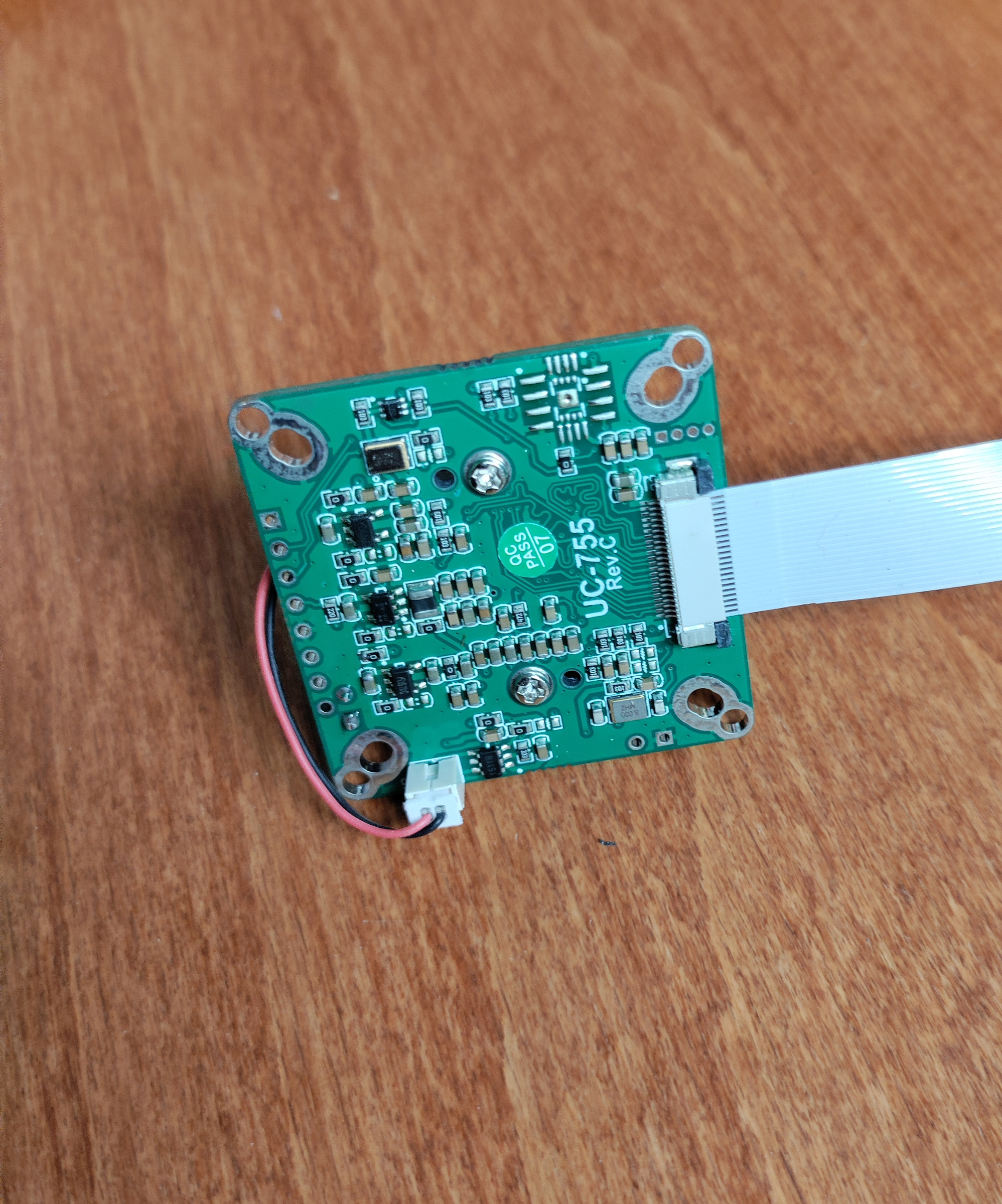
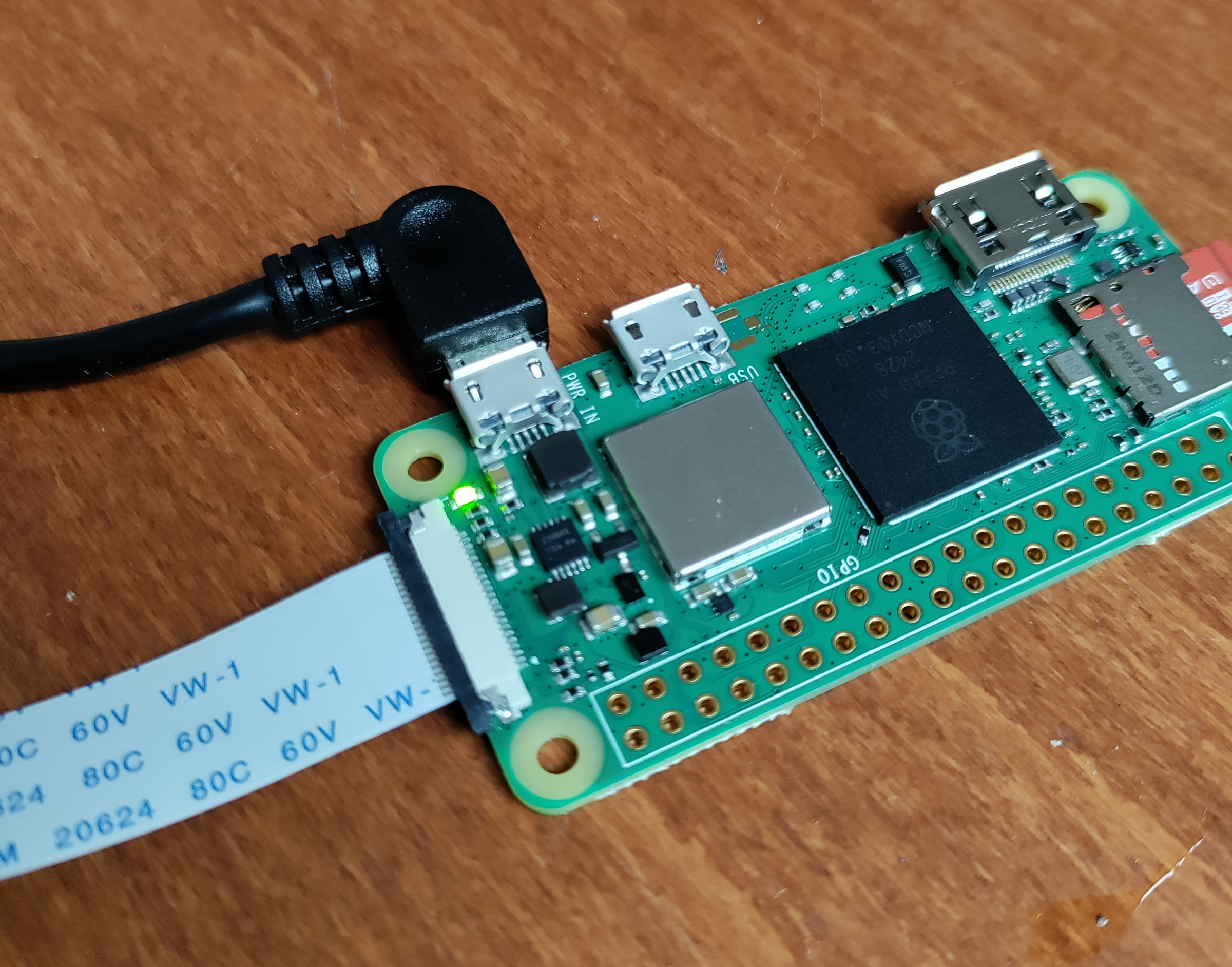
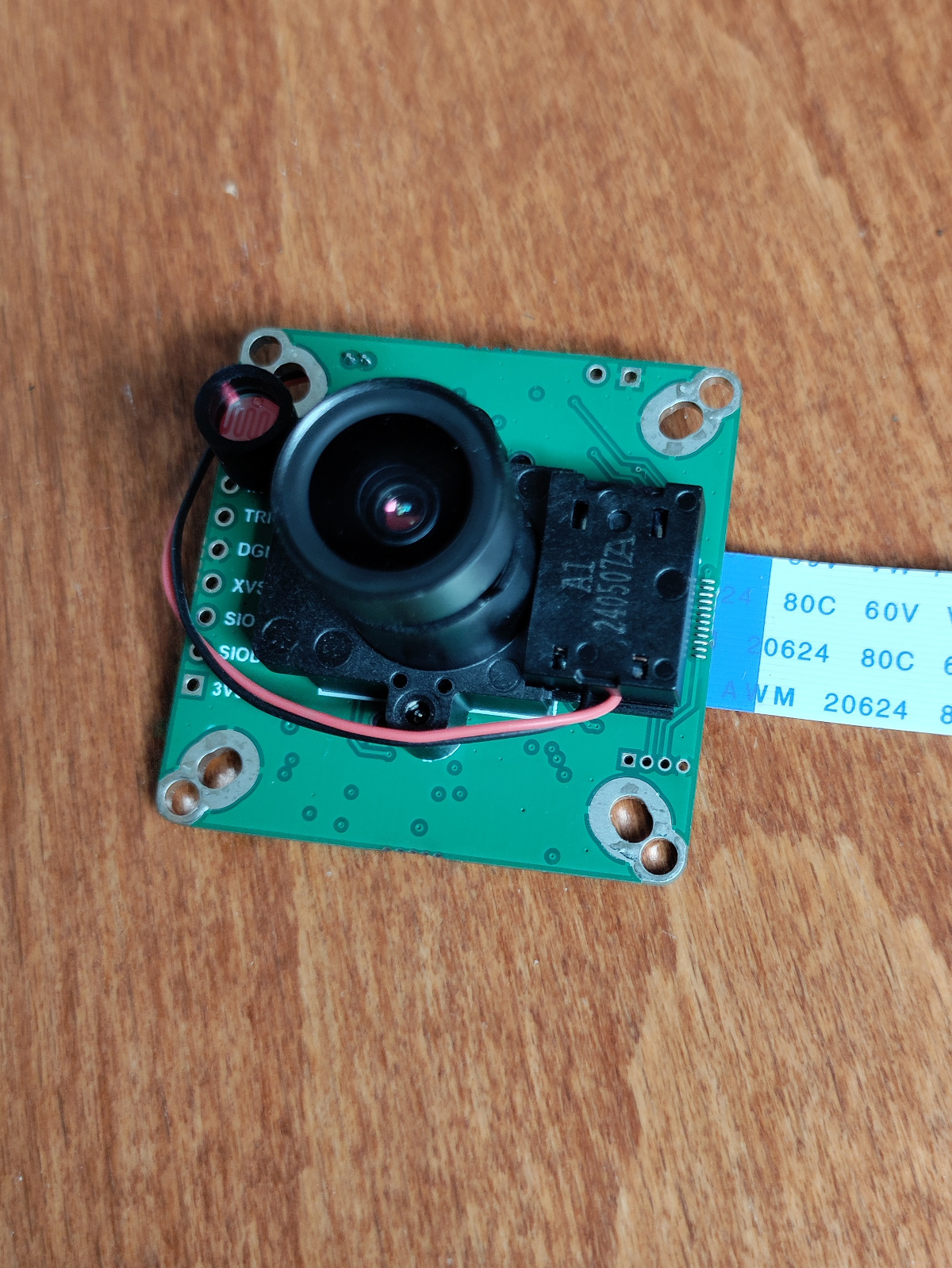
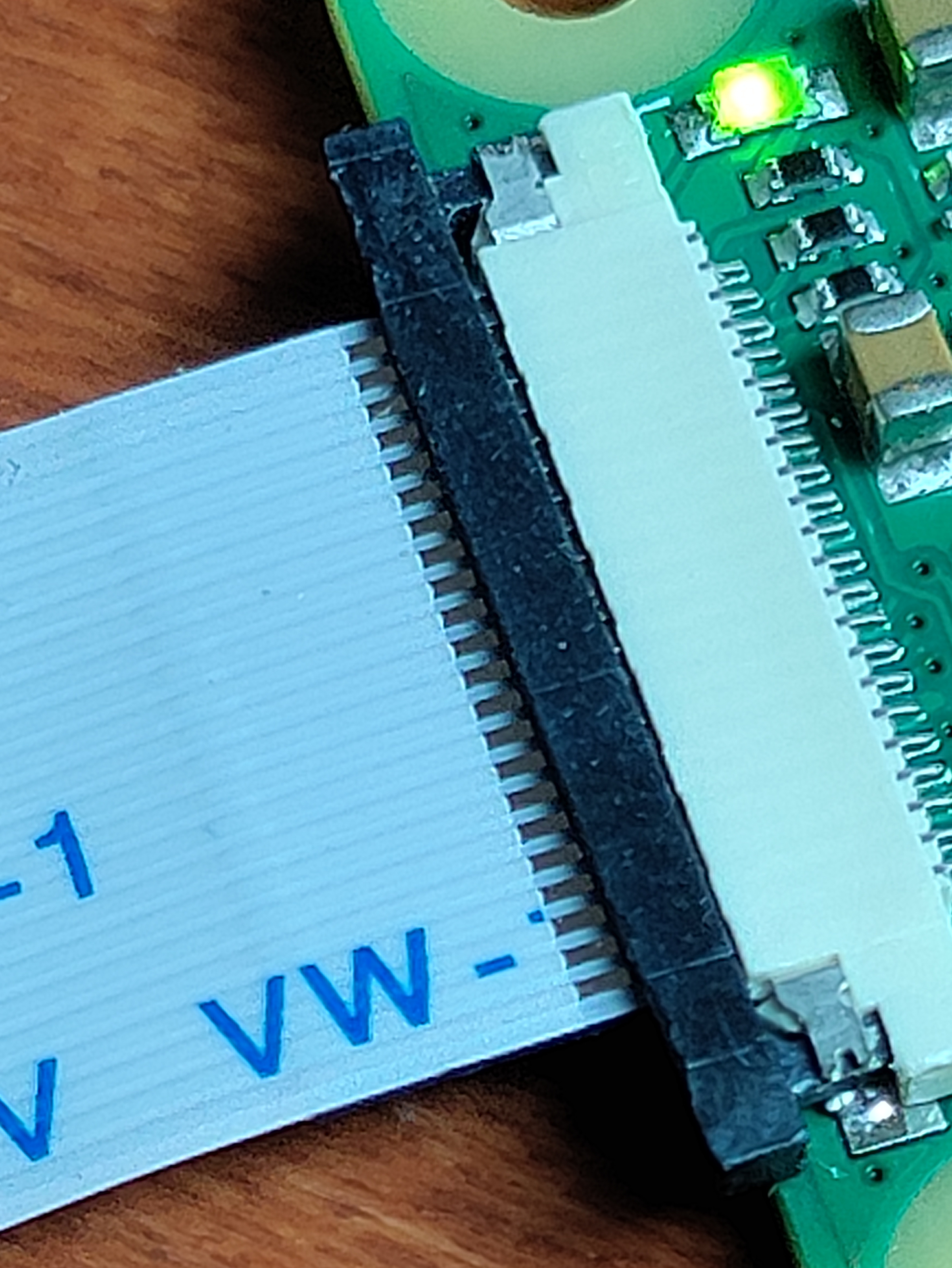
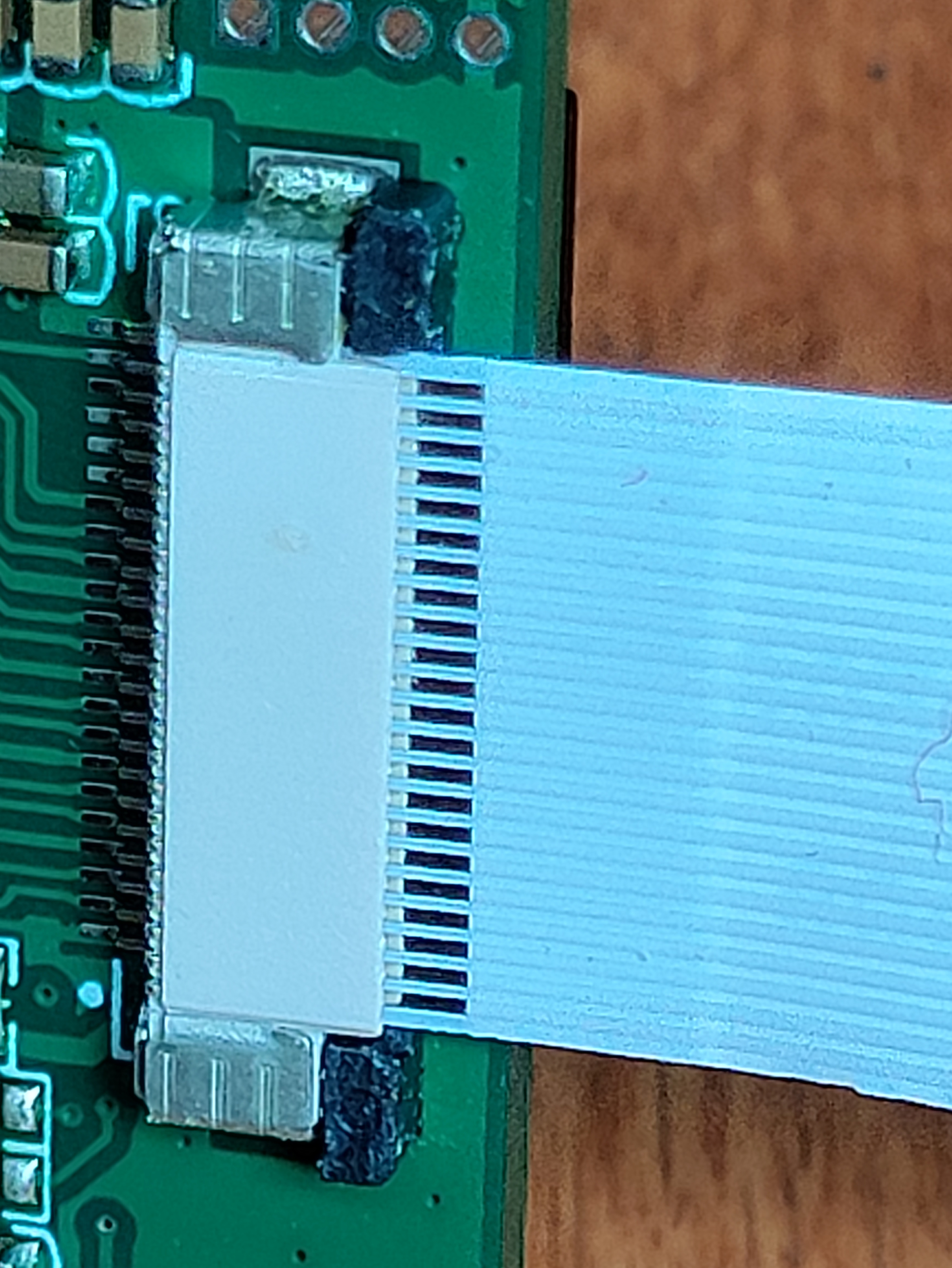
Could you post some photos of the ribbon cable connection at both ends — the camera side and the Pi Zero side? I’d like to check the orientation of the FPC cable in the connectors.
Sure, here are photos of both ends of the connection. I’ve double-checked and the FPC cables feel fully home in their sockets on both the camera and the Pi.
Found it. Looking at the photos of the Pi Zero side — the ribbon cable is inserted upside down in the camera connector.
The silver metal contacts on the FPC cable are facing up, but they need to be facing down (toward the green PCB). Right now the blue plastic backing is facing down toward the board, and that’s what’s causing the poor electrical contact. This completely explains the I2C write failures you’re seeing — the signals aren’t making proper contact with the sensor.
Here’s what to do:
Gently pull up the tabs on both sides of the camera connector on your Pi Zero to release the cable.
Re-insert the cable with the silver metal contacts facing down (toward the green part of the board). The blue plastic tab should be facing up.
Press the connector tabs back down to secure it.
No need to change anything on the camera side — that one looks fine. Give that a try and let us know how it goes.
I released the connector tabs, flipped the ribbon cable so the silver contacts face down and the blue tab faces up, reseated it, and locked the tabs back down. Booted up, ran libcamera-hello, and I’m getting a clean video stream with no errors.
Can’t believe it was just an orientation mistake on my part. The cable being Type B with opposite-side connectors threw me off — I must have just assumed the blue side faced the same direction on both ends. Thanks for spotting it in the photos, I would’ve been chasing kernel and driver issues for days otherwise. Really appreciate the help!