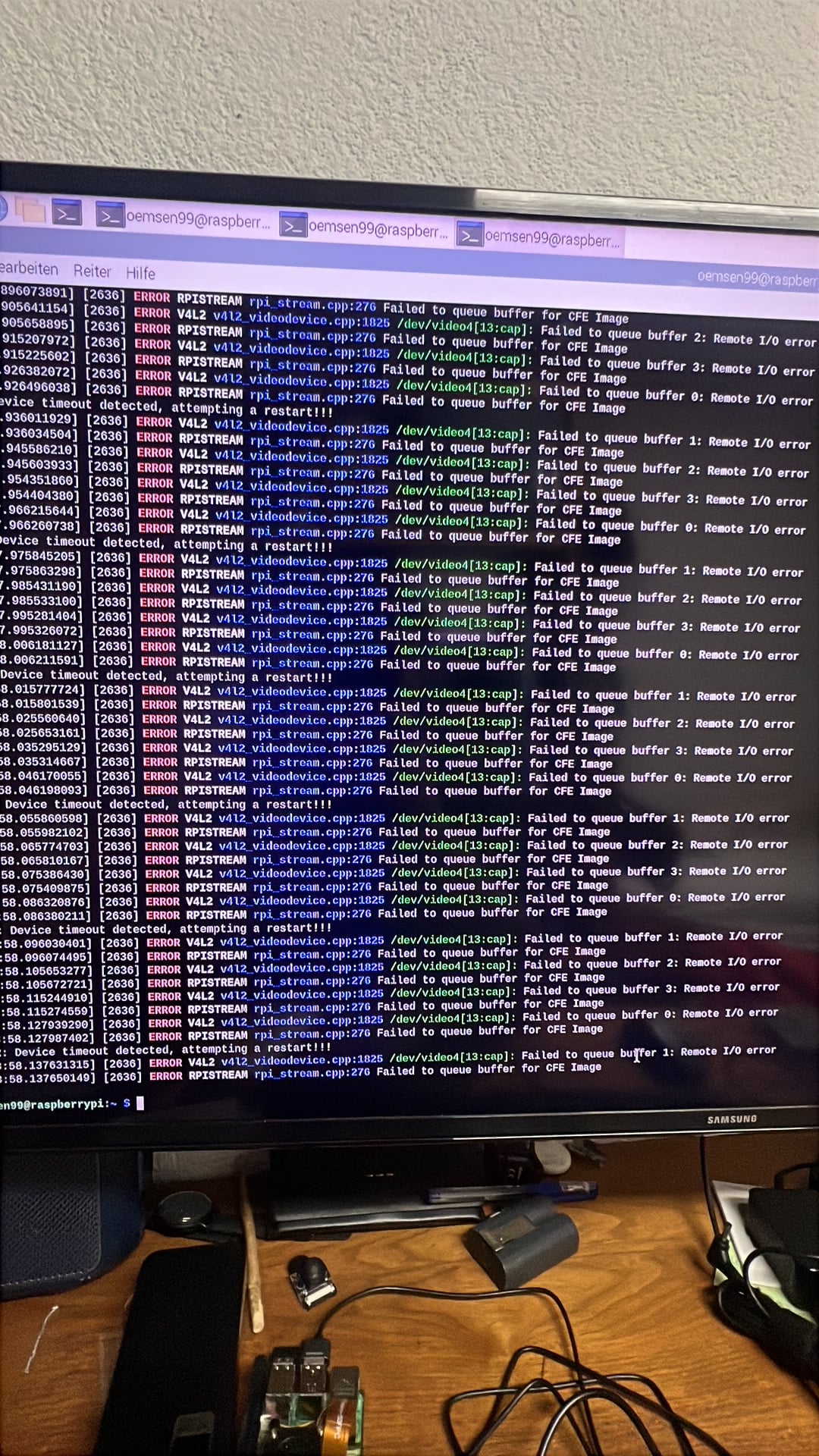
Hi everyone, I’m running into an issue with my Arducam IMX219 on a Raspberry Pi 5. I was modifying the camera configuration and now it won’t work at all. I’m getting an error but I’m not entirely sure what’s going on. Has anyone seen this before?
I was tweaking some settings in the config file earlier and after a reboot, the camera just stopped being detected. Not sure if I messed something up in software or if it’s something else entirely.
Thanks for posting the screenshot. That error message is quite helpful — it’s showing that the camera module isn’t communicating with the Pi at all. The system is essentially failing to detect the IMX219 on the I2C bus.
Before we dive into config troubleshooting, can you tell me a bit more about your physical setup? Are you using the original FPC ribbon cable that came with the Arducam IMX219, or did you swap it out for a different one when you were making your configuration changes?
Hmm, good question. I did actually swap the cable when I was moving things around. The original one was a bit short for my enclosure so I used a longer FPC cable I had lying around from another project. Honestly didn’t think much of it at the time since it fit the connector fine.
Here’s the actual error I’m getting. Do you think the cable could really cause this? I figured it was something I broke in the config.
Yeah, that error screenshot confirms what I suspected. The communication failure you’re seeing here is actually a pretty strong indicator of a physical layer problem rather than a software misconfiguration. The Pi is trying to talk to the camera sensor over I2C and getting no response at all — it’s not even seeing the device on the bus.
If this were a configuration issue, you’d typically still see the camera detected but maybe get format errors or streaming failures. A complete communication drop like this usually points to the physical connection.
Here’s what I think is happening: not all FPC cables are created equal, especially with the Raspberry Pi 5 and its CSI/DSI connector. The Pi 5 uses a different FPC connector than previous models, and it’s quite particular about cable quality and pin alignment. A generic FPC cable from another project may not have the right impedance characteristics, or the contacts might not be seating properly even though it fits mechanically.
Can you try swapping back to the original Arducam FPC cable and see if the camera gets detected again?
Interesting, I had no idea the Pi 5 was picky about cables like that. Let me dig out the original cable and give it a shot. It’ll be a tight fit in my enclosure but I just want to confirm the camera is actually working at this point. I’ll report back once I’ve tested it.
Sounds good. A couple of things to keep in mind when you reconnect everything:
Make sure the cable is fully seated in both the camera module and the Pi 5 connector. The Pi 5’s CSI connector latch needs to be lifted, cable inserted, and then pushed back down firmly.
Double-check the orientation — the blue marking on the original cable should face the same direction on both ends.
Power off the Pi completely before swapping cables. Hot-plugging the camera isn’t supported.
If the original cable brings the camera back to life, then we’ve found the culprit and the fix is straightforward. At that point you can look into either extending the original setup or sourcing a high-quality replacement cable that’s confirmed compatible with the Pi 5’s CSI interface.