Hi everyone, hoping someone can point me in the right direction here.
I’m putting together an ArduCAM setup for a science project — I need to record some experiments. I’ve got the Mini 2MP variant with the OV2640 sensor, connected to an Arduino board (Uno, if it matters). Followed one of the setup videos to get everything wired up and installed.
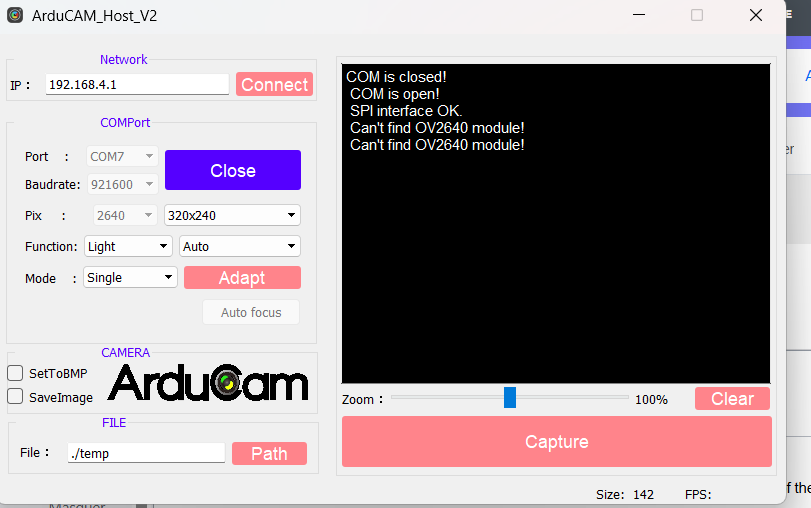
Problem is, when I launch ArduCAM_Host_V2.exe, I get this:
COM is open! SPI interface OK. Can’t find OV2640 MODULE
I thought maybe it was a config issue, so I went into the camera code and uncommented this line:
#define OV2640_MINI_2MP
Flashed the sketch again, fired up the host software… same exact error. “Can’t find OV2640 MODULE.” Kind of stuck now — not really sure what to try next. Anyone seen this before?
That “SPI interface OK” part of the message is actually a good sign. It means the USB-to-SPI bridge on your ArduCAM board is working fine and your PC can talk to the board over the COM port without issues. So the problem isn’t communication between the PC and the ArduCAM board itself.
The failure is happening at the camera sensor detection stage — the host software can’t find the OV2640 module attached to the board. And since you’ve already tried uncommenting #define OV2640_MINI_2MP with no change, this is leaning towards a hardware/physical issue rather than a firmware config problem.
Common culprits at this stage:
The ribbon cable between the OV2640 module and the ArduCAM board might be loose or not fully seated
Incorrect wiring between the ArduCAM board and the Arduino
A faulty camera module (less common but possible)
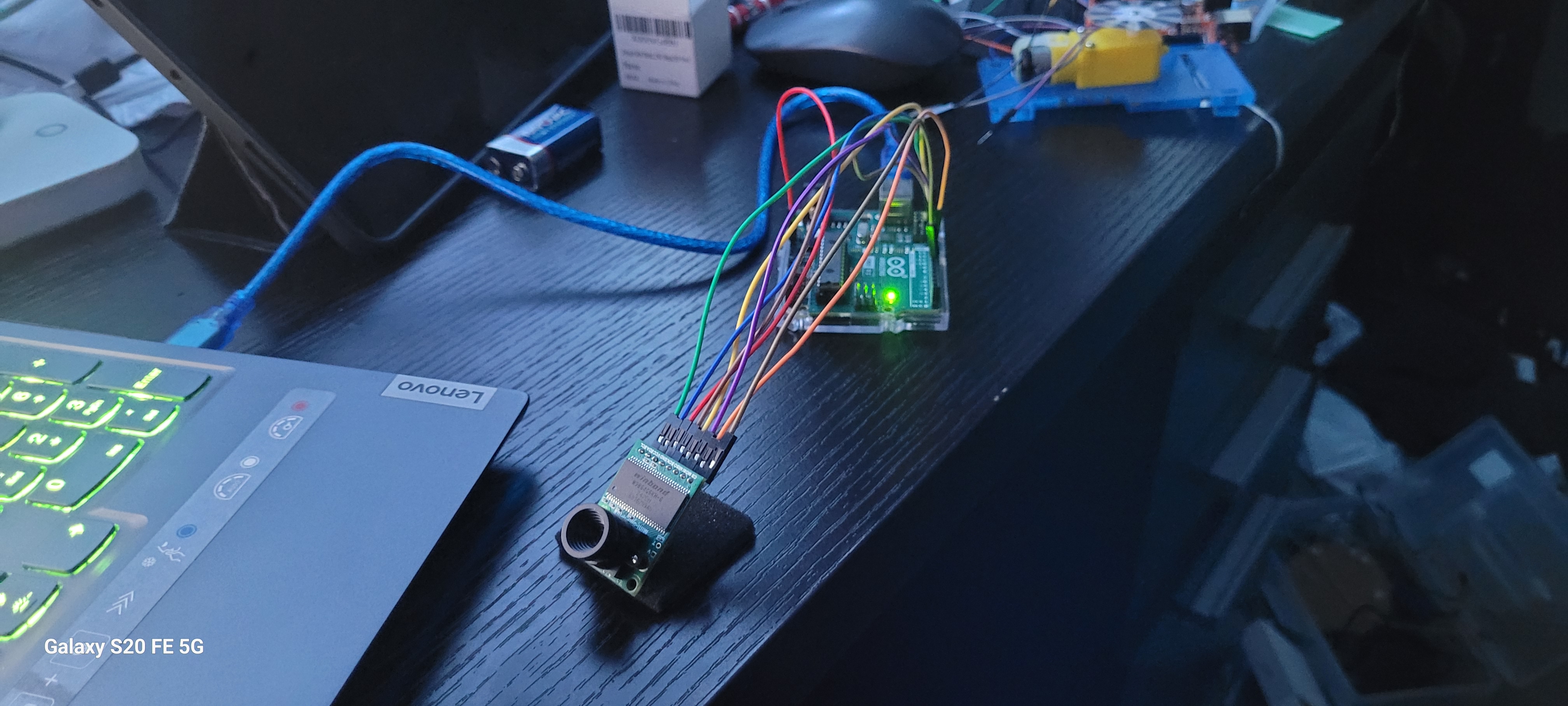
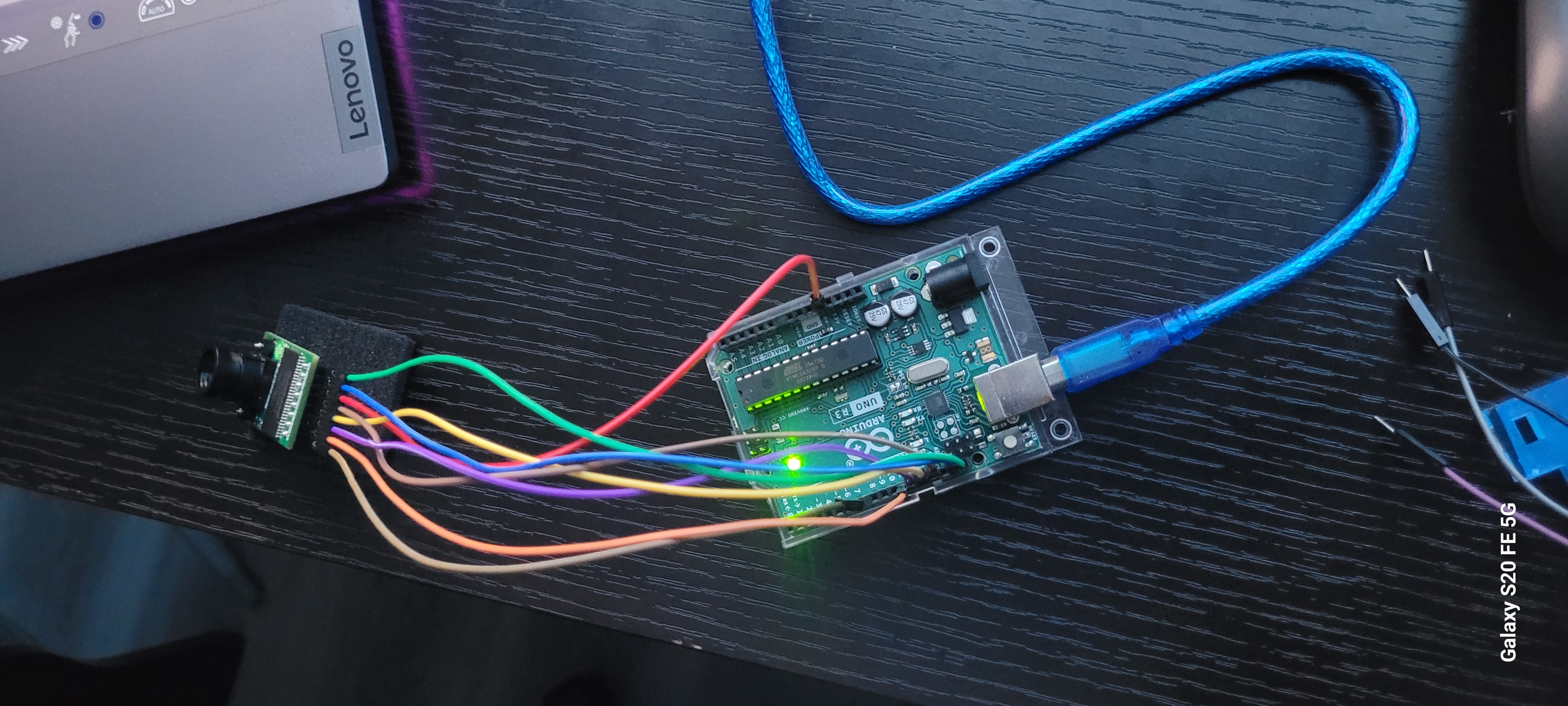
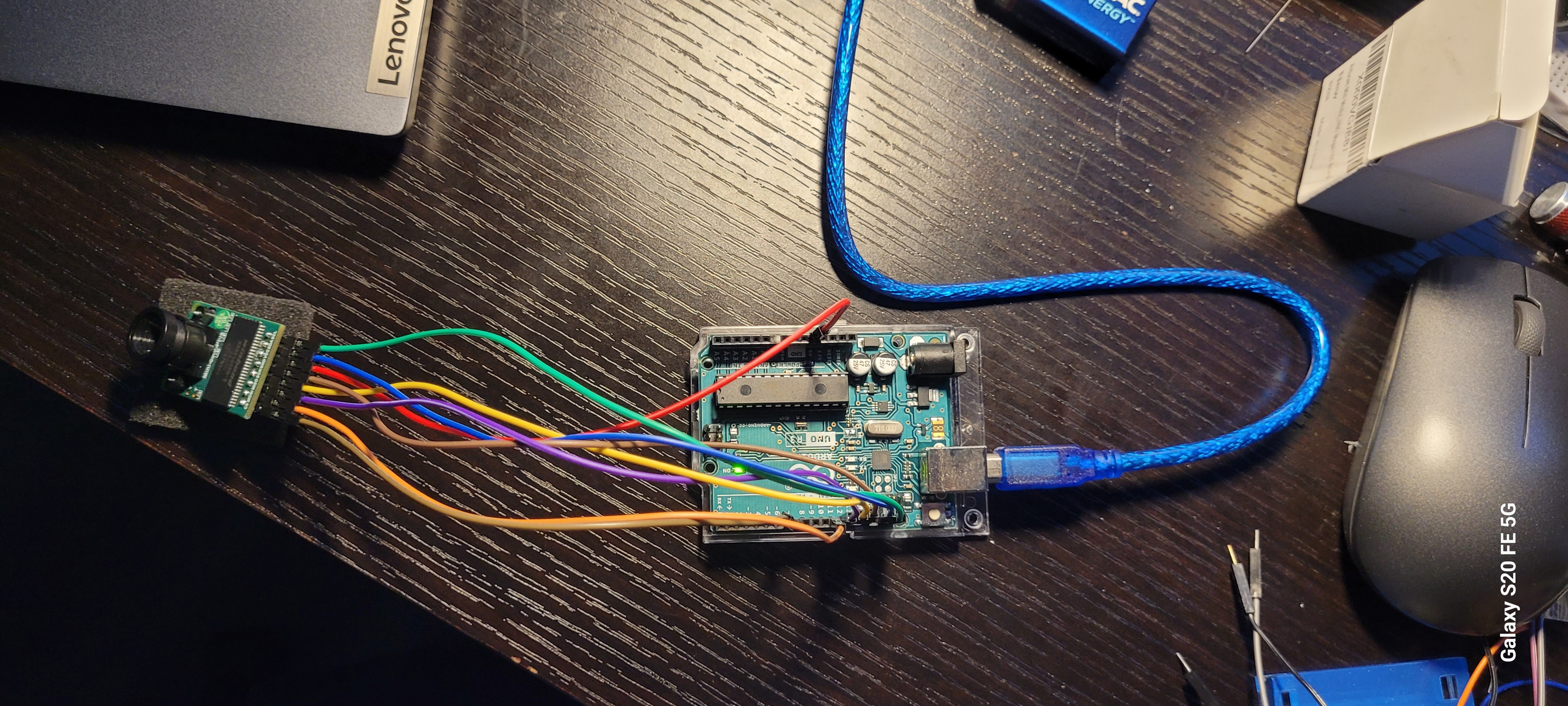
Could you post some clear photos of your wiring and the ribbon cable connections? A screenshot of the host software window showing the full error would help too. That’ll let us spot anything obvious.
Thanks for the detailed photos and the screenshot — that’s really helpful. I can confirm from the host software screenshot that everything up to the SPI handshake is working as expected, which lines up with what we discussed.
I’m going through the wiring photos now to check the ribbon cable seating and the pin connections between the ArduCAM board and the Arduino. I want to make sure there isn’t a missed connection, a shifted cable, or something like a bent pin that would explain why the sensor isn’t being detected.
I’ll post back once I’ve had a proper look through everything and can give you a solid next step. Hang tight.