Hey everyone, hoping someone can point me in the right direction here.
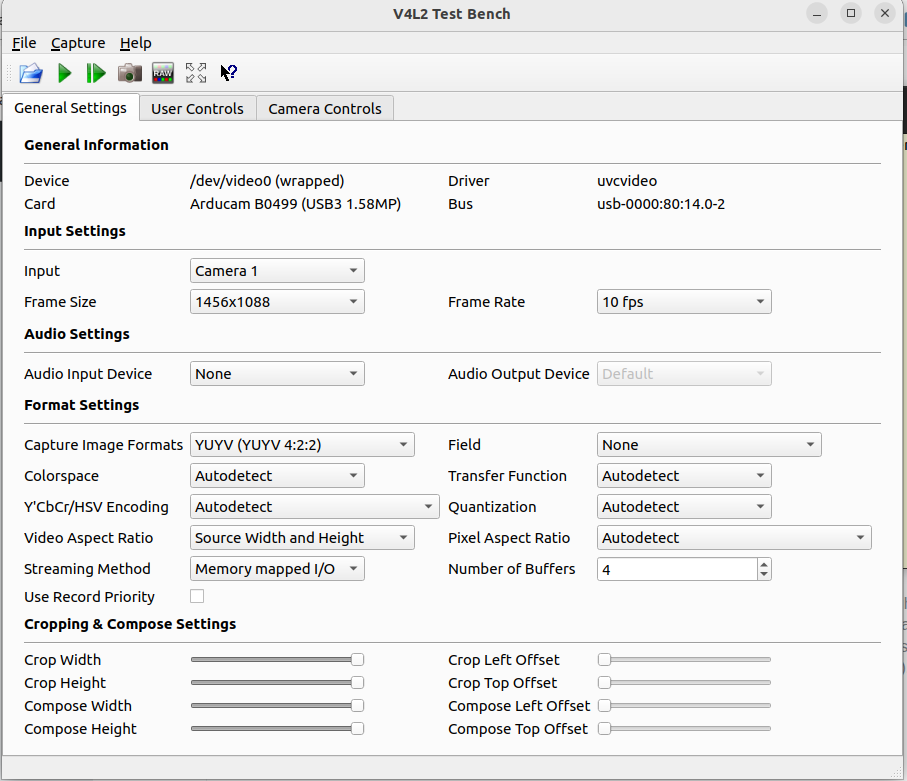
I’ve got an Arducam connected to a USB 3.0 port on my Ubuntu machine, but the frame rate dropdown in V4L2 is only showing 10 fps — no other options at all. I was expecting to see higher frame rates available.
Here’s what the V4L2 window looks like:
Is this a driver thing or am I missing something obvious? Appreciate any help.
Ah, that’s interesting. Here’s what lsusb -t gives me:
/:  Bus 04.Port 1: Dev 1, Class=root_hub, Driver=xhci_hcd/2p, 10000M
    |__ Port 1: Dev 2, If 0, Class=Video, Driver=uvcvideo, 5000M
It does look like it’s on the xHCI controller at 5000M. But when I check v4l2-ctl --list-formats-ext the max frame size at higher resolutions is still capped pretty low. Are there other ways to verify whether it actually negotiated as UVC 3.0 vs 2.0?
Good question — even if lsusb -t shows it on a SuperSpeed port, the device itself could still be enumerating in USB 2.0 / UVC 2.0 mode if the USB 3.0 data lines aren’t making proper contact.
The root cause here is straightforward: when the camera operates as a UVC 2.0 device, the available bandwidth is significantly lower, and that constrains the camera to low frame rates (in your case, just 10 fps). To unlock the higher frame rate options, it needs to be recognized as a UVC 3.0 device on the USB 3.0 bus.
We’ve got a troubleshooting guide that walks through the common causes for this — I’d recommend starting there:
Most common culprits are the USB cable itself (if it’s not a proper USB 3.0 rated cable) or the port connection not seating fully. Can you double-check the cable you’re using?
Well, that’s embarrassing. You nailed it — I was using the wrong USB cable. I had a USB 2.0 cable in the drawer and just grabbed it without thinking. Swapped it out for a proper USB 3.0 cable and now the camera enumerates correctly.
For anyone else hitting this: the cable really does matter. Even though it physically fits the port, a USB 2.0 cable doesn’t have the SuperSpeed data lines, so the camera will silently fall back to UVC 2.0 mode and you’ll be stuck at low frame rates with no obvious error message.
Thanks for the quick pointer — that troubleshooting guide was spot on.
Glad that sorted it out! And honestly, the USB 2.0 cable mix-up is easily the most common cause we see for this — don’t feel bad about it. The connector is physically identical so there’s no visual cue that something’s wrong until you dig into the enumeration details.
Now that the camera is recognized as a UVC 3.0 device, you should see the full range of frame rates populate in the V4L2 dropdown. If you run into any other quirks with the higher resolutions or frame rates, feel free to follow up.