Hi, I’m having trouble after moving my setup from a Raspberry Pi 4B to a Pi 5.
Hardware is an Arducam 64MP Multi-Cam HAT, UC-512 Rev D2. It worked on the Pi 4B, though I had to roll back some updates back then to get it going. I upgraded to a Pi 5 for more processing power, and I’m wondering if a similar rollback is needed on the Pi 5.
libcamera-still --list-camera does detect the camera, but libcamera-hello fails with a device timeout.
Thanks for the detailed log. A couple of things stand out.
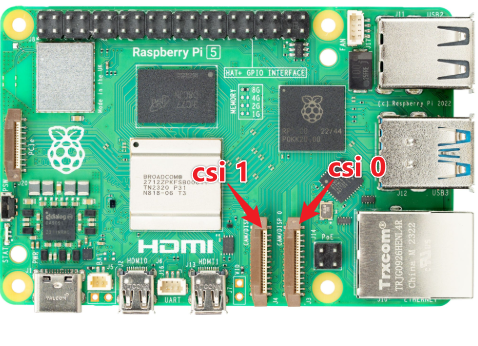
On the Raspberry Pi 5 the 64MP Multi-Cam HAT needs to be connected to the CSI 1 port. I2C bus 10 doesn’t exist on the Pi 5 — CSI 1 uses I2C address 4, and CSI 0 uses I2C address 6. So the i2cset -y 10 ... failure is expected on a Pi 5.
The libcamera log shows the sensor is being registered (arducam_64mp@1a on /base/axi/pcie@120000/rp1/i2c@80000), but then the camera frontend times out. The No static properties available for 'arducam_64mp' warning is worth noting too.
Please double-check the HAT is on CSI 1, and use i2cset -y 4 ... (CSI 1) or i2cset -y 6 ... (CSI 0) instead of bus 10.
One more thing: if the same Bookworm SD card worked on the Pi 4B, it should generally work on the Pi 5. Can you confirm which OS you were using on the Pi 4 (Bullseye or Bookworm) and which updates you had to roll back?
On the Pi 4B I was using Raspberry Pi OS (64-bit) Debian Bookworm. The Pi 5 is using the same image, but the November 19, 2024 release instead of the June one. Kernel is 6.6.62+rpi-rp.
The Pi 4 setup worked earlier this year, then stopped after package updates. I rolled back some updates, but I honestly don’t remember which ones, and that SD card isn’t available anymore to check. When I first installed libcamera on the Pi 5 I also saw messages about certain packages needing to be downgraded.
I ran i2cdetect -l, but I don’t see buses 4 or 6 listed. Should I be running i2cset -y 04 0x24 0x24 0x02 instead of i2cset -y 10 0x24 0x24 0x02?
To be safe, let’s get a full picture of the current setup.
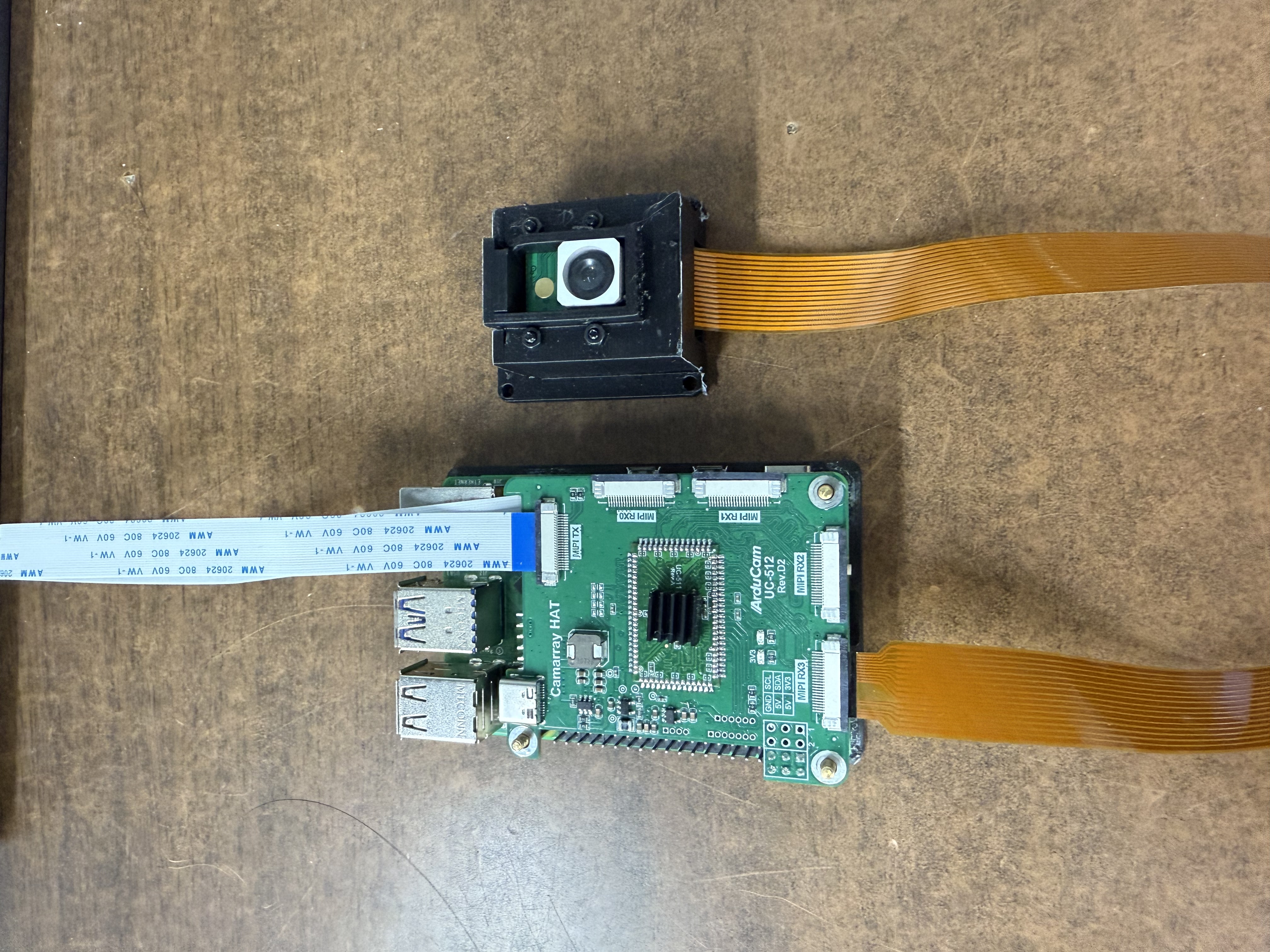
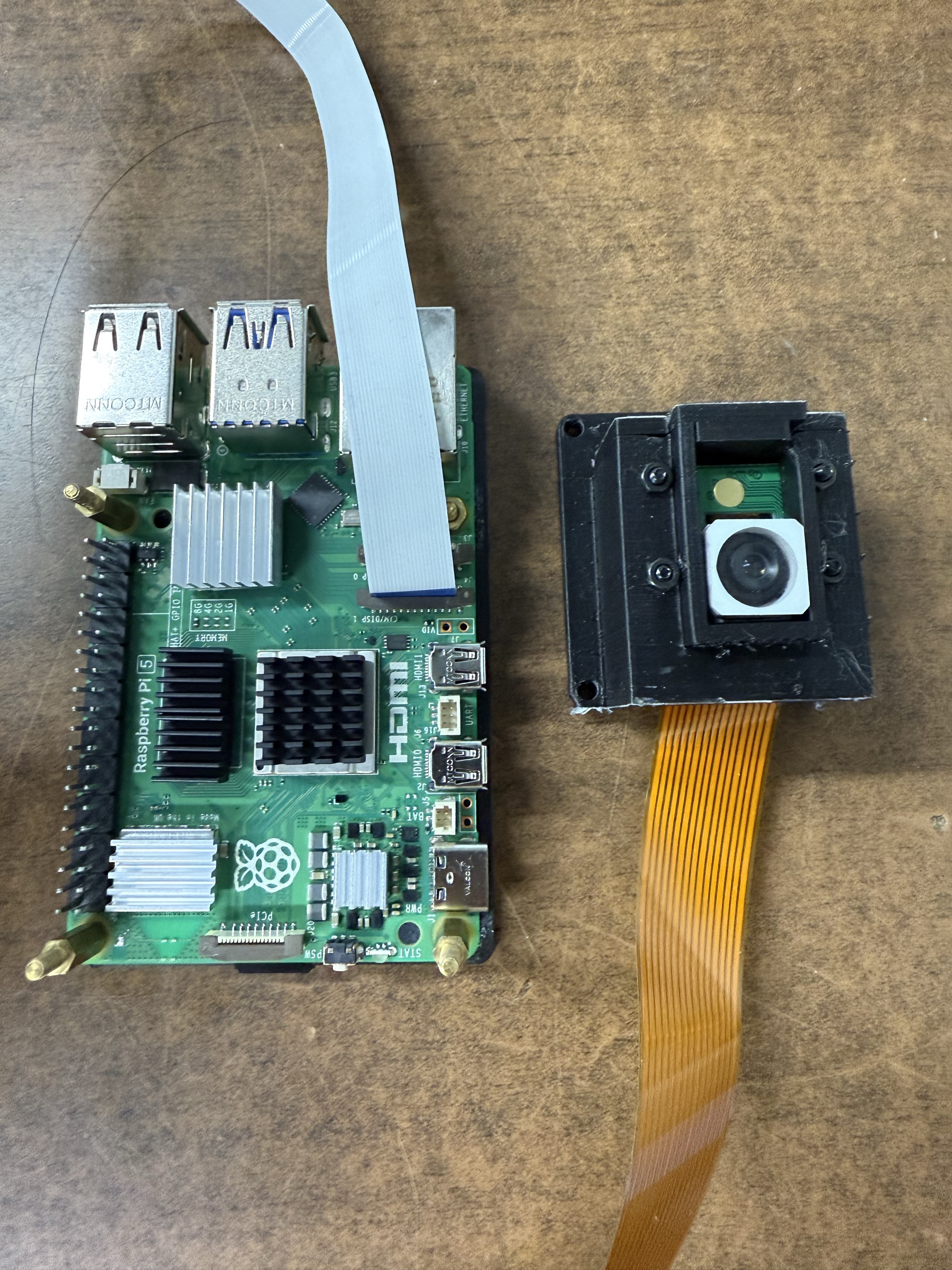
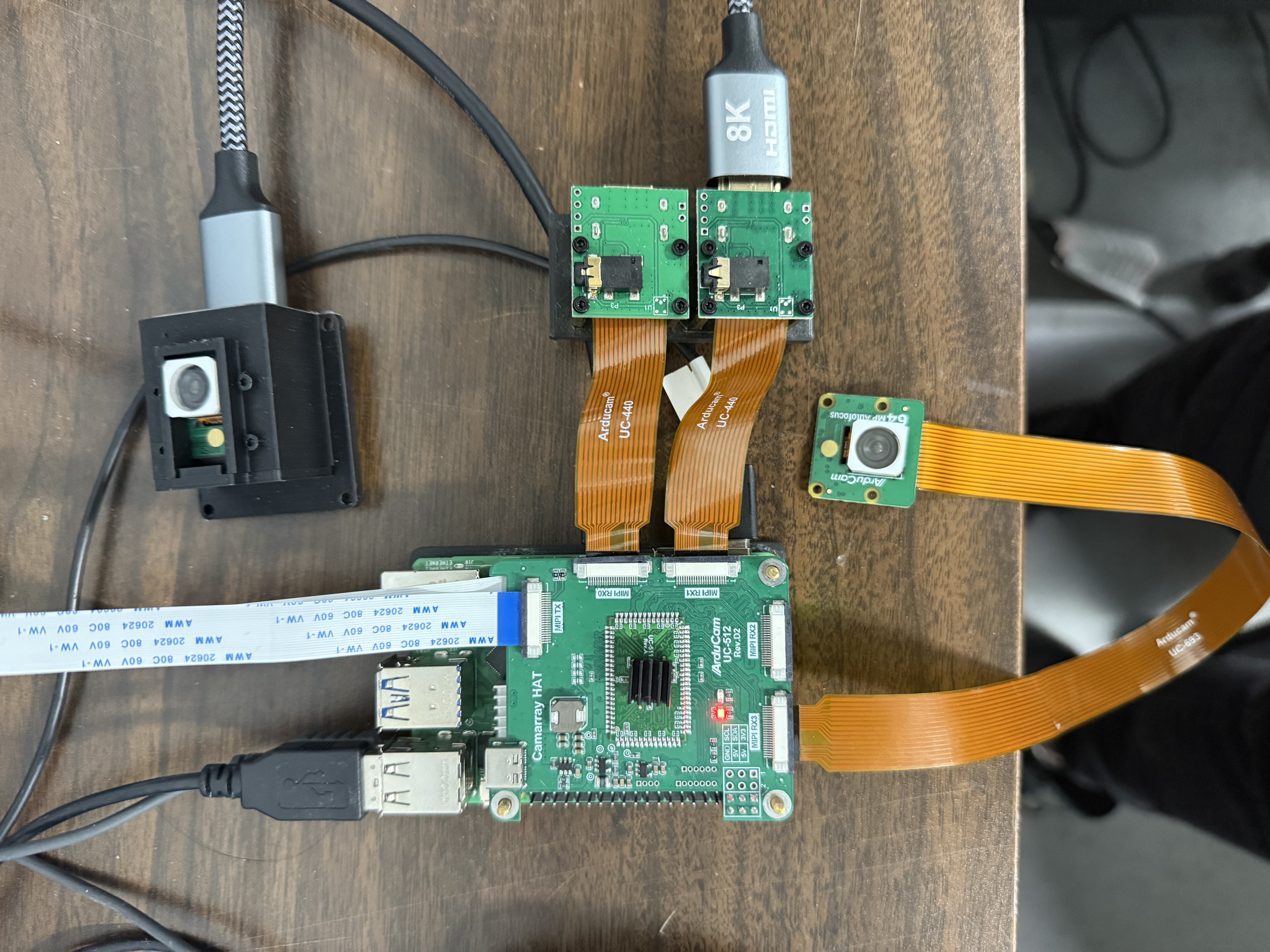
Can you post photos of the hardware connections at both the Raspberry Pi 5 and the camera ends? Also please generate a bug report so I can look at the loaded drivers and device state.
That creates arducam-bug-report.txt in the current directory — send that file here.
And yes, i2cdetect -l is the right command to list available I2C buses. I want to see the bug report before confirming anything about downgrading the kernel.
Here are the photos and the bug report. I generated the report with 2 cameras connected. I’ve only been testing with 1 or 2 cameras so far, but I eventually need all 4 working — right now I’m just trying to get 1 camera stable first, then I’ll add the rest.
While you’re looking at that, I have a few other questions:
Exposure speed: can I take images faster than the default exposure? I’m fine with reducing exposure time or grabbing a frame from video, and I don’t need full resolution if that cuts the capture time.
Individual capture: right now all four cameras produce one image where each quadrant is a different camera. Is there a way to get separate JPG files per camera instead?
Staggered focus: can one camera capture an image while the other cameras are moving to their specified focus lengths?
Qt + libcamera: is there guidance or an example for using the libcamera C++ API with Qt? I want to display live video feeds inside my own application.
Got the photos and the bug report — I’m still going through the report for the original timeout, so I’ll follow up on that separately.
For your other questions:
Faster capture: yes, you can shorten capture time by reducing the exposure time. Cancelling the preview window also helps shorten the overall capture time.
Per-camera files: with the multi-camera setup, the current implementation outputs a single combined image with four quadrants. That’s the default/intended behavior, and separate JPG files per camera aren’t supported out of the box. The autofocus trigger is also controlled as a whole rather than per camera.
Staggered focus: related to the above — the system controls the multi-camera array as a whole, so per-camera staggered capture/focus isn’t supported by default.
For the timeout issue, keep the HAT on CSI 1 and use I2C address 4 (CSI 1) or 6 (CSI 0), not bus 10. I’ll get back to you once I’ve finished reviewing the bug report.