Hi everyone, I’m having trouble getting my Arducam 108MP USB 3.0 Camera Evaluation Kit to work. I’ve tried on both Windows and Linux and I’m hitting the same wall — streaming just times out.
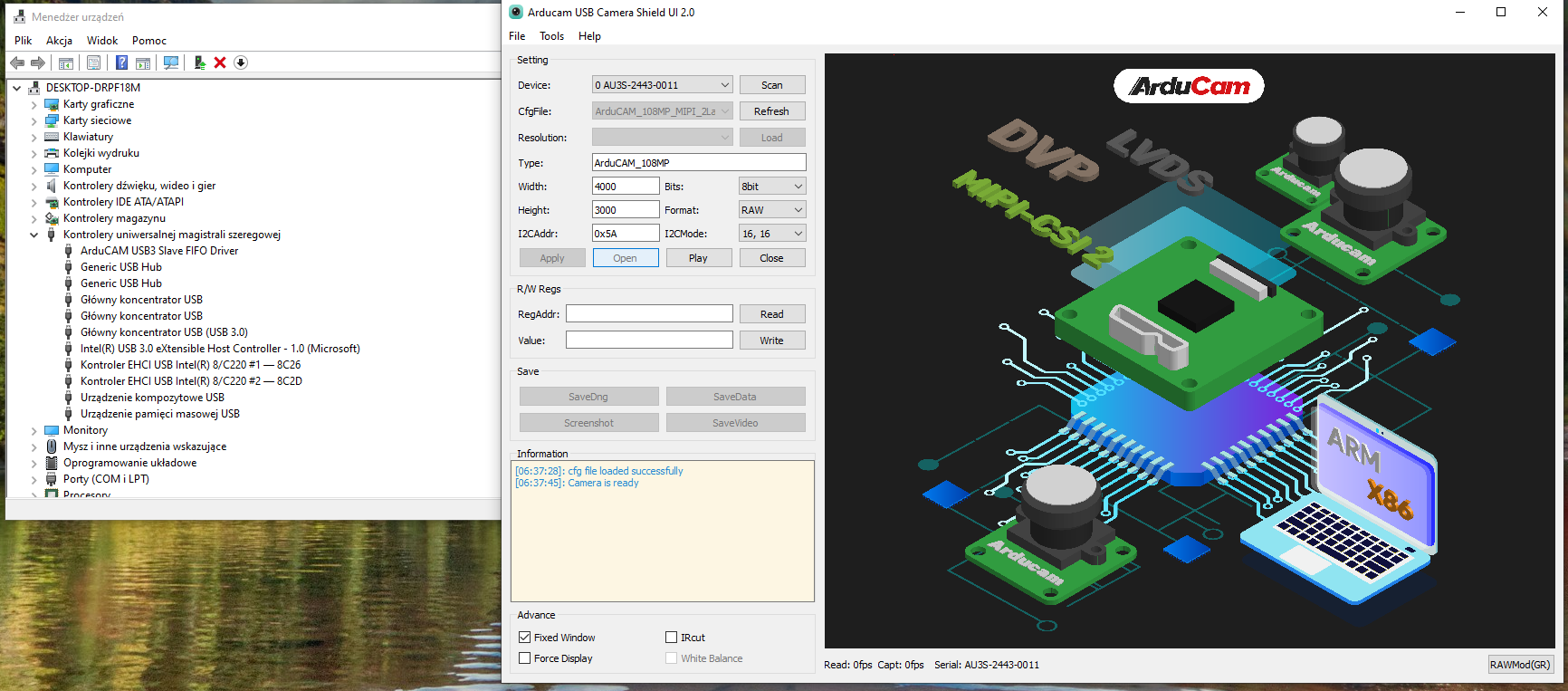
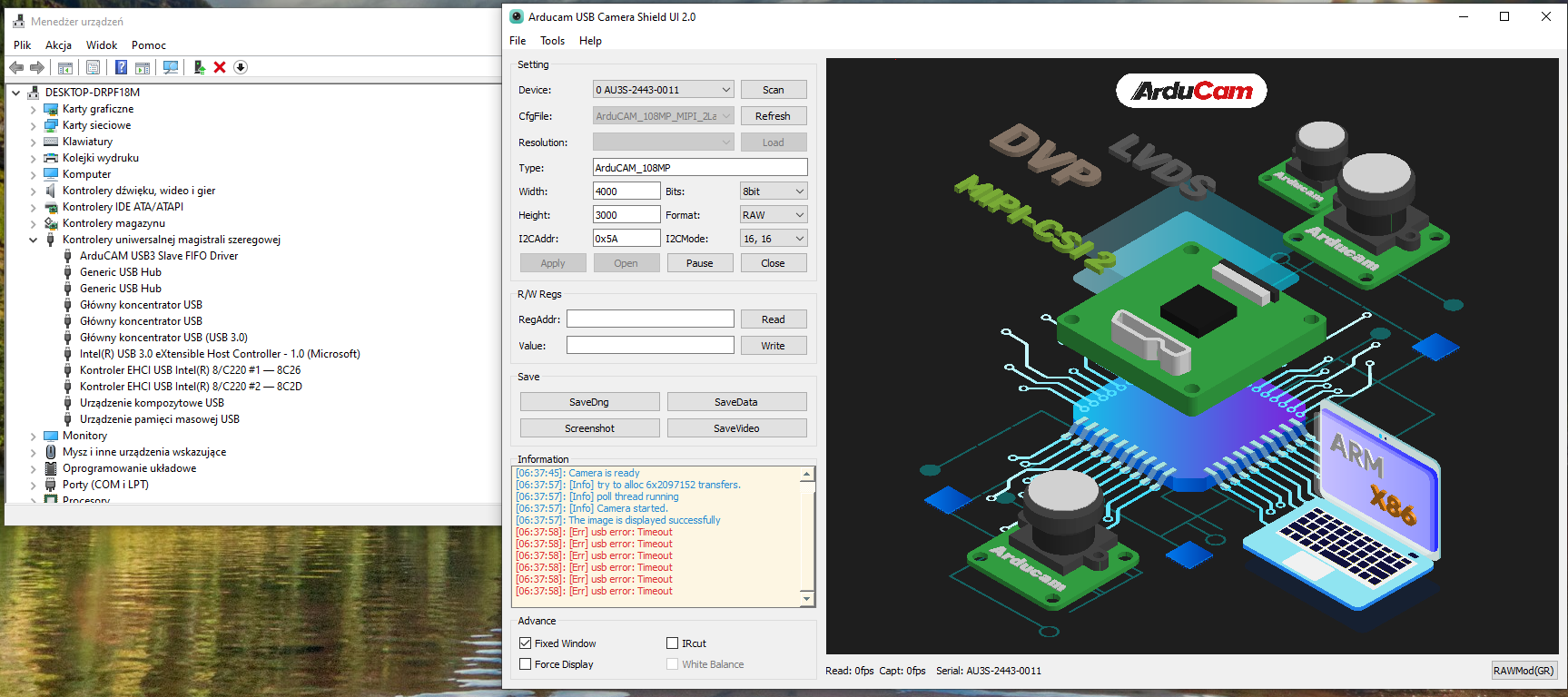
On Windows: after installing the driver, the camera gets detected and the Arducam GUI says “Camera is ready,” but as soon as I click “Play” the log floods with:
[Err] usb error: Timeout
No image ever shows up.
On Linux: the EVK SDK detects the device but camera.capture() returns None / times out. capture_fps stays at 0 and bandwidth shows 0.
Anyone know what’s going on here? Is there a specific driver or firmware I’m missing?
This is a common point of confusion with this kit. The Arducam 108MP USB 3.0 Evaluation Kit is not a UVC (USB Video Class) device — it’s not plug-and-play. It uses a vendor-specific protocol over the Cypress FX3 controller to handle the massive 108MP raw data bandwidth.
What that means in practice:
It will not show up as /dev/video0 on Linux
It won’t bind to standard webcam drivers like uvcvideo
It won’t work with standard Windows Camera apps
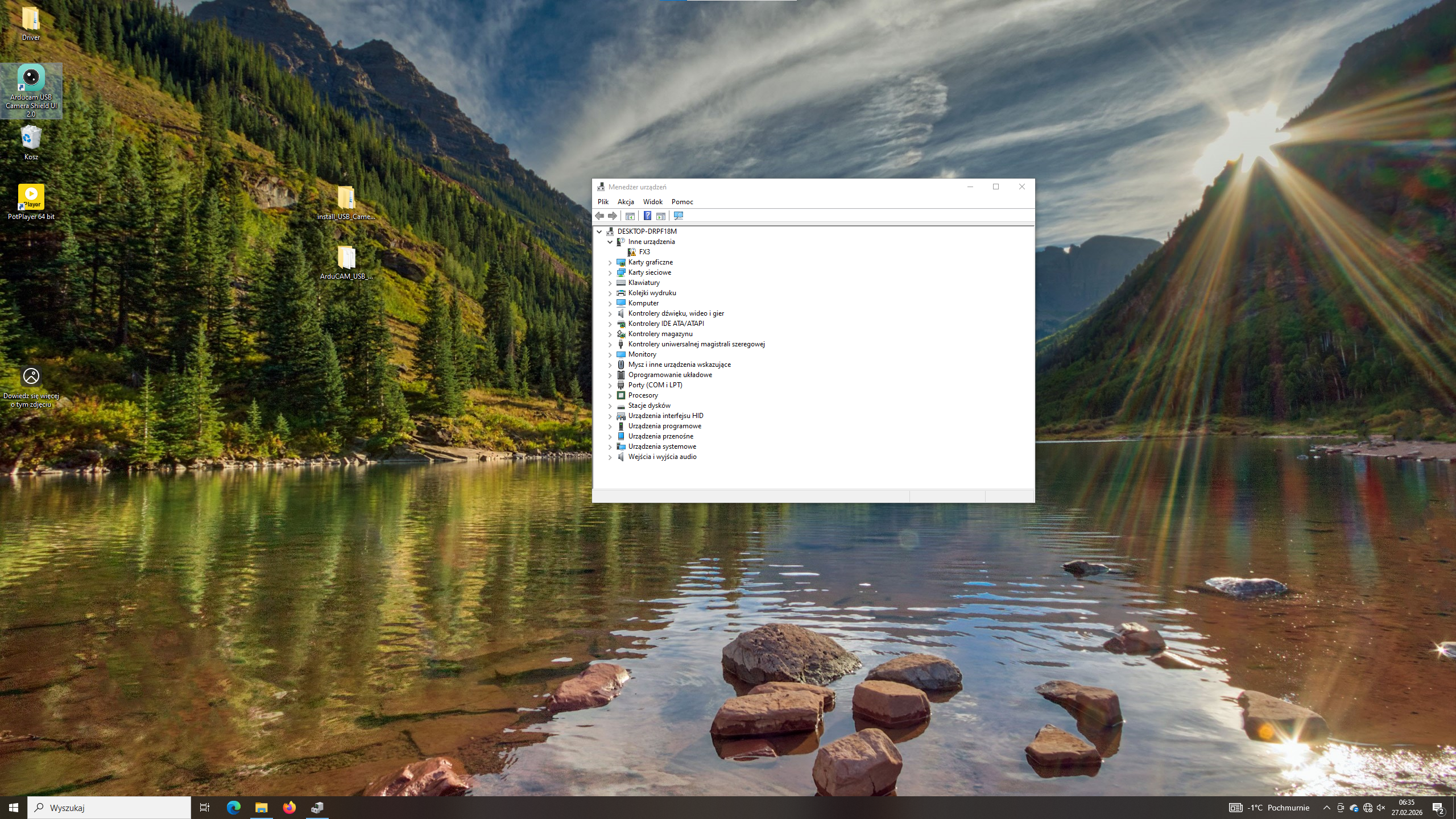
If you see it detected as “Cypress FX3” (VID:PID 04b4:03f2), that’s actually a good sign — it means the hardware connection is fine. The problem is almost certainly the software/driver layer.
Linux and Raspberry Pi are not supported for this specific 108MP Evaluation Kit. The SDK and configuration environment are optimized for Windows. So I’d recommend:
Thanks for the explanation. Before I saw your reply I’d already been going deep on the Linux side, so here’s what I found in case it’s useful to anyone else:
Host: Raspberry Pi 4
OS/Kernel: Linux 6.12.62+rpt-rpi-v8 (Raspberry Pi OS)
Connection: USB 3.0 (SuperSpeed port)
lsusb -t shows: Class=Vendor Specific Class, Driver=[none]
lsusb -v shows: bInterfaceClass = 255 (Vendor Specific) — so yeah, definitely not UVC.
The uvcvideo module is loaded but no /dev/video0 gets created for this device. The existing /dev/video* nodes all belong to bcm2835-isp and bcm2835-codec.
With the EVK SDK:
list_devices.py detects 1 device (USB3)
After camera.start(): capture_fps = 0, bandwidth = 0
camera.capture(…) returns None or just times out
Configuration files I’m using are in:
/home/pi/ArduCam108/ArduCAM_108MP_MIPI_2Lane_RAW8/
(tried both 12000×9000 and 4000×3000 configs)
I’ll switch over to Windows now and follow the driver guide you linked. Will report back.
Your Linux findings confirm exactly what I was describing — the device enumerates on the USB bus as Vendor Specific Class (0xFF), which is correct for this kit’s Cypress FX3 interface, but there’s no driver binding to it on Linux. And since Linux/RPi isn’t a supported platform for this particular 108MP Evaluation Kit, the SDK on that side won’t get you any further.
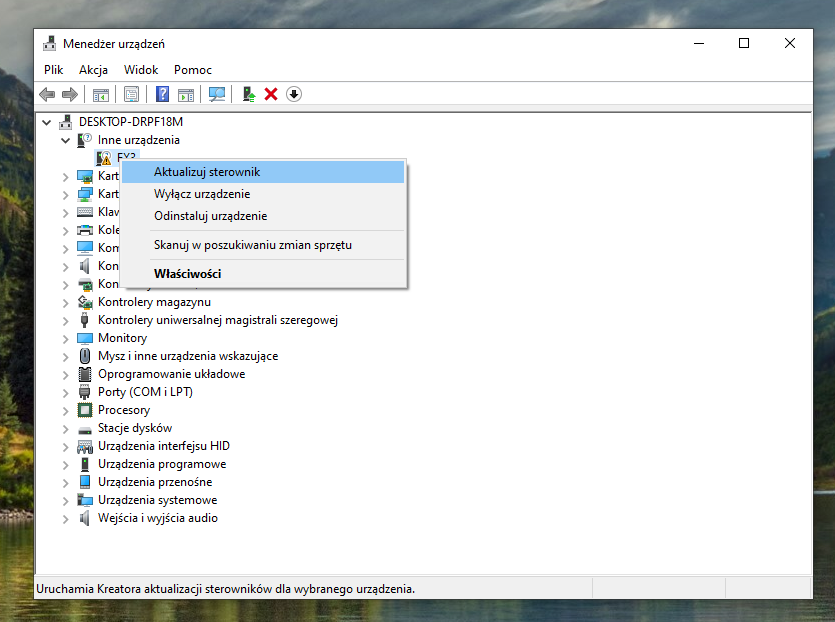
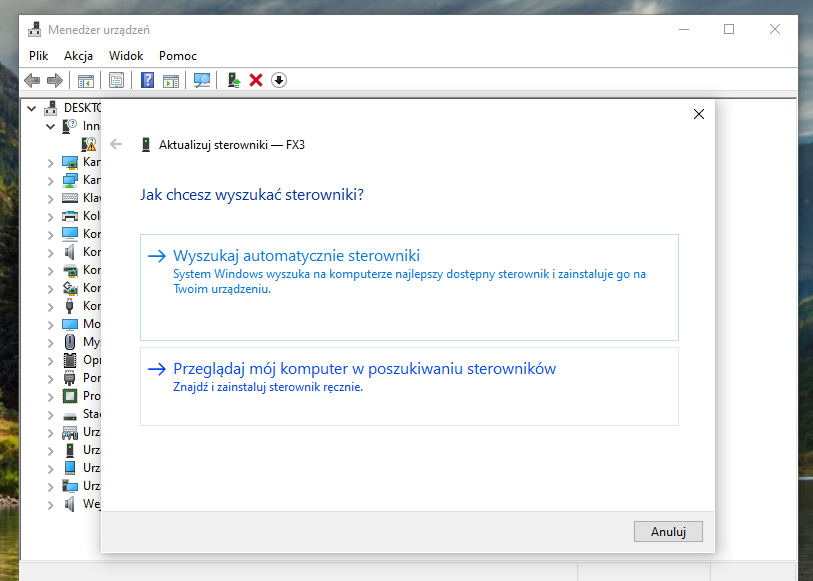
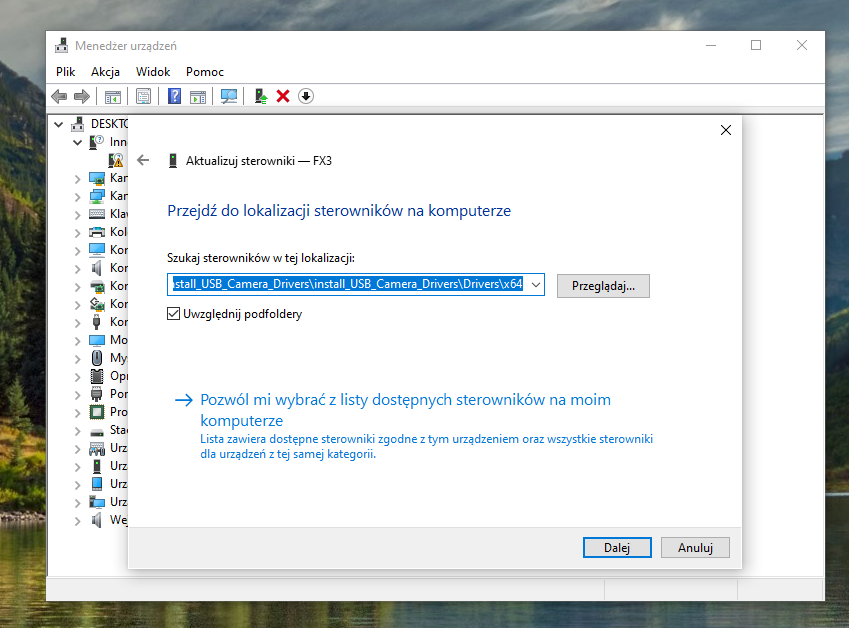
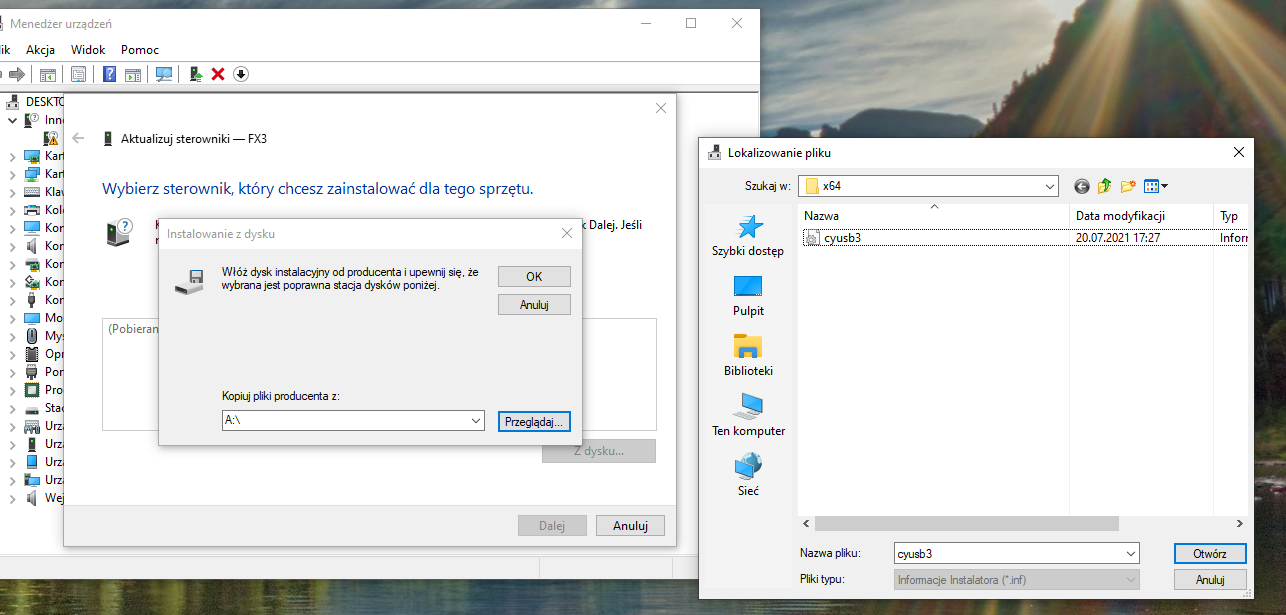
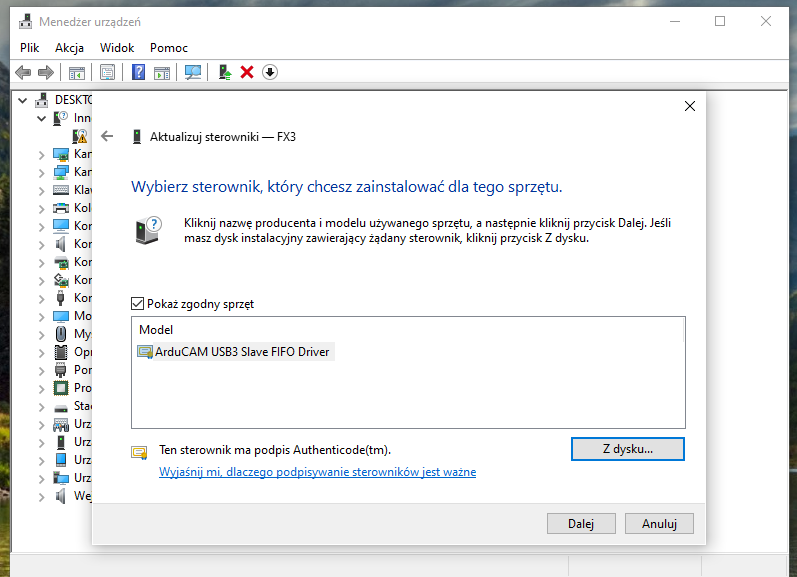
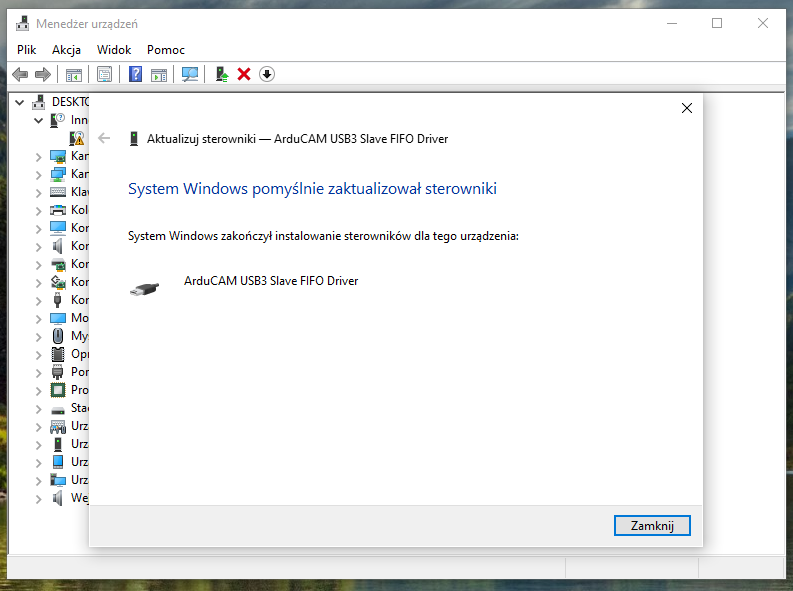
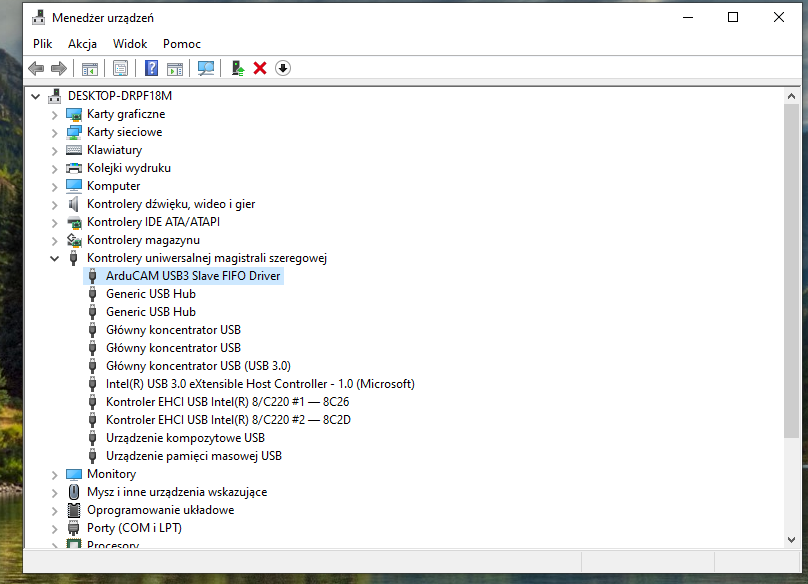
Definitely move to Windows and work through the driver installation guide. The key point is that you need to manually point the “FX3” device to the cyusb3.inf driver — Windows won’t find it automatically. Once you see “ArduCAM USB3 Slave FIFO Driver” in Device Manager, you’re in business.
Let us know what happens when you hit Play after that.
Thanks for the detailed screenshots — I’ve gone through them carefully and here’s my analysis:
What’s working correctly:
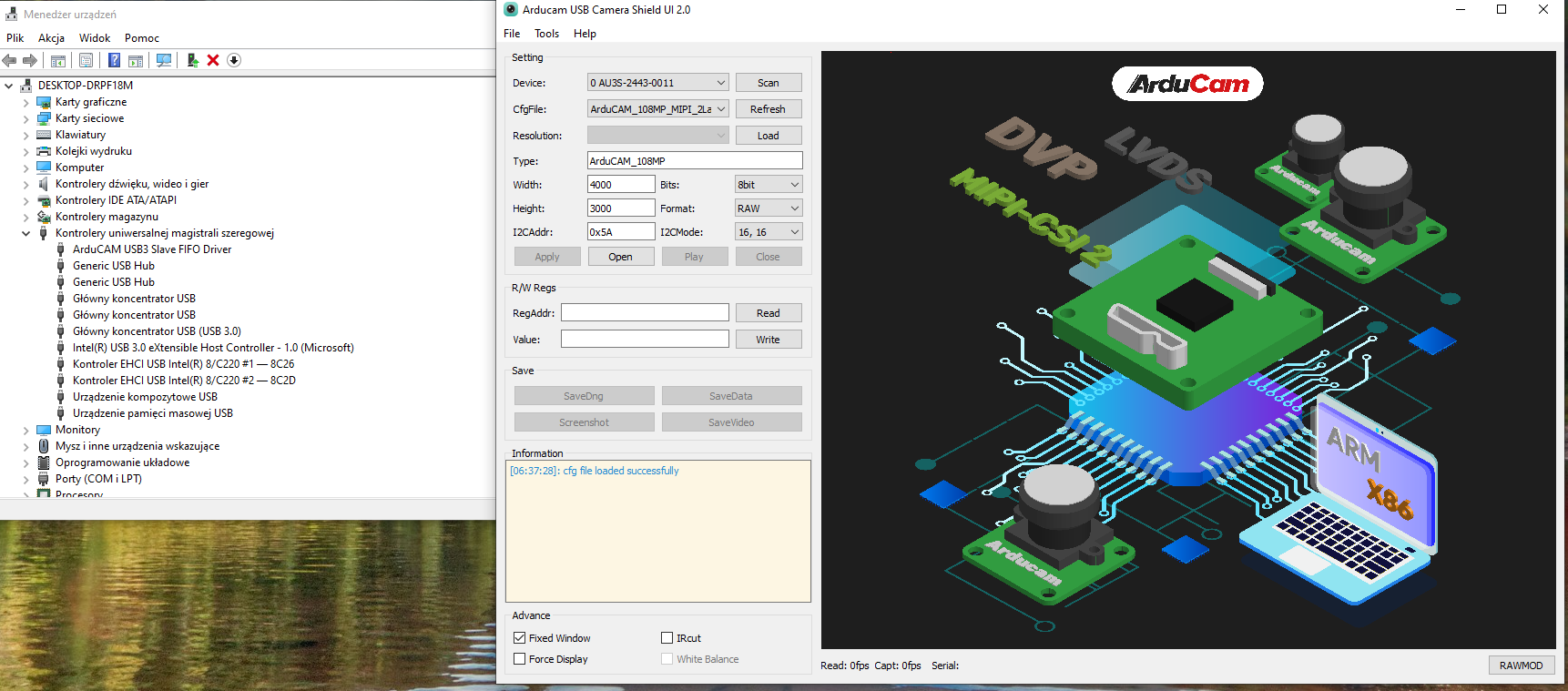
Device enumeration: The camera is detected as “ArduCAM USB3 Slave FIFO Driver” — that confirms you followed the driver installation steps correctly using cyusb3.inf from the x64 folder.
Device recognition: The GUI finds it as Device ID: 0 AU3S-2443-0011, so the software layer can talk to the FX3 controller at a basic level.
Configuration loading: The config file loads and the GUI reports “Camera is ready,” which means the initial handshake and register configuration over USB seems to succeed.
What’s failing:
The moment actual streaming/transfer begins (when you click Play), the USB bulk transfer calls are timing out. The “[Err] usb error: Timeout” messages indicate that the host is requesting data from the FX3’s slave FIFO endpoint and getting nothing back.
So we’re in a weird spot: the hardware is connected, the driver is properly installed, the config loads, but the actual bulk data pipe isn’t flowing. Root cause isn’t obvious yet — could be anything from USB host controller compatibility to a power delivery issue under load, to a timing problem in the FX3 firmware.
This is going to need some live debugging to sort out. Let’s set up a remote session so I can inspect the driver status, USB descriptors, and config loading directly on your machine. I’ll send you the remote access details via private message — please check your inbox.
I’ve sent you the remote support setup instructions via private message. Quick summary of what’s in there:
Download and install the remote desktop tool from the link I provided
You’ll get a 9-digit ID — no password needed, you just accept the connection at the scheduled time
Book a slot through the scheduling link I sent (note: our support team is UTC+8, and the 10:00 PM slot is reserved for sales — not available for tech support)
Reply to let me know your remote desktop ID once you’ve booked a time
Got it, thanks. I’ve booked a session and sent you my remote desktop ID via PM. Talk to you then — hopefully we can figure out what’s going on with these USB timeouts.