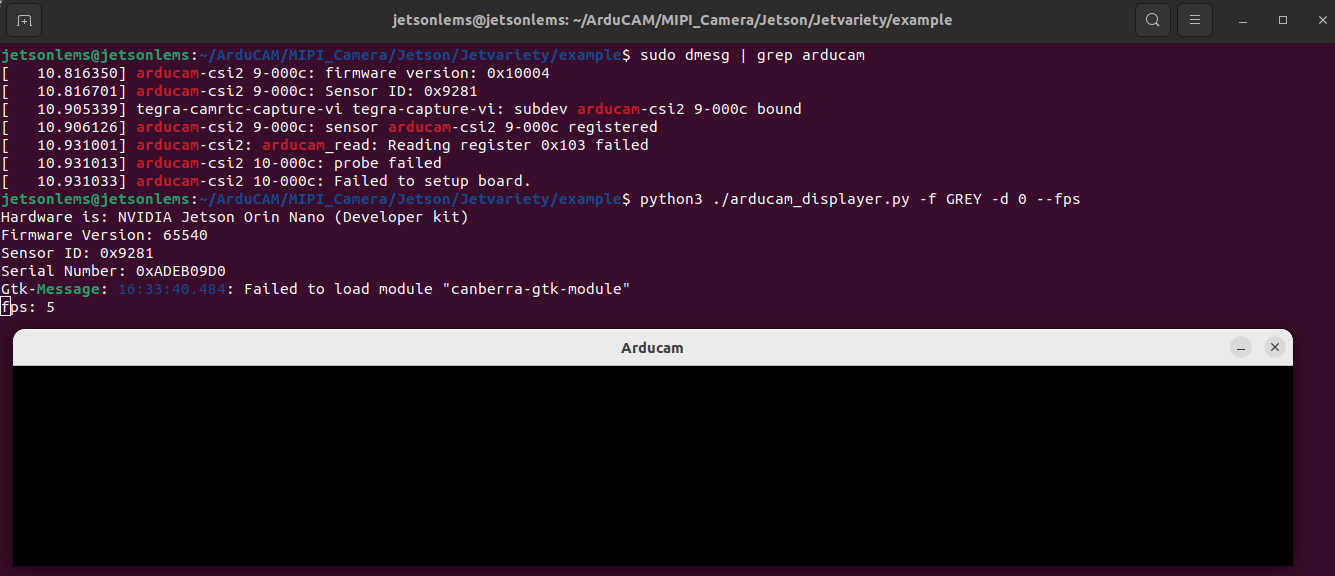
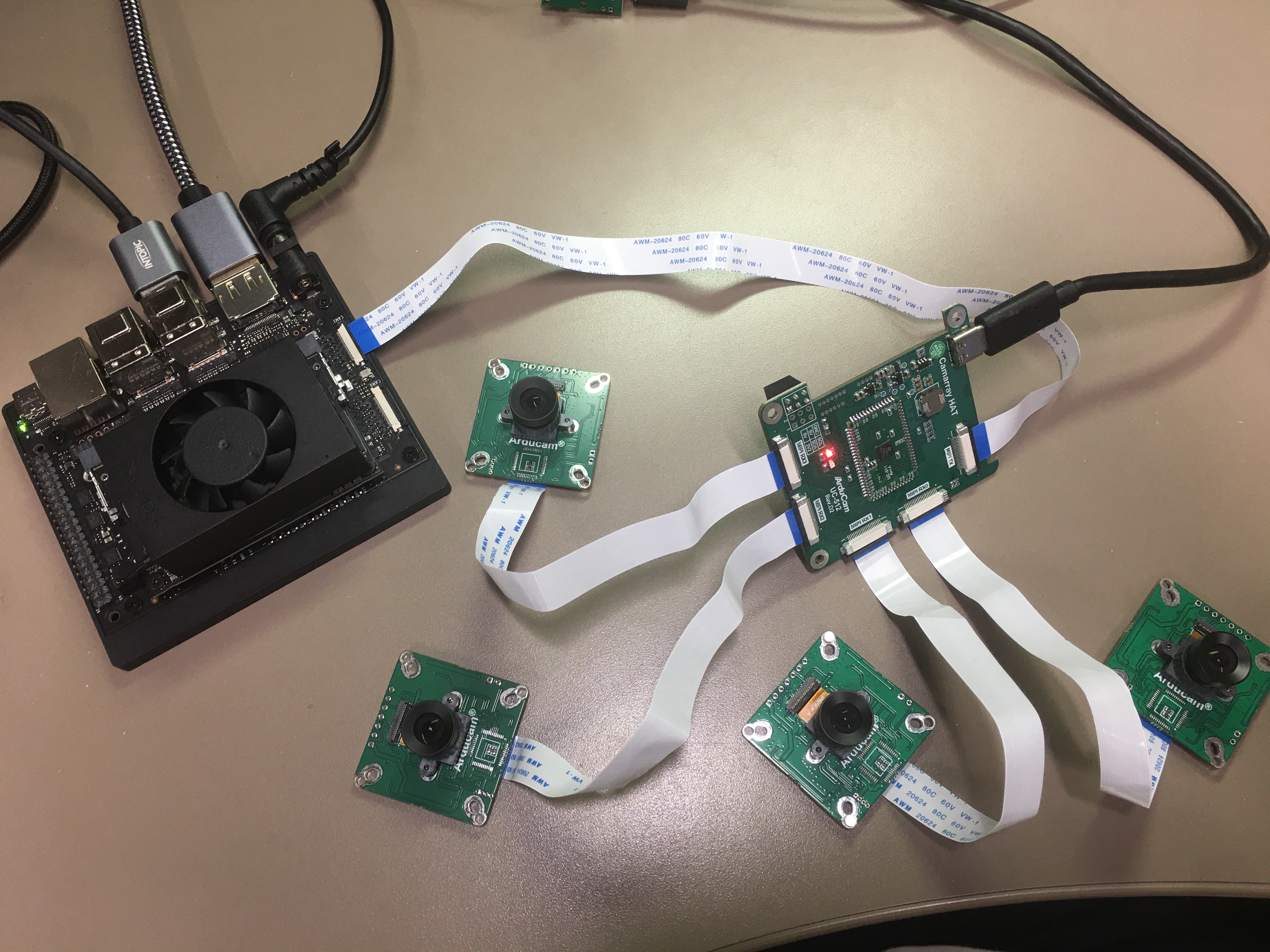
Hi everyone, I’m having trouble with my Arducam 1MP4 Quadrascopic Camera Bundle Kit (the one with four OV9281 global shutter monochrome cameras and the CamArray Camera HAT) on a Jetson Orin Nano.
When I run the arducam_displayer.py example script, all four cameras just show black frames — no image at all. On top of that, the FPS is stuck around 4, which seems way too low.
The cameras do show up under /dev/video0, so they’re being detected at some level. I’ve also tried reinstalling the firmware but that didn’t change anything. This unit has never worked properly since I received it.
Anyone seen this before? Black frames on all four cameras with super low FPS?
That’s a strange one — if the device is showing up under /dev/video0 but you’re getting black frames across all four cameras, there’s a few things we need to check.
Could you post a couple of things to help us narrow this down?
A photo of your hardware setup — how the Cam HAT is connected to the Jetson and how the four camera modules are attached.
Your dmesg output — this will show us what’s happening at the kernel/driver level when the cameras initialize.
Just run dmesg and attach the log here. Follow the guide at Quick start - Arducam Wiki to make sure everything is wired up as expected.
Thanks for the detailed logs and photos — that’s really helpful. I’ve reviewed the dmesg output and the hardware setup, and nothing jumps out as obviously misconfigured on the wiring side.
Here’s what I’d like you to try next: you mentioned you have another unit from a previous order that works fine, correct? Can you test that known-good unit on the exact same camera port of your Jetson Orin Nano — the same physical port where this problematic unit is currently connected?
This will tell us whether the issue follows the unit or whether it’s something specific to that Jetson’s camera port / software environment. If the working unit runs fine on that port, we’ll know the Jetson side is OK and the problem is isolated to the new unit.
Good call — just ran that test. I connected the first (working) unit to the same camera port on the Jetson Orin Nano, and it works perfectly. Full frame rate, clean images, all four cameras streaming as expected.
So that pretty much confirms the Jetson port and the software/driver stack are all fine. The issue is definitely with the newer unit.
Alright, that narrows things down significantly. Since the known-good unit works on the same port, the problem is isolated to the new unit — but we don’t yet know whether it’s the Cam HAT board, one or more of the camera modules, or the whole set.
Ideally, I’d recommend testing this unit on a Raspberry Pi to rule out any platform-specific compatibility quirks. Can you connect the problematic unit to a Raspberry Pi and follow the libcamera quick start guide here:
Unfortunately I don’t have a Raspberry Pi on hand, and grabbing one would delay things quite a bit.
But since I have two complete sets — one working and one not — I was thinking we could do some cross-testing between them to isolate the faulty component:
Test 1: Take the Cam HAT from the working set and connect it to the four camera modules from the non-working set.
Test 2: Take the four camera modules from the working set and connect them to the Cam HAT from the non-working set.
That should tell us whether the problem is on the HAT side or the camera module side, right? Happy to run both tests and report back.
That’s a solid plan and actually a great way to isolate the fault without needing extra hardware. Go ahead and run both cross-tests:
Working Cam HAT + non-working cameras — if this fails, at least one of the camera modules is suspect.
Working cameras + non-working Cam HAT — if this fails, the Cam HAT itself is the likely culprit.
Post the results once you’ve run both and we’ll know exactly which component needs attention. Based on the outcome we can figure out the next steps from there.