Hey everyone, hoping someone can point me in the right direction. I’ve got an Arducam camera running on my 3D printer and the image is coming out purple/magenta. It looks like the green pixels are completely missing. The model should be M0305. Has anyone seen this before?
A purple/magenta image usually means the green channel isn’t being received properly, so you’re on the right track. Before we go down the rabbit hole, can you double-check the exact model printed on the board? Also, what’s the full chain here - which adapter board, USB cable, and what’s it plugged into?
Correction - the model is actually B0305, not M0305. It’s connected through the Arducam UC-A43 adapter board over USB to the printer. I already swapped the CSI cable and tried different camera modules, so those are ruled out. My main suspects were the UC-A43 board, the USB cable, or a software issue.
Since the CSI cable and camera modules are ruled out, let’s isolate the USB path. Can you take the camera off the printer and plug it into a desktop PC over USB? Just check whether the image looks normal there.
Tested it on my desktop over USB - the image is completely normal. But when I reconnect the camera to the printer, it goes purple again.
That strongly points at the printer’s USB port or the cable running to it. Try a generic USB webcam plugged into a different USB port on the printer and tell me how that looks.
Generic USB webcam on a different port on the printer shows a normal image.
Good, so that other port is healthy. Now plug the B0305 into that same different USB port and check the feed.
Plugged the B0305 into the other port and the image is normal. Then I switched it back to the original USB port and it stayed normal too. So the purple is gone and I can’t reproduce it anymore.
Thanks for going through all that. To sum up: the exact trigger was never conclusively identified, but switching USB ports (and possibly the temporary different USB camera being enumerated) cleared it. This kind of missing-green/purple image can come from a flaky USB connection rather than a faulty sensor or CSI cable. If it ever comes back, the original port/cable is your first suspect.
While I had everything apart, I also adjusted the fixed-focus lens for close-up work (~60mm) and reassembled the B0305 stack in its original configuration. Results look good. For the software side I set the focus with v4l2-ctl: focus_absolute=640, focus_automatic_continuous=0. Here’s a screenshot of the feed mid-print after the lens adjustment:
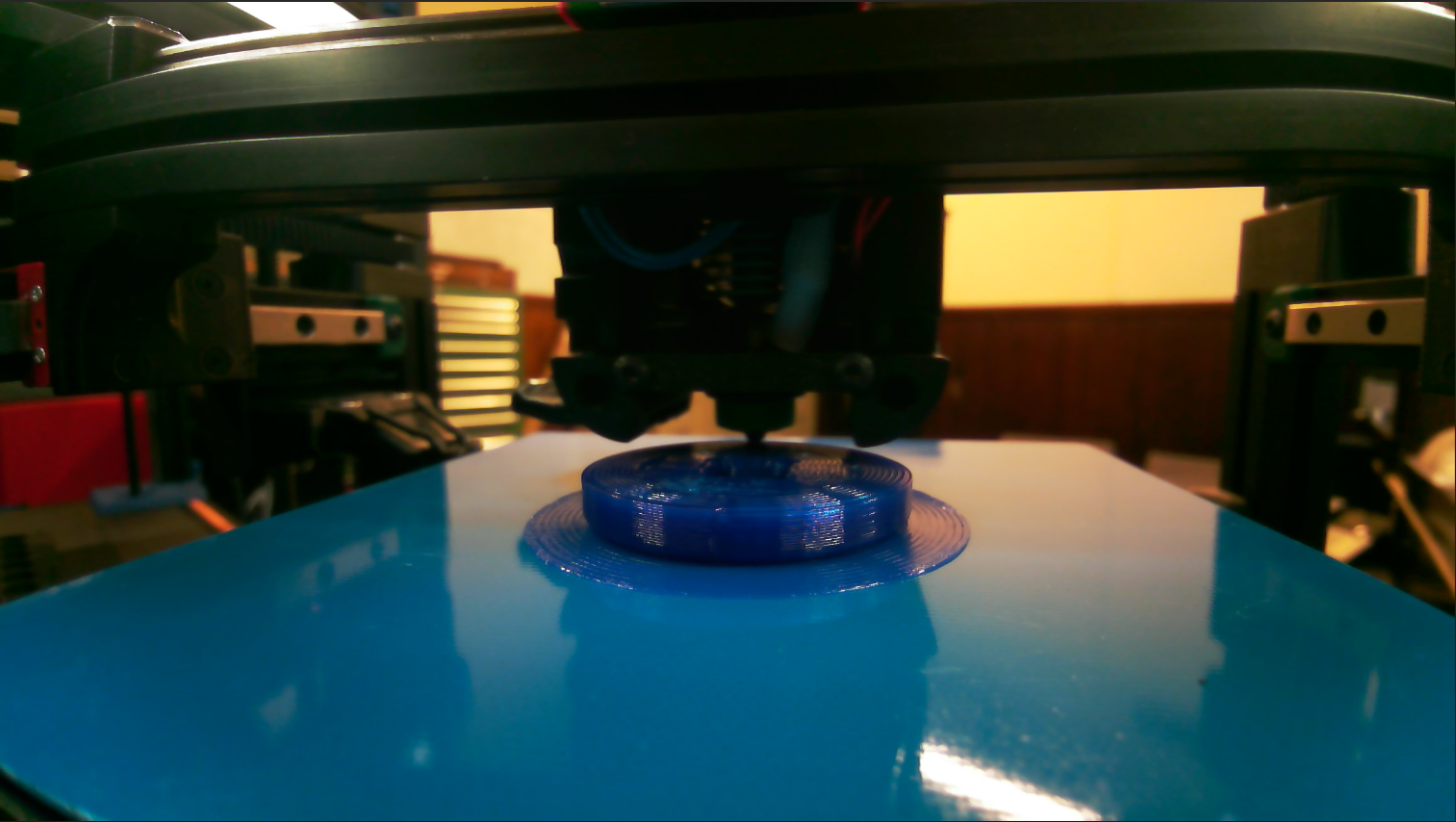
That looks clean, nice work. The manual lens adjustment for close-up combined with those v4l2-ctl settings is the way to go for that fixed-focus module.
New issue now, but with the UC-A43 adapter board (used with a B0304 camera). It seems shorted. On a Raspberry Pi 5, when I connect it the cooler fan stops spinning and every USB device disconnects. Unplugging the UC-A43 brings all the USB ports back to normal. On a Windows PC I get: ‘Power surge on the UBS port. Unknown USB Device needs more power than the port can supply.’ The camera module itself works fine on a different Pi via CSI cable, so the problem is isolated to the UC-A43 board.
That’s a classic overcurrent/short symptom on the adapter. Can you inspect the UC-A43 board closely for physical damage - anything broken off, missing, or burned? Especially if you’ve been testing 3D printed mounts around it.
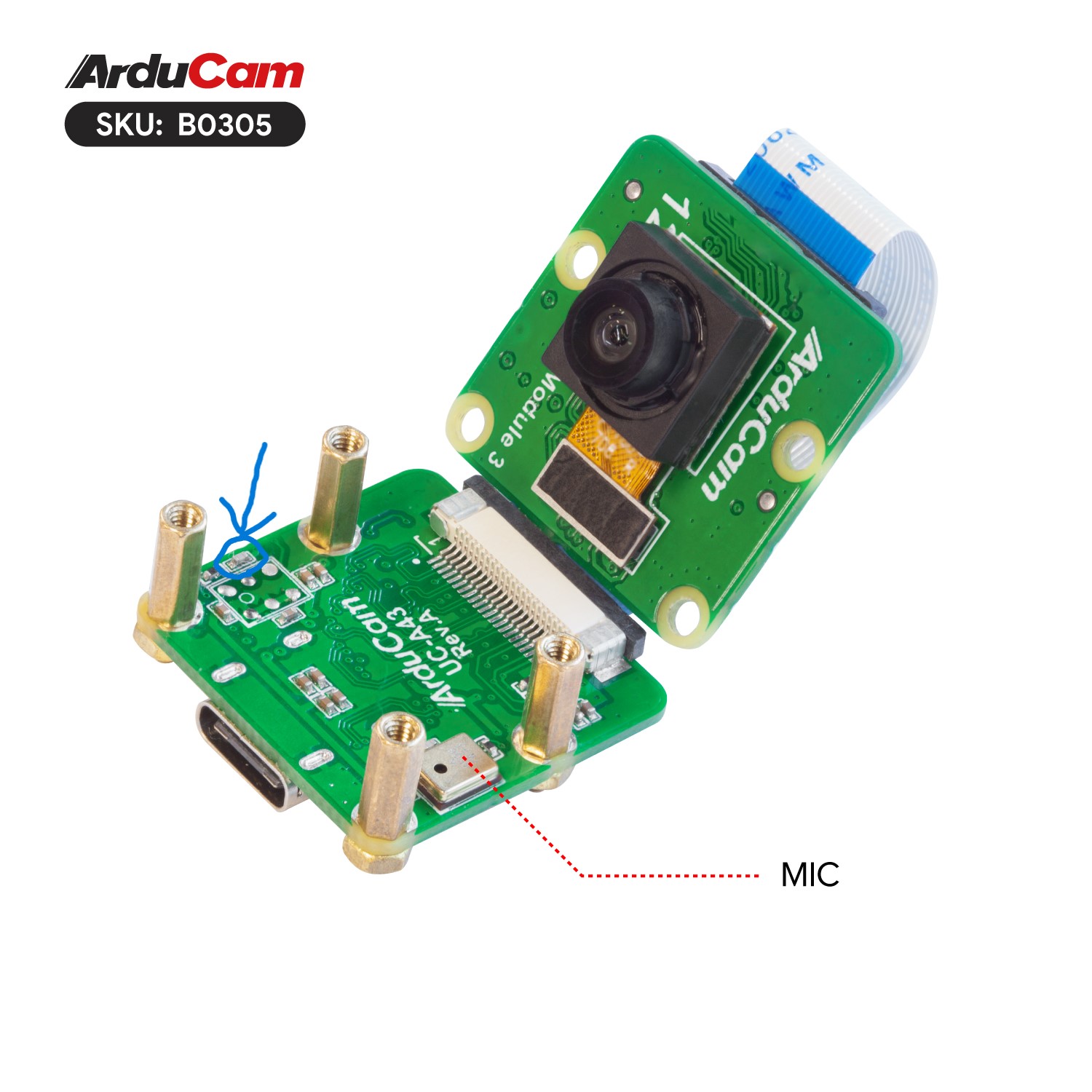
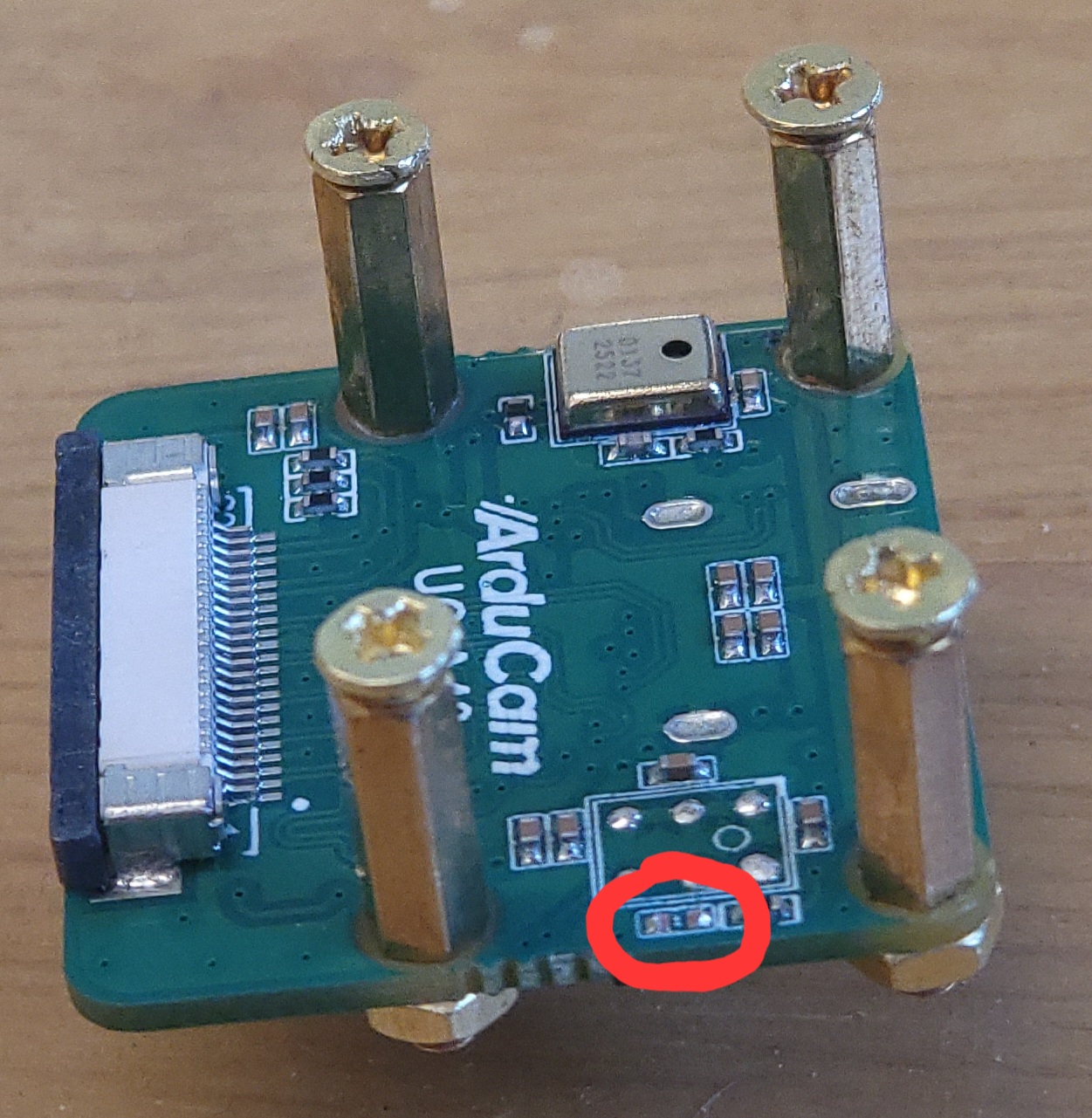
Found it. A resistor/capacitor is broken off the board - likely happened while testing the 3D printed mounts. Here’s the missing component location circled on the product image:
And a picture of my actual board:
To wrap this thread up: the original purple/magenta issue was resolved and couldn’t be reproduced afterward, though the exact trigger was never definitively confirmed - most likely a USB port/connectivity issue. As a note, the B0305 can be used with the UC-A43 adapter to connect a standard Pi Camera Module form-factor camera over USB instead of a CSI ribbon cable. The fixed-focus lens can be manually adjusted for close-up (~60mm) focus as you did. The UC-A43 board is a separate issue - the missing component and resulting short fully explain the power surge message and the Pi 5 fan/USB drop behavior.