Hey everyone, I’m stuck with a solid green screen issue on my Arducam stereo camera setup and hoping someone can point me in the right direction.
Hardware:
SKU B0577 — Sync Stereo Global Shutter Dual-Camera Bundle Kit (2.3MP Global Shutter Stereo Bundle)
NVIDIA Jetson Orin Nano Developer Kit
Ubuntu 22.04
The camera is detected as /dev/video0 and v4l2-ctl reports 2560x720 (UYVY), which looks correct for the stereo resolution. I ran install_full.sh and it completed without errors.
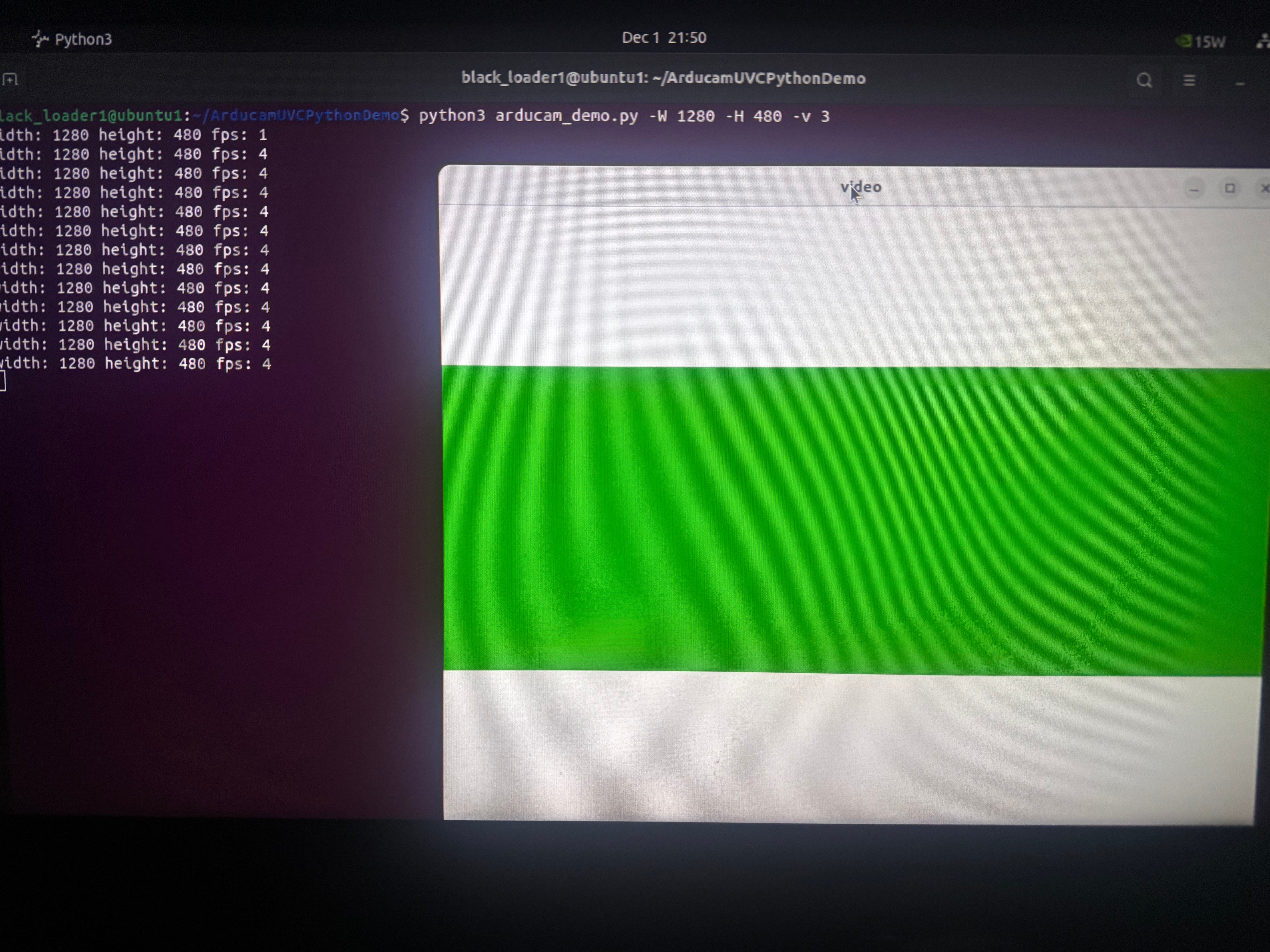
But no matter what I try to capture with, I just get a solid green frame:
GStreamer pipeline → green screen
OpenCV VideoCapture → green screen
arducam_displayer.py → green screen
I’m not sure where to even start debugging this. Any ideas?
Thanks for the detailed info. Since the device is enumerating correctly and the resolution looks right, let’s check whether the sensor itself is actually responding properly at the I2C level.
Can you run the rw_sensor.py diagnostic tool to read the sensor ID register? Try this:
python3 rw_sensor.py -d 0 -r 0x3500
Register 0x3500 should return a known sensor ID (something like 0x2311 for these global shutter sensors). Let us know what value you get back.
Yeah, 0x00 is definitely not the expected sensor ID. The fact that there’s no I/O error means the I2C communication path is alive, but the sensor isn’t returning valid register data — which suggests the sensor isn’t initializing.
Before we go deeper into driver debugging, let’s rule out the physical layer. Can you:
Reseat the MIPI ribbon cable on both ends (camera board side and carrier board side)
Double-check the cable orientation — on the Orin Nano, the contacts should face toward the heatsink
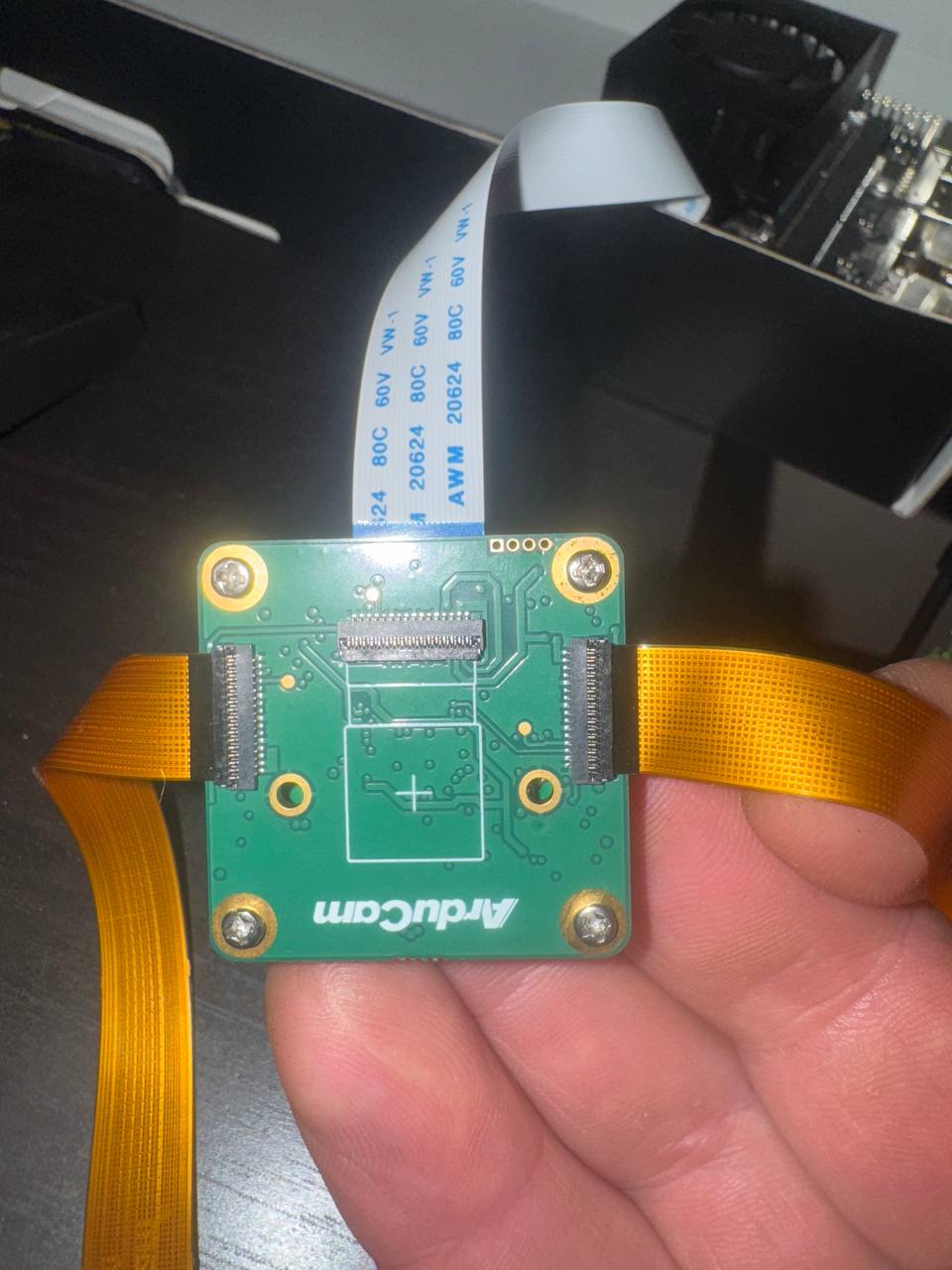
Check that the connections on the camera board itself are secure
Sometimes these green-screen symptoms are just a poor MIPI connection. Let us know how it goes.
Alright, I reseated the MIPI ribbon cable multiple times on both ends. Contacts are facing the heatsink on the Orin Nano side. Also checked the connections on the camera board — everything looks snug.
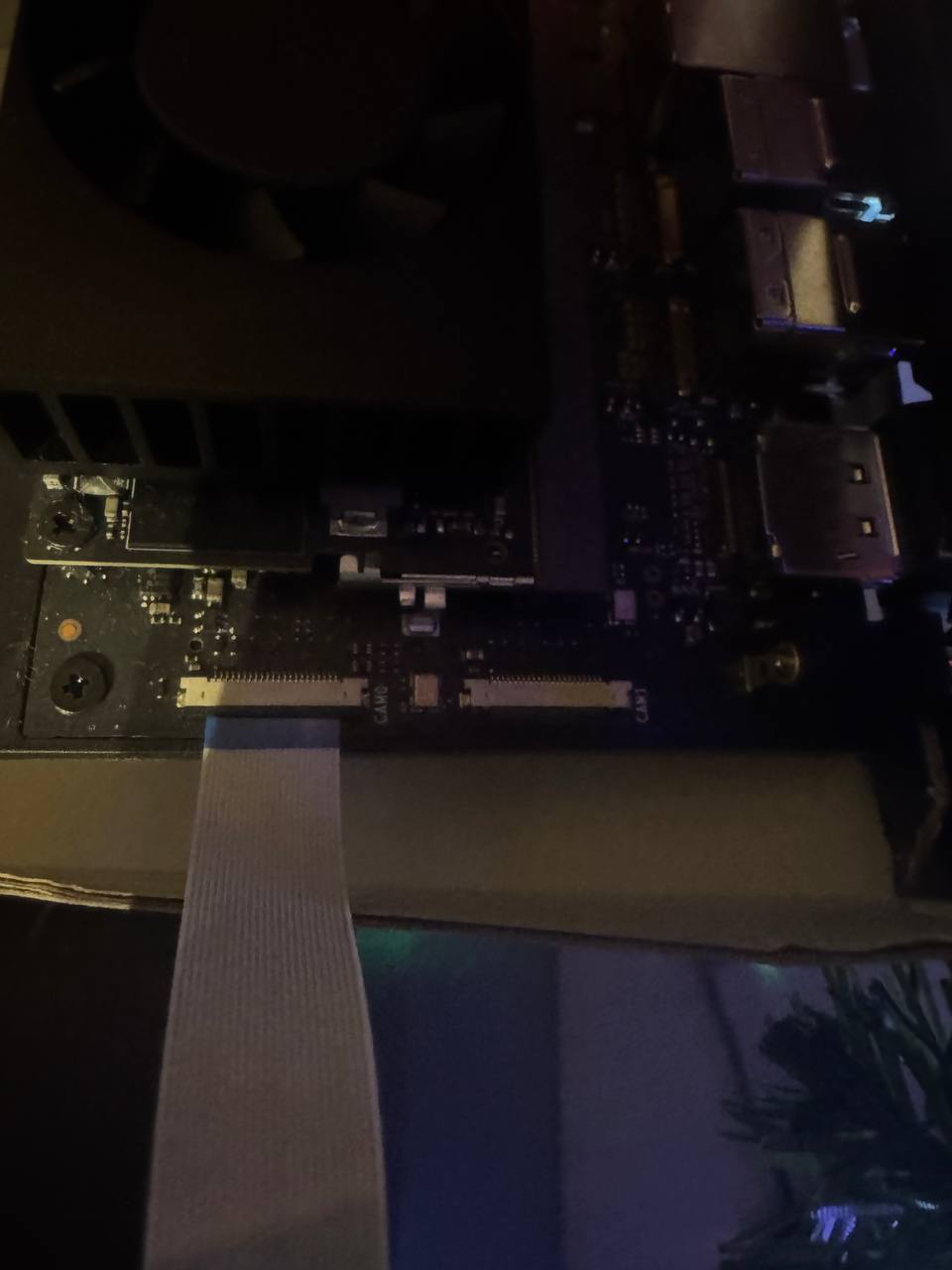
Here are some photos of my hardware setup in case it helps:
Unfortunately, still the same result — green screen, and 0x00 from register 0x3500.
I took a look at your photos and I think I can see the issue.
The B0577 Sync Stereo Global Shutter Bundle uses a 4-lane MIPI driver. That means the camera must be connected to the primary 4-lane CSI interface on the Jetson Orin Nano Developer Kit carrier board — specifically the connector located closest to the power supply port.
From your photos, it looks like you’ve got the camera plugged into the secondary CSI connector, which only provides 2 MIPI data lanes. This causes a data lane mismatch:
The driver expects 4 lanes of MIPI data
Only 2 lanes are physically connected
Result: empty/dropped frames → green screen
And the sensor initialization sequence fails → register 0x3500 reads back 0x00
That was it! Moved the cable to the CSI connector right next to the power supply port and everything works now.
rw_sensor.py -d 0 -r 0x3500 now returns the proper sensor ID
GStreamer, OpenCV, and arducam_displayer.py all capturing correctly
No more green screen
I had no idea the two CSI ports had different lane counts. Thanks for spotting that from the photos — would have taken me forever to figure out on my own!