Hi, I’m having a problem getting cameras to work on my Raspberry Pi 4B and I’m stuck.
With the NOIR 16MP camera I just get a black screen in the preview window. Nothing shows up at all.
With an RPi V2 camera it’s even worse - the Pi doesn’t recognize it and I get “no camera available”.
I’ve never got it to work from the start. Can you tell me what I need to do so the 16MP camera actually works? This is the UC-892 Rev.C board/camera set.
Hi, thanks for the details. Two very different symptoms here (black preview vs. no camera detected) so let’s figure out which one we’re actually dealing with first.
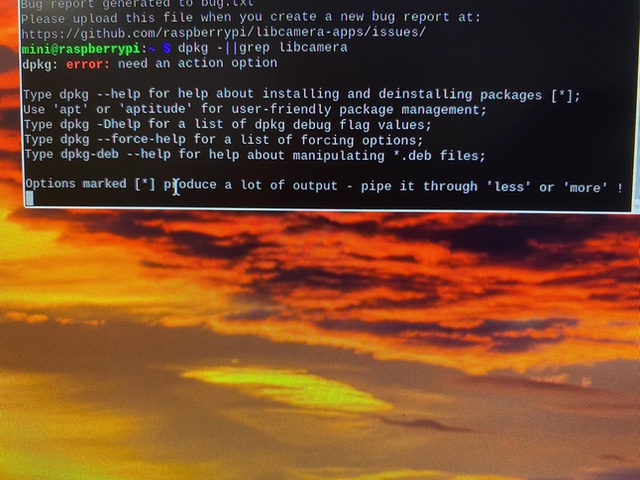
Before touching hardware, can you send me the state of your installed libcamera packages and a camera bug report? Please run these two commands on the Pi and share the output:
The second command writes a file called bug.txt to your Pi - please send that file to me as well, it captures the driver and log state so I can see what the Pi thinks is connected.
This will run for a few seconds, try to grab a capture, and drop a file named bug.txt in your current directory. Just send me that bug.txt afterwards and I’ll take a look at what the Pi is detecting.
Just to restate the whole thing: no image with the NOIR 16MP or the RPi V2. With the 16MP it’s a black preview window, with the V2 it’s not recognized at all (no camera available). I never got it to work. I really just want the 16MP one working.
Got both files, thanks - that gives me the package state and the capture log.
So far this is still unresolved and I don’t want to jump to a conclusion. What I need to verify next is whether the 16MP camera is actually being detected on the CSI link and whether libcamera enumerates it. Can you also check, with only the 16MP camera connected (unplug the V2):
libcamera-hello --list-cameras
and then:
libcamera-still -n -t 2000 -o test16mp.jpg
Tell me what libcamera-hello --list-cameras prints (whether it lists any cameras at all) and whether test16mp.jpg comes out black or missing.
With only the 16MP connected, libcamera-hello --list-cameras shows no cameras listed at all. Then libcamera-still runs but the output image is just black.
So it’s like it kind of half-detects it? The preview window is black but the command doesn’t outright fail.
That’s a useful clue - a black frame with no entries in --list-cameras points at the CSI detection/config path rather than the sensor itself, but I still can’t confirm the root cause from here yet.
Please double-check the FPC ribbon is seated fully and in the correct orientation on the UC-892 board and the Pi 4B CSI port, and confirm the connector latch is closed. Then re-run:
libcamera-hello --list-cameras
and re-run the bug report so I get a fresh bug.txt from this exact state:
Reseated the cable and made sure the latch was closed. libcamera-hello --list-cameras still shows no cameras detected, same as before. Fresh bug.txt attached:
Thanks. Since the two bug reports look the same and the camera isn’t being enumerated, I can’t pin it to a single root cause yet - it could be the CSI detection path on the board side or the sensor not being brought up by the driver, and I’d be guessing to pick one.
I’ve sent you a couple of additional diagnostic steps and a test tool through private message - please check your messages and run those, then paste the output here.
Summary of where we are:
16MP NOIR: black preview, sensor not enumerated in libcamera-hello --list-cameras
RPi V2: not recognized at all (“no camera available”)
dmesg/libcamera package state and bug.txt captured, no errors that explain the black frame on their own
Cable swaps and FPC reseating made no difference
Once I have the private-message output I’ll be able to narrow it down further, so hang tight and send that back when you can.