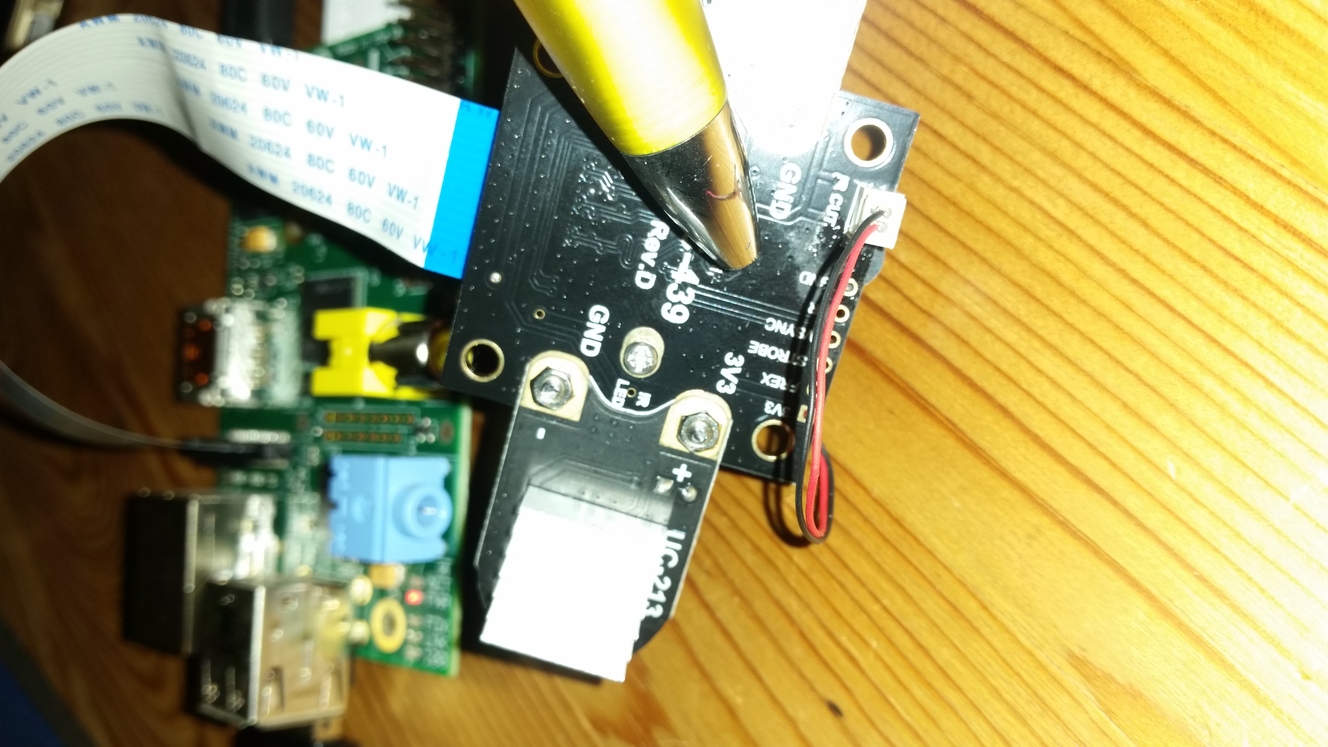
Hi, hoping someone here can help me with a 5MP OV5647 camera module (the one with the motorized IR-CUT filter). I can’t get any image out of it at all.
On the Pi, vcgencmd get_camera reports:
supported=1 detected=1
But whenever I try to grab a still with raspistill I get:
Camera control callback cmd=0x4f525245
mmal: No data received from sensor.
Physically I can see the red LED next to the camera light up, and I can hear the click of the IR-CUT filter switching, but there is never an image. Neither of the two IR LEDs lights up either.
What I’ve tried so far:
Raspberry Pi 1, Pi Zero and Pi 3 — same result on all of them
motionPiOS — no image, camera doesn’t come up
Raspbian Bullseye (latest image, fully updated) — no connection
Followed the paper instructions that came in the box
Tried several high-power power supplies
I’ve honestly never had it work properly. I also recorded two clips while testing with two different cables:
Hi, thanks for the detailed report and the videos — sorry you’re stuck with this.
One thing worth noting from your logs: since supported=1 and detected=1 are both 1, the Pi has actually recognized the camera. So the “No data received from sensor” error is more likely a connection problem than a detection problem. Could you please:
Check whether the camera port / ribbon connector is sitting loose (reseat it a couple of times).
Try a brand-new camera cable.
If it still doesn’t come up, record your exact steps as a video and post it here. I’ve also forwarded your case to our technical team and we’ll follow up as soon as we have anything. Thanks for your patience.
Quick update: I changed the cable (and I also tried a Pi Zero with a completely different cable) — no change at all. I recorded a video during a fresh motioneyeOS install: the camera is auto-detected but there’s still no picture, and you can actually see the IR LEDs do light up in the clip. Changing the resolution and frame rate makes no difference either, and the errors in Raspberry Pi OS are the same as before (vcgencmd: supported=1 detected=1, raspistill: No data received from sensor).
Here are the two videos taken with different cables:
Thanks — I watched both videos. From what’s happening it really does look like there’s a problem with the camera module itself (a hardware issue). The best next step is to try another unit of the same module and see whether it behaves the same way. I’ve sent you the details privately — let me know how you get on.
I got a second module and it’s a bit different but still broken. It gives a picture in daylight, but not at night — the night image is completely black. Both IR LEDs light up, but the shutter doesn’t click when I cover the photo-detector, so the IR-CUT isn’t switching. The annoying part: the camera board gets incredibly hot, to the point I can’t touch it (it’s the camera board that’s hot, not the IR LEDs). Same behaviour on a Pi 1, a Pi Zero and a Pi 3 B.
Sorry for the slow reply — I just got back from holiday. Thanks a lot for the video and the photo, they’re really helpful for understanding what’s going on. I still have a couple of outstanding questions before I can pin this down:
Which Raspberry Pi board are you using where it works at all?
When you connect the camera, do you just plug it in, or do you run any commands?
I tested a Raspberry Pi 1, a Raspberry Pi Zero and a Raspberry Pi 3 B — exactly the same result on all of them: picture in daylight, no picture in the dark even though the IR LEDs switch on.
I just connect the camera to the Pi and it shows a picture in motioneyeOS like in the video — I don’t run any further commands. What bothers me most is how hot the camera gets.
Thanks for the answers. Honestly I’m not sure yet what’s causing this. Since two modules show the same behaviour (no night image, no IR-CUT click, and the board overheating), we’ll get a unit out to you that we’ve verified first — IR-CUT switch working and board checked. I’ll let you know as soon as it’s on the way. If you have any other observations or ideas in the meantime, please share them.
Thanks. Just to be clear, this second one is also defective: daylight picture only, black at night, no IR-CUT click, and it gets untouchably hot. Is there anything I need to do with the second one in the meantime? That’s quite a bit of effort for me, so I’d rather avoid it if it isn’t necessary.
No, nothing to do with it for now — just keep the current module until you’ve got a working one to compare against. I’ll update this thread once I hear back from the technical team and when a verified unit is ready.
So far the behaviour is identical across two modules (daylight image OK, no night image, no IR-CUT click, overheating board), which points away from a one-off fault — I’ve passed that detail back to the technical team as well.