Hey everyone, I’m having trouble getting my Arducam IMX519 Autofocus camera to work on a Raspberry Pi running Octopi. I followed the official guide at the Arducam docs page — the one for the 16MP IMX519 — but no video shows up on the Octopi webpage at all. I’ve tried a few different things from the Arducam forum but nothing has worked so far. The camera just doesn’t seem to be detected. Any ideas on what I might be missing?
Sorry to hear about the trouble. Let’s start with some basic diagnostics. Could you do two things for me?
-
Take some pictures of your hardware connections — show both the Pi end (the ribbon cable connected to the board) and the camera end.
-
Generate a bug report so we can see what’s going on with your setup. Run these commands on your Pi:
wget -O arducam-camera-bug-report https://github.com/Dion4cen/arducam-camera-bug-report/releases/download/Tool/arducam-camera-bug-report
chmod +x ./arducam-camera-bug-report
./arducam-camera-bug-report
That will create an “arducam-bug-report.txt” file in your current directory. Attach that file here along with the photos and we’ll dig in.
Thanks for the quick reply. Here’s what I’ve got:
Bug report: arducam-bug-report.txt
Photos of the connections:
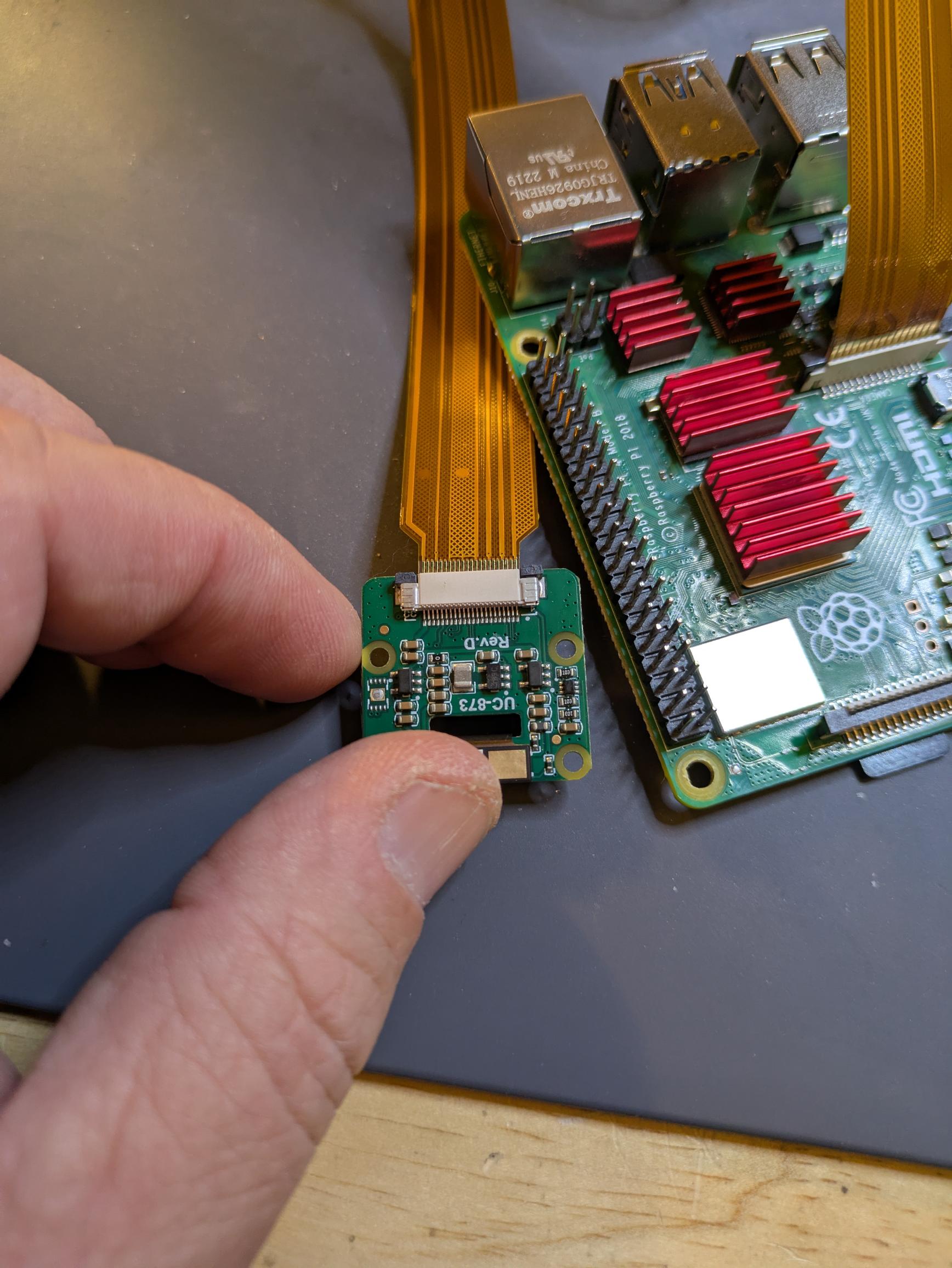
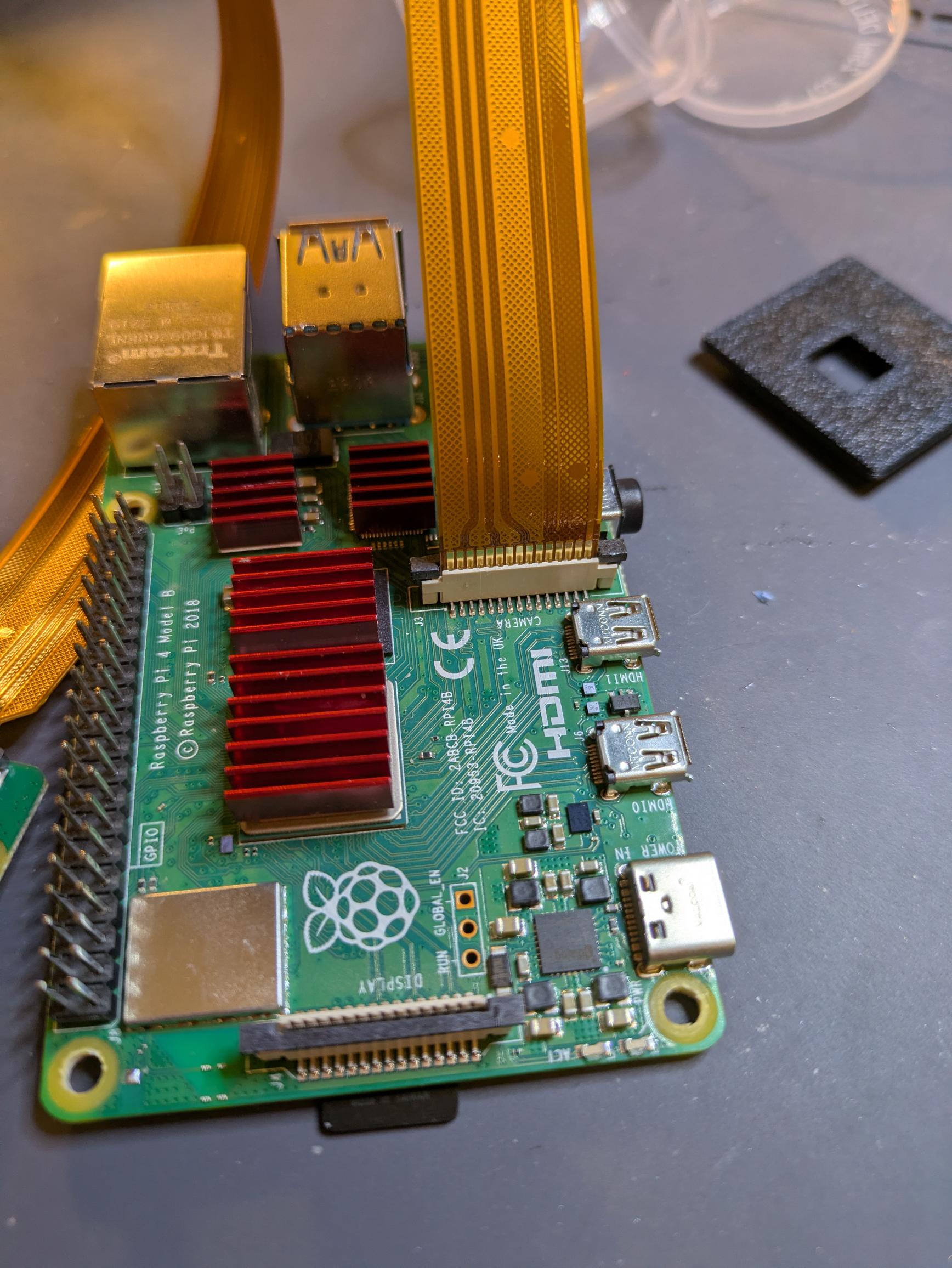
Let me know if anything looks off.
Found it. Your hardware connections look fine, but there’s a typo in your /boot/config.txt that’s causing the whole problem.
Looking at the bug report, I can see this line:
dtoverlay-imx519
That dash between dtoverlay and imx519 should be an equals sign. It should be:
dtoverlay=imx519
Because of that typo, the device tree overlay never actually loads, so the Pi has no idea there’s a camera attached. That’s why you’re not seeing anything.
Edit your config.txt, fix that line, and reboot:
sudo nano /boot/config.txt
# change dtoverlay-imx519 to dtoverlay=imx519, save, then:
sudo reboot
That should get the camera detected.
That did it — well, partially. After fixing the typo and rebooting, the Pi can now see the camera and I can take still shots with it. So that config fix definitely worked.
But here’s the new problem: Octoprint still isn’t showing any video. No web stream detected at all. The camera works for still captures but Octoprint just won’t pick up a video feed.
I ran the bug report tool again — here’s the updated one:
Any idea why Octoprint isn’t seeing the stream?
Thanks for the updated report. This one actually confirms the camera overlay is loading properly now, so that’s good.
The issue you’re hitting is a known compatibility problem. The latest Octoprint OS kernel has some changes that don’t play well with the Arducam IMX519 drivers. We’ve tested this internally and found that a specific older, stable release of Octoprint OS works reliably with the IMX519.
I’ve sent you a link to that older Octoprint OS image via private message — please check your inbox. You’ll need to flash that image to your SD card instead of using the latest Octoprint OS. Once you’re on that version, the camera should work for video streaming in Octoprint as well.
The key thing: don’t use the newest Octoprint OS. Use the version I sent over, which we’ve already configured and tested with this camera.
Okay, I flashed the older Octoprint image you sent and everything is working now — video stream shows up in Octoprint and the camera is fully functional. Thanks for the help!
One question though: now that everything is working on this older image, is it safe to update the Octoprint application itself from within the UI? Or will that break things again?
Glad to hear it’s all working now!
And to answer your question — I’d strongly advise against updating the Octoprint application. Upgrading it could pull in kernel or dependency changes that break the camera compatibility we just fixed. We recommend staying on the current stable version for both the OS and the Octoprint application. If it’s working, leave it as-is. That’s the only way to guarantee the camera stays functional.