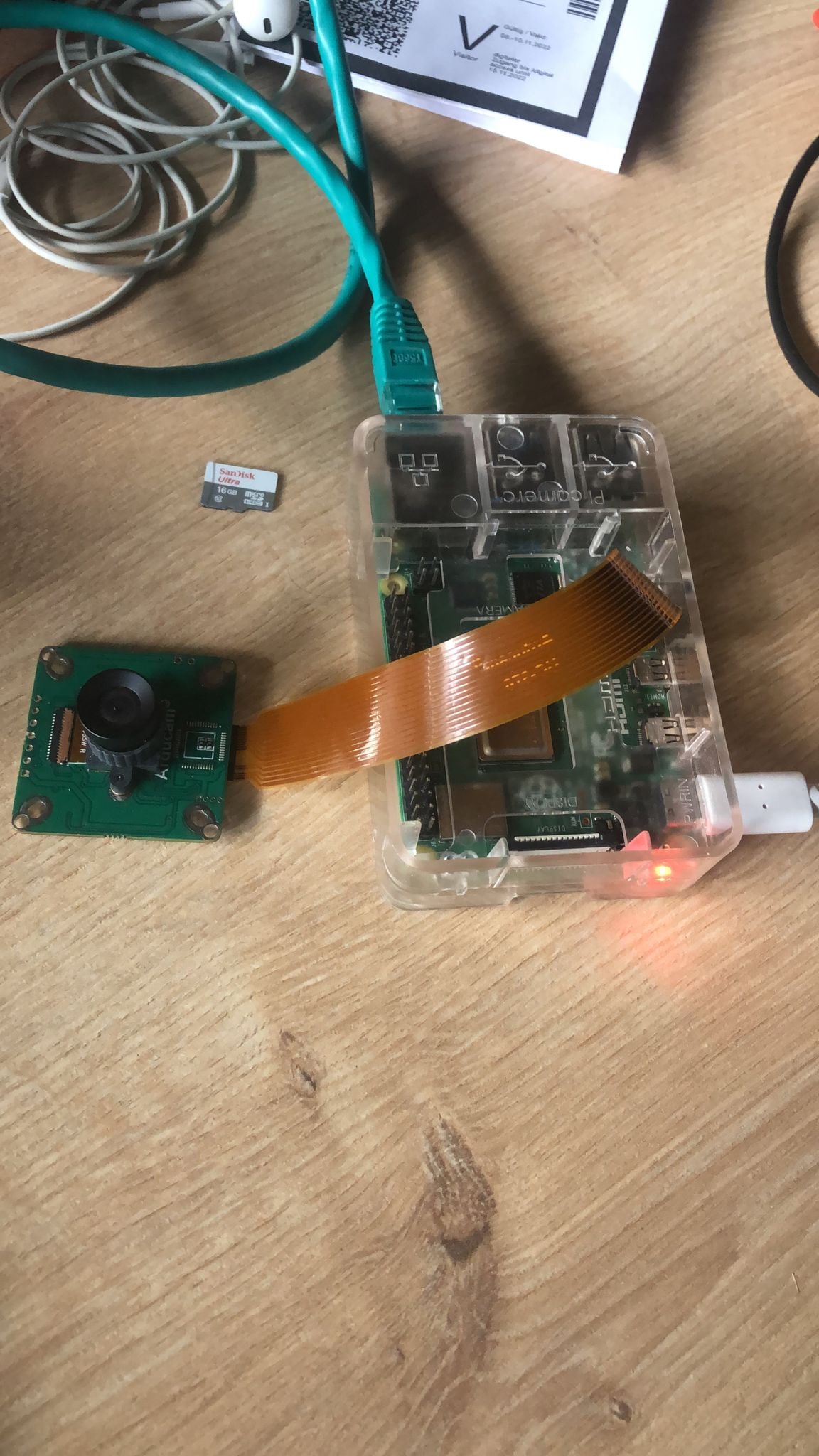
Hi, I’m trying to get images from my Arducam OV9281 MIPI camera module (1MP monochrome global shutter) on a Raspberry Pi 4 Model B. I can capture stills on the command line with libcamera-still and it works fine, but I really need to capture from Python. I’m using the picamera2 library and the problem is it doesn’t seem to have any shutter speed configuration at all.
How can we set the shutter speed in Python? Or can we set it permanently in the camera’s own settings? If we can set the shutter speed with a Linux command, then we can keep working with picamera2 — is that possible?
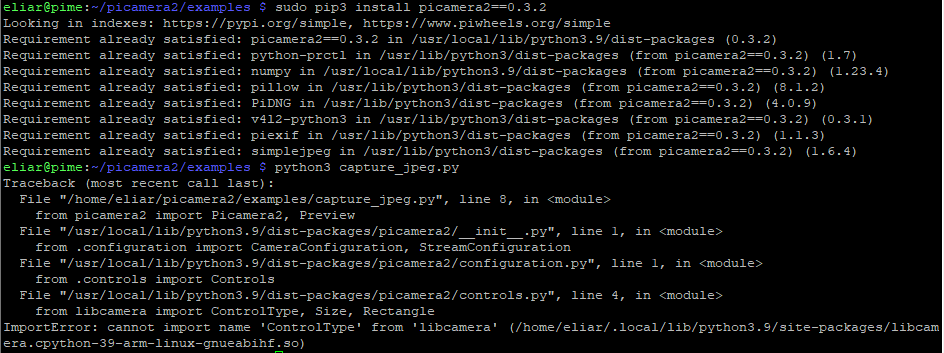
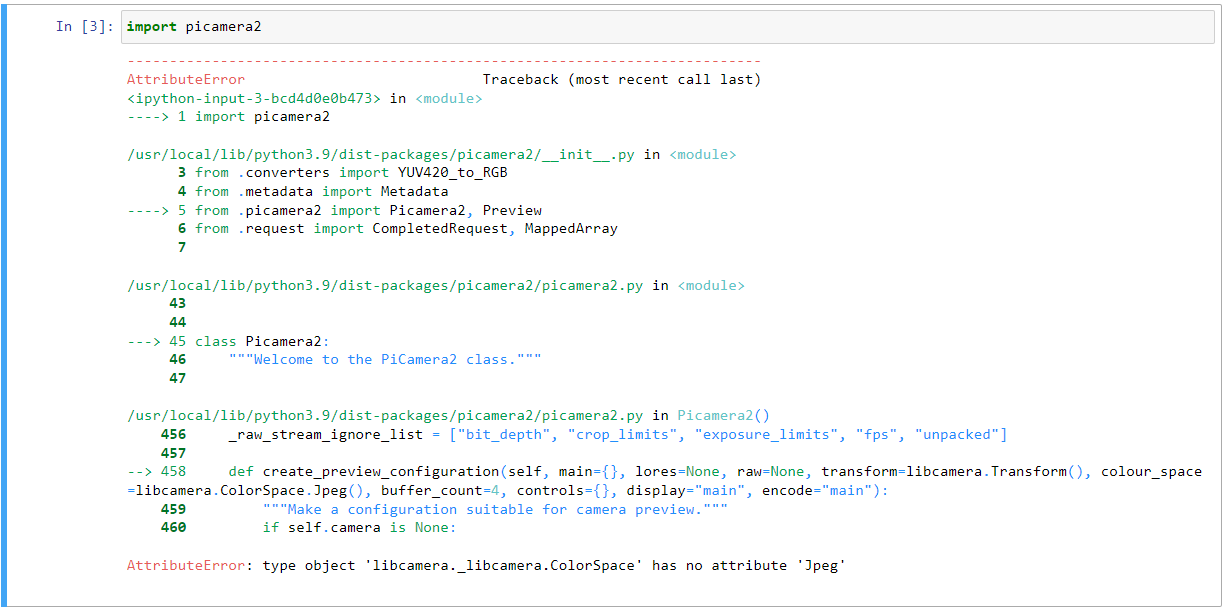
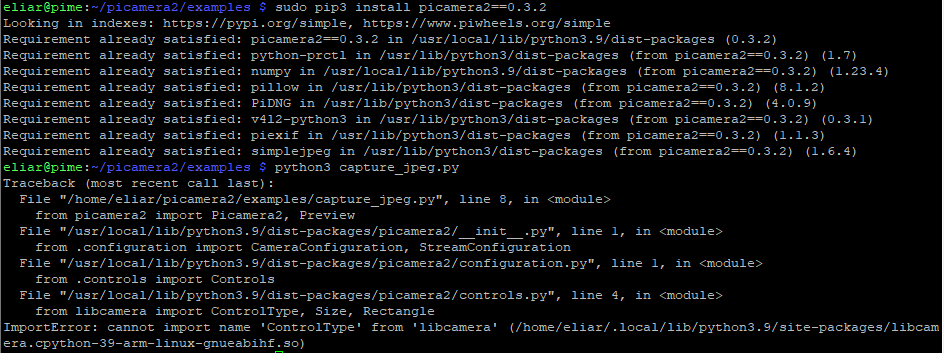
Just to be upfront, this has been a long fight. Earlier I couldn’t get any camera view at all due to what looked like driver problems. After going through the install steps for picamera2 I kept getting an error (I’ll attach the screenshots below). I also wondered if the colorspace class is throwing an error simply because the camera is monochrome.
Welcome. Let’s take this one step at a time. A few things first:
What does libcamera-still --version report on your system?
How did you install picamera2, and what version do you have? You can check with python3 -c "import picamera2; print(picamera2.__version__)"
Can you paste the exact Python traceback you’re getting, plus the code you’re running?
Also, please tell us the OS image details (release date, 32/64-bit, kernel). That tells us which libcamera stack you’re on, which matters a lot for this camera.
Thanks, that gives us a good picture. The first thing to check is that picamera2 itself is up to date — the example code you’re running needs picamera2 0.0.3.
Please run:
python3 -m pip install picamera2 —upgrade
Then re-run the example and let us know if the traceback changes. If it still fails, please paste the full error text rather than just the screenshot so we can read the exact module/line it’s dying on.
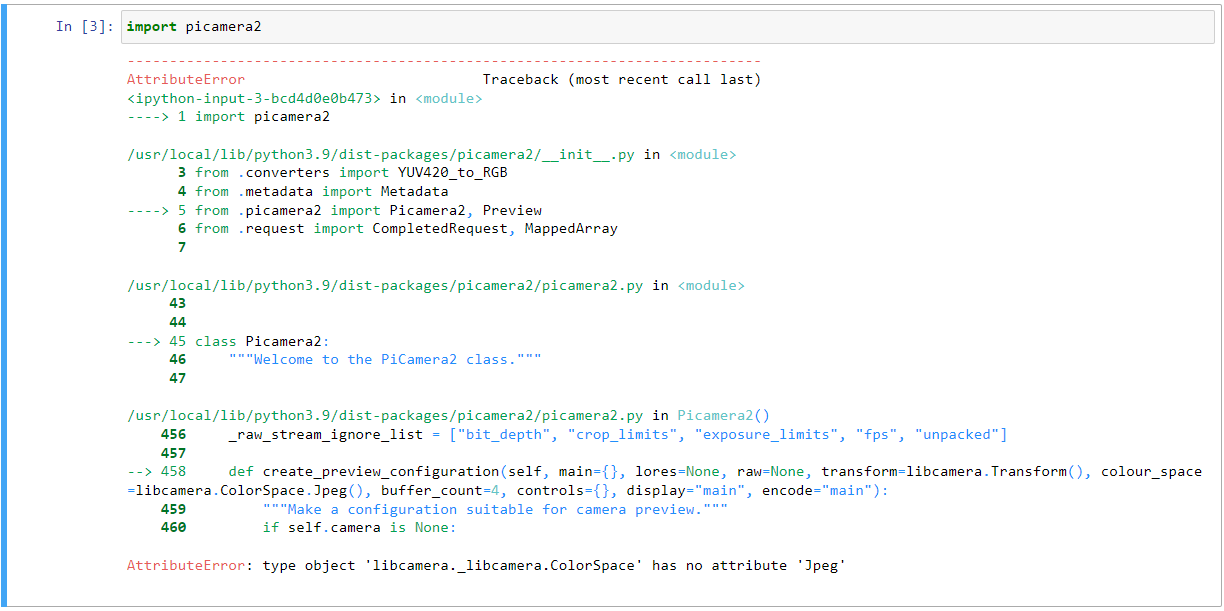
OK, I upgraded picamera2 to 0.0.3 and re-ran the example. Still an error, and honestly it looks like the same failure as before. The screenshot of the error is here:
My guess is the colorspace class is the culprit and it’s failing because the camera is monochrome, so maybe it’s requesting a format the sensor can’t do. But that’s just a guess. What else can I check?
Also worth repeating: libcamera-still DOES produce an image from this camera, so the hardware seems fine. It’s only the Python path that breaks.
Good, that’s a useful data point — if libcamera-still works but picamera2 doesn’t, the sensor and driver are fine and the problem is higher up in the software stack.
Let’s get a bug report so we can see what libcamera thinks is attached. Please run these:
pi@pime:~ $ ./arducam-camera-bug-report
[0:10:36.188782049] [1692]  INFO Camera camera_manager.cpp:293 libcamera v0.0.0+3424-e68e0f1e
ERROR: *** no cameras available ***
Bug report generated to arducam-bug-report.txt
So the bug report says no cameras are available, even though libcamera-still can grab a frame. Not sure how to read that.
That’s the clue we needed. The line libcamera v0.0.0+3424-e68e0f1e tells us your libcamera version is too old for this camera — the OV9281 monochrome needs a newer libcamera. That old stack is why the Python pipeline can’t enumerate the camera and throws the colorspace/format error you saw.
The fix is to upgrade the libcamera stack to 0.0.9. Please run the commands below, in order:
OK, running the pivariety script now. It downloads the install_pivariety_pkgs.sh fine, chmod works, then libcamera_dev runs through and I reboot. Do I also need the picamera2 upgrade again after this, or is 0.0.3 still good?
Keep picamera2 at 0.0.3 — that part is fine. The missing piece on your system was the newer libcamera (0.0.9) underneath it. So the sequence is:
picamera2 upgraded to 0.0.3 (done)
libcamera upgraded to 0.0.9 via libcamera_dev then libcamera_apps (just did)
Reboot, then run your Python capture script again and tell us what happens. For reference, the picamera2 with Arducam cameras guide and the upstream picamera2 examples are good sanity checks if your own script is still fighting you:
Rebooted and re-ran the Python script after the libcamera upgrade. It’s now able to open the camera from Python and I get a frame instead of the colorspace error. So the upgrade path was the fix.
Now back to my original question though: picamera2 still doesn’t expose shutter speed the way I need. What’s the recommended way to set exposure/shutter on this monochrome sensor from Python, and is there a lower-level way via libcamera controls that works with this camera?
Great — so to summarize this thread for anyone finding it later:
Arducam OV9281 monochrome global shutter on Raspberry Pi 4B, Raspberry Pi OS (Sept 22 2022, 32-bit, kernel 5.15, bullseye).
Symptom: Python/picamera2 failed with a colorspace/format error and arducam-camera-bug-report reported ERROR: *** no cameras available *** with libcamera v0.0.0+3424-e68e0f1e.
Root cause: the bundled libcamera was too old. The environment needed the libcamera stack upgraded to 0.0.9 (and picamera2 to 0.0.3).
Fix: upgrade picamera2 with python3 -m pip install picamera2 —upgrade, then upgrade libcamera by running install_pivariety_pkgs.sh -p libcamera_dev followed by -p libcamera_apps, reboot, and re-test. That cleared the no-cameras/colorspace error and Python capture now works.
For the shutter speed part: rather than setting it permanently in the camera, expose it as a runtime control from Python — libcamera exposes exposure time as a control you set per capture, and that’s the right layer for the OV9281. If your script still isn’t picking up the control after the upgrade, post the current code and the exact control names reported by libcamera and we’ll map it out from there.