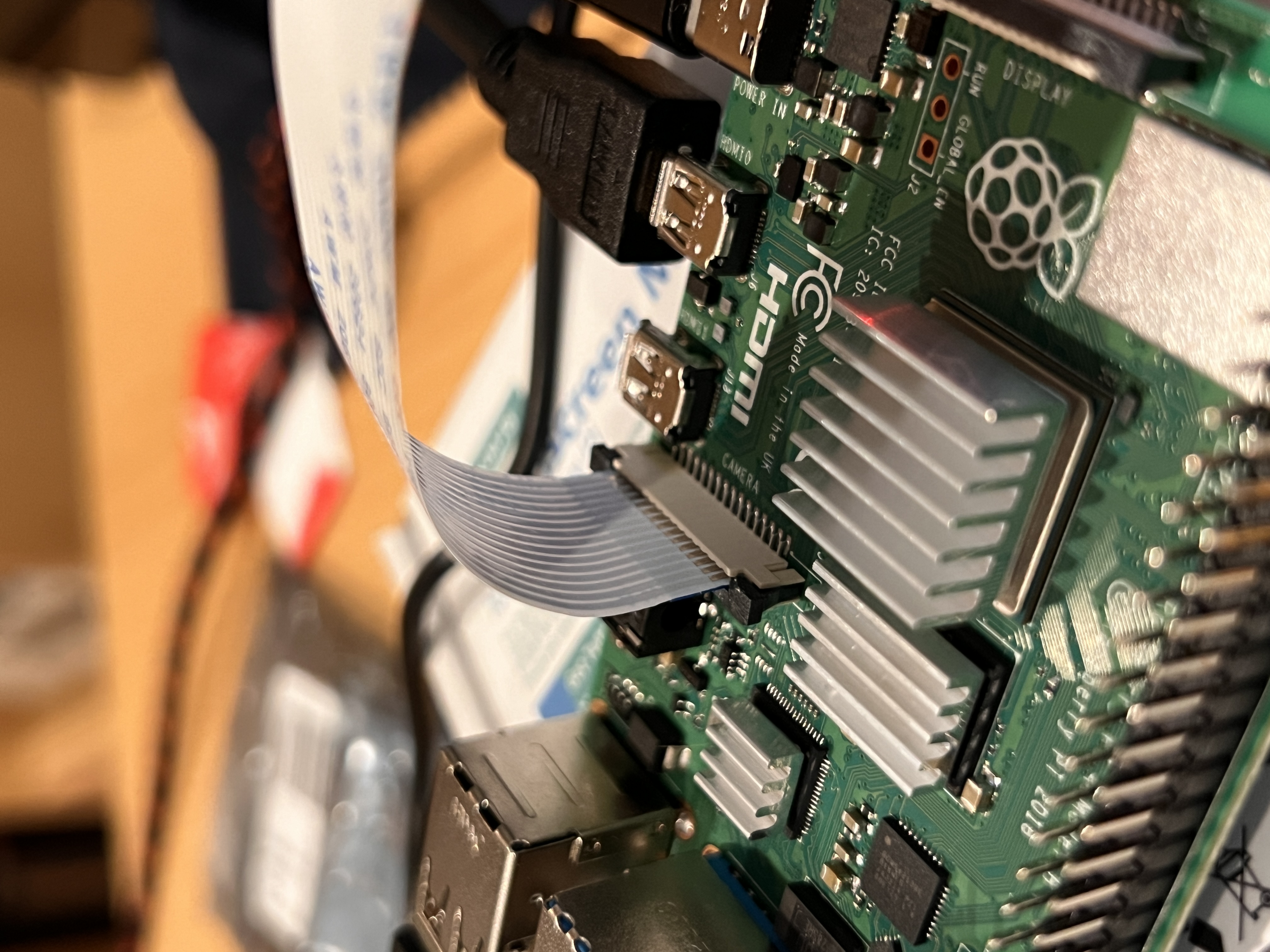
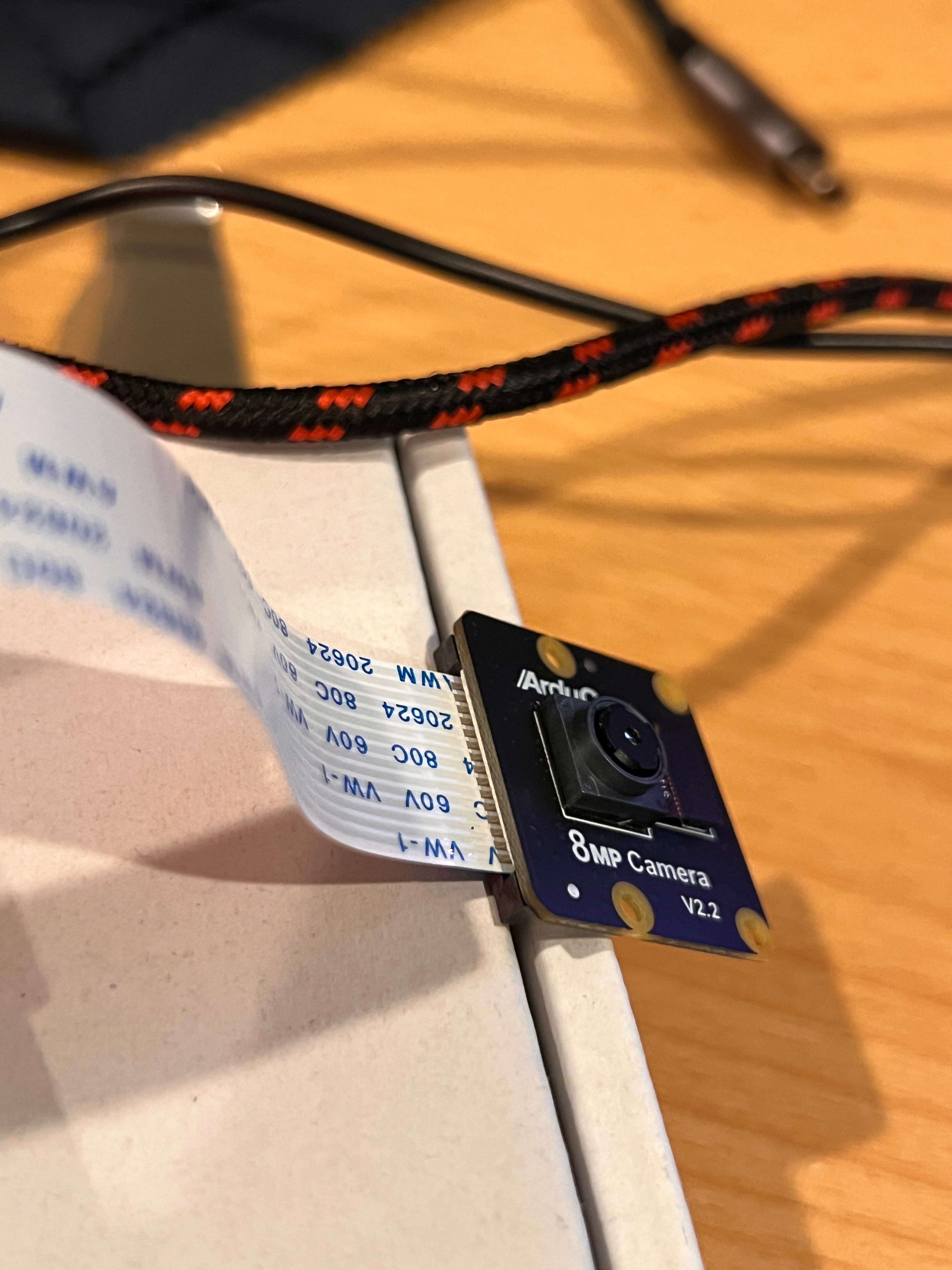
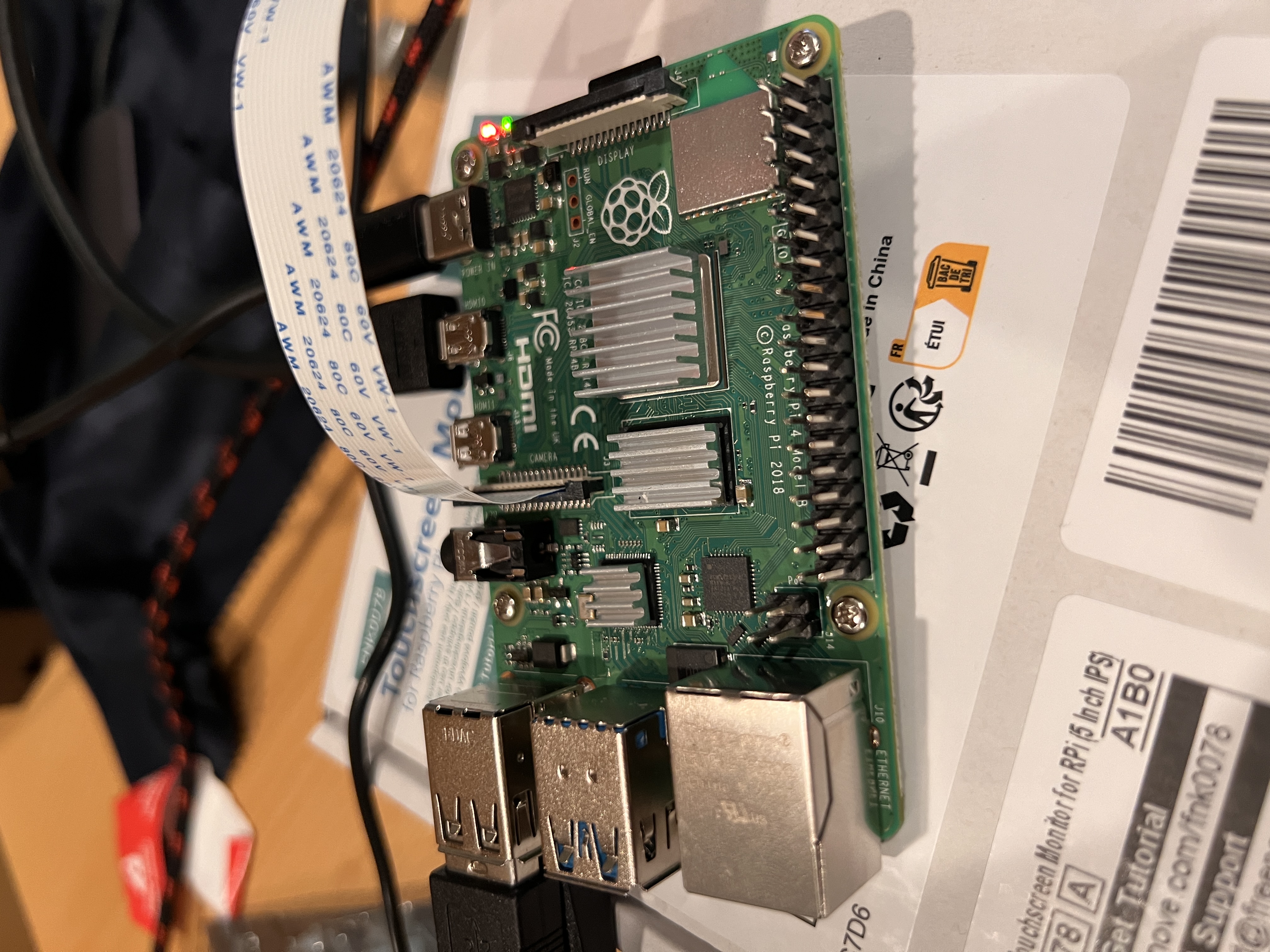
Having trouble getting my Arducam B0395 to show up on a Raspberry Pi 4B. None of the libcamera commands from the paper manual detect the camera. I also noticed this error flashes a few times on boot:
2.4799701 hid-generic 0003:1C4F:0202.0002: unbalanced collection at end of report description
That hid-generic line is usually unrelated to the camera, so let’s focus on the detection issue. Can you share your environment details — which Pi model, which cable you’re using, and whether you’ve already tried any of the libcamera install/check steps from the support article?
Sure. Product SKU is B0395, running on a Raspberry Pi 4B. I used the default cable that was already attached and didn’t touch anything. I followed the support article to check that the library was installed, but I still never got the camera to work with the libcamera commands.
Thanks. I can’t determine the root cause from that yet, so let’s get a proper diagnostic. Could you post photos of the hardware connection at both ends — the Pi side and the camera side? Also, please generate a bug report:
Thanks for the report and photos. Do you happen to have another white FFC cable available? From what I’m seeing, I suspect the ribbon cable connection or the cable itself.
I used the cable that was attached by default and didn’t touch it. I do have the other longer cable that came in the box, but I haven’t tried swapping it yet.
Please swap in the other longer cable. A faulty or poorly seated FFC can make the camera completely invisible to libcamera. Reseat both ends firmly and then run the libcamera command again.
Still no luck. I swapped the default cable for the longer included cable and got the same result — the camera is still not detected. As a sanity check I connected an official Raspberry Pi camera, ran the same libcamera command, and it worked right away. I’m starting to think the Arducam itself has a hardware problem.
That’s a solid test. Since the official Pi camera works on the same Pi with the same libcamera setup, and the Arducam still isn’t detected after trying both cables, the current conclusion is a hardware fault on the Arducam module or its connector rather than a software/driver issue. I don’t have a software workaround that will bring back a module that isn’t being detected at all.