B0350 Arducam 8M Stereo Camera driver install error on Raspberry Pi 3B+ 32-bit Bullseye

Hi all,

I’m stuck trying to get an Arducam 8M Synchronized Stereo Camera Bundle Kit (B0350) working on a Raspberry Pi 3 Model B Plus. I followed the manual install from the release tarball and the install script bails out because it can’t find a prebuilt module for my kernel.

My environment:
Platform: Raspberry Pi 3 Model B Plus Rev 1.3 (armv7l)
OS: Raspbian GNU/Linux 11 (bullseye), fresh 32-bit install
Kernel: 5.15

uname -a:
Linux raspberrypi 5.15.32-v7+ #1538 SMP Thu Mar 31 19:38:48 BST 2022 armv7l GNU/Linux

Install errors:
install: cannot stat ‘./bin/5.15.32-v7+/arducam.ko’: No such file or directory
install: cannot stat ‘./bin/5.15.32-v7+/arducam.dtbo’: No such file or directory
reboot now?(y/n):

Not sure if I pulled the wrong package or if there’s a build step I skipped. Any pointers would be great.

Thanks, the kernel string helps a lot. Quick note: you shouldn’t have to pick a version-specific tarball by hand.

Can you try the auto-installation script instead? It detects the running kernel/OS and pulls the matching driver package:

wget -O install_pivariety_pkgs.sh https://github.com/ArduCAM/Arducam-Pivariety-V4L2-Driver/releases/download/install_script/install_pivariety_pkgs.sh
chmod +x install_pivariety_pkgs.sh
./install_pivariety_pkgs.sh -p kernel_driver

While you’re at it please paste the raw output of these so we can see what the kernel actually reports:

dmesg | grep arducam
ls /dev/video* -1
v4l2-ctl --list-formats-ext

If you can also share your config.txt, that would help.

Thanks. I did a fresh Raspbian 32-bit 5.15 Bullseye install and tried again.

I downloaded and installed the pivariety driver from the 5.15.y release link, then:

cd Release/
./install_driver.sh

Same result:
install: cannot stat ‘./bin/5.15.32-v7+/arducam.ko’: No such file or directory
install: cannot stat ‘./bin/5.15.32-v7+/arducam.dtbo’: No such file or directory

I also tried extracting with:
tar -zxvf arducam_pivariety_v4l2.tar.gz Release/

which didn’t seem to change anything.

One thing I should flag: I had previously installed a driver package that was intended for the 5.10.17 Raspberry Pi version against this 5.15 Bullseye system, so there may be some mismatch/leftovers. I can re-image if needed — I just don’t want to waste a step if it’s something simpler.

No need to re-image yet. Let’s see what the running system actually reports before changing anything.

On the current install, please run the three commands I mentioned and paste the exact output:

dmesg | grep arducam
ls /dev/video* -1
v4l2-ctl --list-formats-ext

Also, when you ran ls /dev/video0 earlier, what did it print? And do you have the install commands + dmesg saved anywhere? Even a text dump of what you ran and the errors is fine — you can attach it.

Here’s what I get.

dmesg | grep arducam:
[ 12.327066] arducam: loading out-of-tree module taints kernel.
[ 12.342813] arducam-pivariety 10-000c: firmware version: 0x10003
[ 12.858767] arducam-pivariety 10-000c: Consider updating driver arducam-pivariety to match on endpoints

ls /dev/video* -1:
/dev/video0
/dev/video1
/dev/video10
/dev/video11
/dev/video12
/dev/video13
/dev/video14
/dev/video15
/dev/video16
/dev/video18
/dev/video20
/dev/video21
/dev/video22
/dev/video23
/dev/video31

I ran ls /dev/video0 too, and I didn’t get any output back from it.

I’ve also attached the installer screenshot and a copy of my config.txt, dmesg.txt, and the ‘8MP Syncronized Stereo Camera Bundle kit.txt’ notes I kept of the install commands and errors.

[image] https://cdn.arducam.com/forum/5d90e4f84f31bed78b9148601b1e84a4/b18a4cbd-b5ea-4874-ad22-c87a8db6ad86.png
[image] https://cdn.arducam.com/forum/5d90e4f84f31bed78b9148601b1e84a4/image.png

OK so the module is loading and the sensor is being seen on i2c 10-000c with firmware 0x10003. That’s a good sign. The “match on endpoints” line is just a notice, not the failure.

Now let’s see the capture side. Paste the full output of:

v4l2-ctl --list-formats-ext

That tells us whether the driver exposes the expected formats on the video node.

v4l2-ctl --list-formats-ext:

ioctl: VIDIOC_ENUM_FMT
Type: Video Capture
[0]: ‘YUYV’ (YUYV 4:2:2)
Size: Stepwise 16x16 - 16376x16376 with step 1/1
[1]: ‘UYVY’ (UYVY 4:2:2)
Size: Stepwise 16x16 - 16376x16376 with step 1/1
[2]: ‘YVYU’ (YVYU 4:2:2)
Size: Stepwise 16x16 - 16376x16376 with step 1/1
[3]: ‘VYUY’ (VYUY 4:2:2)
Size: Stepwise 16x16 - 16376x16376 with step 1/1
[4]: ‘RGBP’ (16-bit RGB 5-6-5)
Size: Stepwise 16x16 - 16376x16376 with step 1/1
[5]: ‘RGBR’ (16-bit RGB 5-6-5 BE)
Size: Stepwise 16x16 - 16376x16376 with step 1/1
[6]: ‘RGBO’ (16-bit A/XRGB 1-5-5-5)
Size: Stepwise 16x16 - 16376x16376 with step 1/1
[7]: ‘RGBQ’ (16-bit A/XRGB 1-5-5-5 BE)
Size: Stepwise 16x16 - 16376x16376 with step 1/1
[8]: ‘RGB3’ (24-bit RGB 8-8-8)
Size: Stepwise 16x16 - 16376x16376 with step 1/1
[9]: ‘BGR3’ (24-bit BGR 8-8-8)
Size: Stepwise 16x16 - 16376x16376 with step 1/1
[10]: ‘RGB4’ (32-bit A/XRGB 8-8-8-8)
Size: Stepwise 16x16 - 16376x16376 with step 1/1
[11]: ‘BA81’ (8-bit Bayer BGBG/GRGR)
Size: Stepwise 16x16 - 16376x16376 with step 1/1
[12]: ‘GBRG’ (8-bit Bayer GBGB/RGRG)
Size: Stepwise 16x16 - 16376x16376 with step 1/1
[13]: ‘GRBG’ (8-bit Bayer GRGR/BGBG)
Size: Stepwise 16x16 - 16376x16376 with step 1/1
[14]: ‘RGGB’ (8-bit Bayer RGRG/GBGB)
Size: Stepwise 16x16 - 16376x16376 with step 1/1
[15]: ‘pBAA’ (10-bit Bayer BGBG/GRGR Packed)
Size: Stepwise 16x16 - 16376x16376 with step 1/1
[16]: ‘BG10’ (10-bit Bayer BGBG/GRGR)
Size: Stepwise 16x16 - 16376x16376 with step 1/1
[17]: ‘pGAA’ (10-bit Bayer GBGB/RGRG Packed)
Size: Stepwise 16x16 - 16376x16376 with step 1/1
[18]: ‘GB10’ (10-bit Bayer GBGB/RGRG)
Size: Stepwise 16x16 - 16376x16376 with step 1/1
[19]: ‘pgAA’ (10-bit Bayer GRGR/BGBG Packed)
Size: Stepwise 16x16 - 16376x16376 with step 1/1
[20]: ‘BA10’ (10-bit Bayer GRGR/BGBG)
Size: Stepwise 16x16 - 16376x16376 with step 1/1
[21]: ‘pRAA’ (10-bit Bayer RGRG/GBGB Packed)
Size: Stepwise 16x16 - 16376x16376 with step 1/1
[22]: ‘RG10’ (10-bit Bayer RGRG/GBGB)
Size: Stepwise 16x16 - 16376x16376 with step 1/1
[23]: ‘pBCC’ (12-bit Bayer BGBG/GRGR Packed)
Size: Stepwise 16x16 - 16376x16376 with step 1/1
[24]: ‘BG12’ (12-bit Bayer BGBG/GRGR)
Size: Stepwise 16x16 - 16376x16376 with step 1/1
[25]: ‘pGCC’ (12-bit Bayer GBGB/RGRG Packed)
Size: Stepwise 16x16 - 16376x16376 with step 1/1
[26]: ‘GB12’ (12-bit Bayer GBGB/RGRG)
Size: Stepwise 16x16 - 16376x16376 with step 1/1
[27]: ‘pgCC’ (12-bit Bayer GRGR/BGBG Packed)
Size: Stepwise 16x16 - 16376x16376 with step 1/1
[28]: ‘BA12’ (12-bit Bayer GRGR/BGBG)
Size: Stepwise 16x16 - 16376x16376 with step 1/1
[29]: ‘pRCC’ (12-bit Bayer RGRG/GBGB Packed)
Size: Stepwise 16x16 - 16376x16376 with step 1/1
[30]: ‘RG12’ (12-bit Bayer RGRG/GBGB)
Size: Stepwise 16x16 - 16376x16376 with step 1/1
[31]: ‘pBEE’ (14-bit Bayer BGBG/GRGR Packed)
Size: Stepwise 16x16 - 16376x16376 with step 1/1
[32]: ‘BG14’ (14-bit Bayer BGBG/GRGR)
Size: Stepwise 16x16 - 16376x16376 with step 1/1
[33]: ‘pGEE’ (14-bit Bayer GBGB/RGRG Packed)
Size: Stepwise 16x16 - 16376x16376 with step 1/1
[34]: ‘GB14’ (14-bit Bayer GBGB/RGRG)
Size: Stepwise 16x16 - 16376x16376 with step 1/1
[35]: ‘pgEE’ (14-bit Bayer GRGR/BGBG Packed)
Size: Stepwise 16x16 - 16376x16376 with step 1/1
[36]: ‘GR14’ (14-bit Bayer GRGR/BGBG)
Size: Stepwise 16x16 - 16376x16376 with step 1/1
[37]: ‘pREE’ (14-bit Bayer RGRG/GBGB Packed)
Size: Stepwise 16x16 - 16376x16376 with step 1/1
[38]: ‘RG14’ (14-bit Bayer RGRG/GBGB)
Size: Stepwise 16x16 - 16376x16376 with step 1/1
[39]: ‘GREY’ (8-bit Greyscale)
Size: Stepwise 16x16 - 16376x16376 with step 1/1
[40]: ‘Y10P’ (10-bit Greyscale (MIPI Packed))
Size: Stepwise 16x16 - 16376x16376 with step 1/1
[41]: 'Y10 ’ (10-bit Greyscale)
Size: Stepwise 16x16 - 16376x16376 with step 1/1
[42]: ‘Y12P’ (12-bit Greyscale (MIPI Packed))
Size: Stepwise 16x16 - 16376x16376 with step 1/1
[43]: 'Y12 ’ (12-bit Greyscale)
Size: Stepwise 16x16 - 16376x16376 with step 1/1
[44]: ‘Y14P’ (14-bit Greyscale (MIPI Packed))
Size: Stepwise 16x16 - 16376x16376 with step 1/1
[45]: 'Y14 ’ (14-bit Greyscale)
Size: Stepwise 16x16 - 16376x16376 with step 1/1

That’s the full extended format list on the video node, which is what I’d expect from the pivariety driver. So the kernel side looks healthy.

Next let’s test the userspace side. Can you run:

libcamera-still -t 0

and paste everything it prints, including any errors? Also, can you tell me exactly which package/command you used for your last driver install — the URL and the commands? I suspect the two issues are related.

Ran it. (I also fat-fingered the earlier command as v412-ctl once, which just gave me:
bash: v412-ctl: command not found)

libcamera-still -t 0:

libEGL warning: DRI2: failed to authenticate
Made X/EGL preview window
[0:13:03.937046823] [1313] INFO Camera camera_manager.cpp:293 libcamera v0.0.0+3424-e68e0f1e
[0:13:03.997184446] [1327] WARN CameraSensorProperties camera_sensor_properties.cpp:141 No static properties available for ‘arducam-pivariety’
[0:13:03.997297138] [1327] WARN CameraSensorProperties camera_sensor_properties.cpp:143 Please consider updating the camera sensor properties database
[0:13:03.997369870] [1327] ERROR CameraSensor camera_sensor.cpp:551 ‘arducam-pivariety 10-000c’: Camera sensor does not support test pattern modes.
[0:13:04.031467965] [1327] ERROR IPAProxy ipa_proxy.cpp:149 Configuration file ‘arducam-pivariety.json’ not found for IPA module ‘raspberrypi’
[0:13:04.031633383] [1327] ERROR IPARPI raspberrypi.cpp:190 Could not create camera helper for arducam-pivariety
[0:13:04.031704916] [1327] ERROR RPI raspberrypi.cpp:1197 Failed to load a suitable IPA library
[0:13:04.032141514] [1327] ERROR RPI raspberrypi.cpp:1129 Failed to register camera arducam-pivariety 10-000c: -22
ERROR: *** no cameras available ***

And the last driver install I ran was:

wget https://github.com/ArduCAM/Arducam-Pivariety-V4L2-Driver/releases/download/Arducam_pivariety_v4l2_v1.0/arducam_kernel_driver_5.15.y.tar.gz
cd Release/
./install_driver.sh

Thanks — that’s the missing piece. I tested the same camera here to compare.

On my side, a Pi 4B running Raspberry Pi OS 11 (bullseye):

uname -a
Linux raspberrypi 5.15.32-v7l+ #1538 SMP Thu Mar 31 19:39:41 BST 2022 armv7l GNU/Linux

cat /etc/os-release
PRETTY_NAME=“Raspbian GNU/Linux 11 (bullseye)”
NAME=“Raspbian GNU/Linux”
VERSION_ID=“11”
VERSION=“11 (bullseye)”
VERSION_CODENAME=bullseye
ID=raspbian
ID_LIKE=debian

On that box the camera came up fine:

dmesg | grep arducam
[ 8.752352] arducam: loading out-of-tree module taints kernel.
[ 8.773350] arducam-pivariety 10-000c: firmware version: 0x10003
[ 9.200336] arducam-pivariety 10-000c: Consider updating driver arducam-pivariety to match on endpoints

ls /dev/video0
/dev/video0

v4l2-ctl --list-formats-ext
ioctl: VIDIOC_ENUM_FMT
Type: Video Capture

 [0]: 'YUYV' (YUYV 4:2:2)
     Size: Stepwise 16x16 - 16376x16376 with step 1/1
 [1]: 'UYVY' (UYVY 4:2:2)
     Size: Stepwise 16x16 - 16376x16376 with step 1/1
 [2]: 'YVYU' (YVYU 4:2:2)
     Size: Stepwise 16x16 - 16376x16376 with step 1/1
 [3]: 'VYUY' (VYUY 4:2:2)
     Size: Stepwise 16x16 - 16376x16376 with step 1/1
 [4]: 'RGBP' (16-bit RGB 5-6-5)
     Size: Stepwise 16x16 - 16376x16376 with step 1/1
 [5]: 'RGBR' (16-bit RGB 5-6-5 BE)
     Size: Stepwise 16x16 - 16376x16376 with step 1/1
 [6]: 'RGBO' (16-bit A/XRGB 1-5-5-5)
     Size: Stepwise 16x16 - 16376x16376 with step 1/1
 [7]: 'RGBQ' (16-bit A/XRGB 1-5-5-5 BE)
     Size: Stepwise 16x16 - 16376x16376 with step 1/1
 [8]: 'RGB3' (24-bit RGB 8-8-8)
     Size: Stepwise 16x16 - 16376x16376 with step 1/1

So the hardware and the driver package do work on bullseye with kernel 5.15.32. The difference is on your side the driver installs but the camera never registers with libcamera (‘No static properties available’, missing arducam-pivariety.json, and finally ‘no cameras available’), which lines up with a driver/package mismatch rather than a hardware fault.

Compare that to your dmesg, which confirms kernel 5.15.32 (Linux version 5.15.32-v7+ … Raspberry Pi 3 Model B Plus Rev 1.3) with the module loading:

[ 0.000000] Linux version 5.15.32-v7+ (dom@buildbot) … #1538 SMP Thu Mar 31 19:38:48 BST 2022
[ 0.000000] OF: fdt: Machine model: Raspberry Pi 3 Model B Plus Rev 1.3
[ 8.675198] i2c 10-000c: Fixing up cyclic dependency with 3f801000.csi
[ 12.327066] arducam: loading out-of-tree module taints kernel.
[ 12.342813] arducam-pivariety 10-000c: firmware version: 0x10003
[ 12.858767] arducam-pivariety 10-000c: Consider updating driver arducam-pivariety to match on endpoints
[ 33.111192] cam-dummy-reg: disabling

The URL you used (arducam_kernel_driver_5.15.y.tar.gz) is the one that installs the driver build matching the 5.10.17 Raspberry Pi version — mismatched with your 5.15 Bullseye system. I think you installed the wrong driver package for your OS/kernel version, which is why the manual cd Release/ + ./install_driver.sh produced:

install: cannot stat ‘./bin/5.15.32-v7+/arducam.ko’: No such file or directory
install: cannot stat ‘./bin/5.15.32-v7+/arducam.dtbo’: No such file or directory

It doesn’t have a prebuilt 5.15.32-v7+ (Pi 3B+) binary in that tarball, so nothing matching your kernel gets installed.
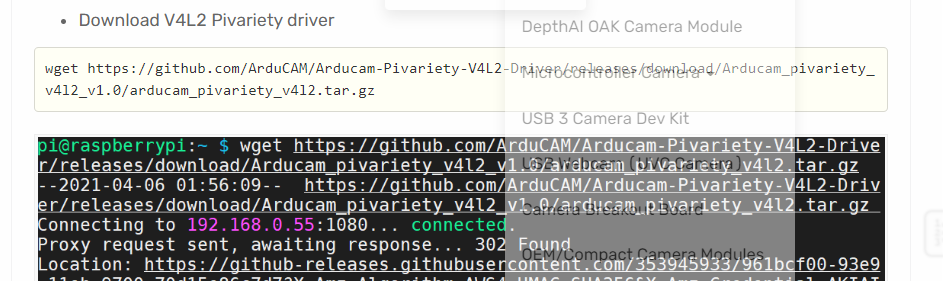
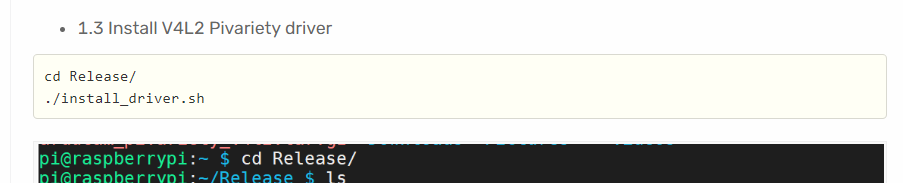
Ah, that makes sense. So the manual tarball I used is for the 5.10.17 version of Raspberry Pi, not for 5.15 Bullseye — that’s why the bin folder had nothing for 5.15.32-v7+. What should I use instead so the package matches my kernel?

Right — use the auto-installation script. It checks your running kernel/OS and downloads the matching driver package automatically, so you don’t end up with a 5.10.17 package on a 5.15 Bullseye system.

Steps:

  1. wget -O install_pivariety_pkgs.sh https://github.com/ArduCAM/Arducam-Pivariety-V4L2-Driver/releases/download/install_script/install_pivariety_pkgs.sh
  2. chmod +x install_pivariety_pkgs.sh
  3. ./install_pivariety_pkgs.sh -p kernel_driver

For reference, here’s the manual install you did earlier that caused the mismatch (do NOT reuse this one):

wget https://github.com/ArduCAM/Arducam-Pivariety-V4L2-Driver/releases/download/Arducam_pivariety_v4l2_v1.0/arducam_kernel_driver_5.15.y.tar.gz
cd Release/
./install_driver.sh

After running the auto-install script, reboot and check:

dmesg | grep arducam
ls /dev/video*
v4l2-ctl --list-formats-ext

Key point: the auto-install script (install_pivariety_pkgs.sh -p kernel_driver) guarantees the driver package matches your running kernel/OS version (5.15 Bullseye), which avoids exactly this version-mismatch install failure. For reference, my successful test was on a Pi 4B running Raspberry Pi OS 11 (bullseye) with kernel 5.15.32-v7l+, where /dev/video0 was present and v4l2-ctl enumerated the arducam-pivariety formats.

Got it — I’ll run the auto-installation script and see how it goes.

One thing to note: I don’t have a Pi 4 available yet, the client just gave me a Pi 3B+ for now, so I’ll be testing on that. I’ll report back with the dmesg and v4l2-ctl output after the reboot.

That’s fine — the Pi 3B+ is supported as long as the driver package matches your running kernel. To summarize where we landed:

  • The camera module itself loads and is detected (arducam-pivariety 10-000c, firmware 0x10003) on your Pi 3B+, kernel 5.15.32-v7+.
  • The libcamera ‘no cameras available’ failure came from the driver not matching the kernel/OS — specifically the manual 5.15.y tarball you used is the package for the 5.10.17 Raspberry Pi version, mismatched with your 5.15 Bullseye system, hence the missing ./bin/5.15.32-v7+/arducam.ko and arducam.dtbo.
  • Fix: install with the auto-installation script (install_pivariety_pkgs.sh -p kernel_driver) so the package matches your kernel, then reboot and re-check dmesg | grep arducam, ls /dev/video*, and v4l2-ctl --list-formats-ext.

Post your output after the reboot and we’ll confirm the camera registers. Nothing suggests a hardware problem at this point.