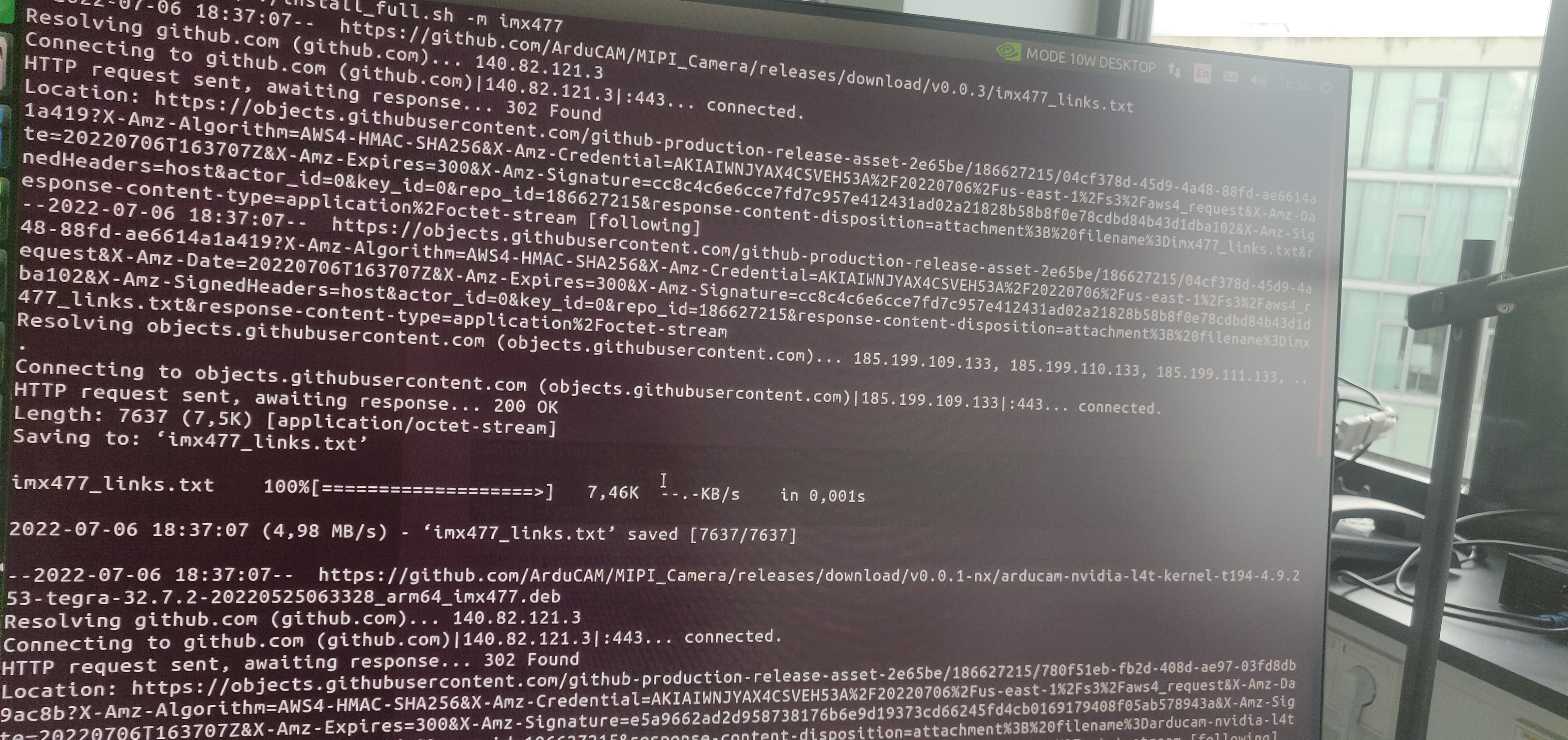
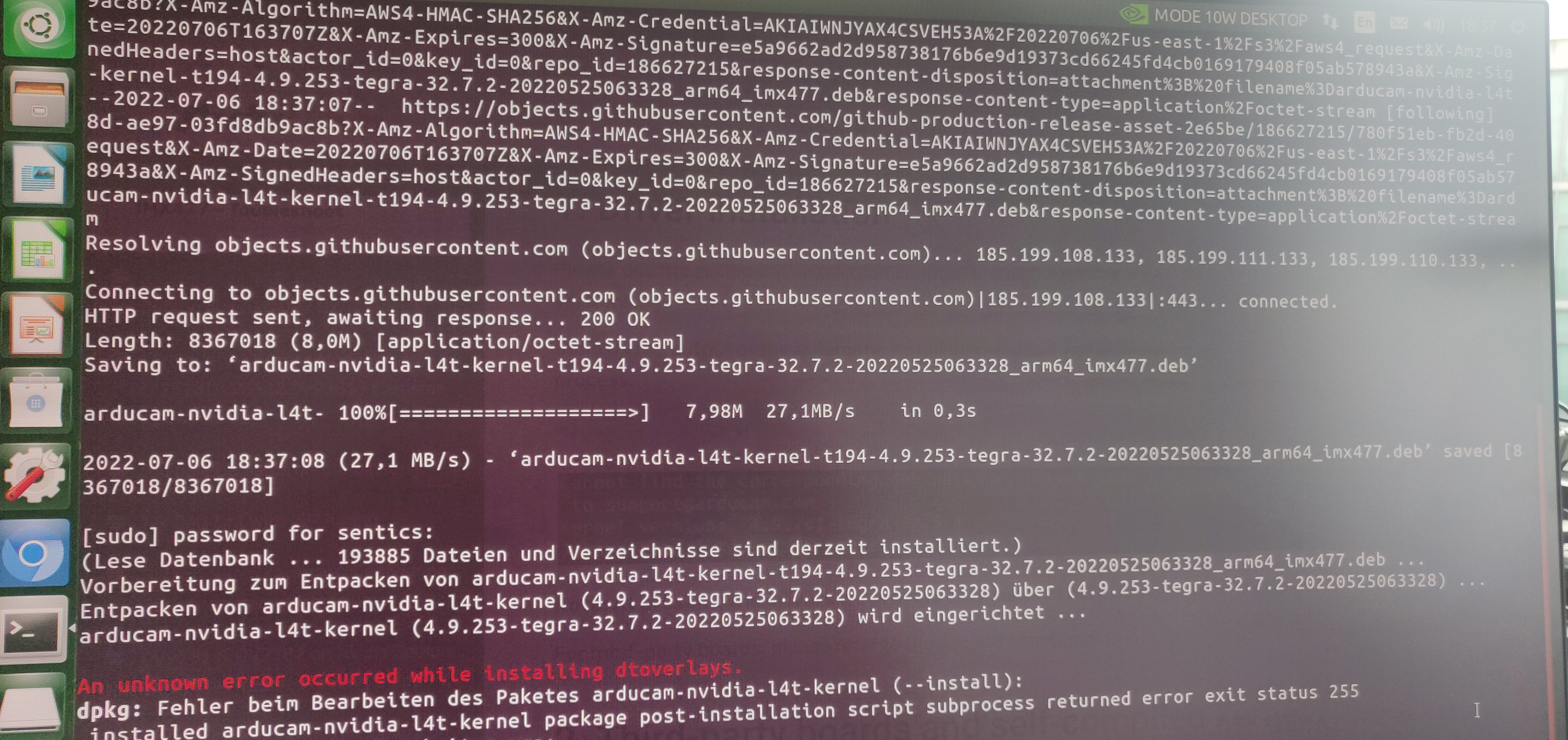
Hi, I’m stuck trying to get an IMX477 camera working and the automatic installation keeps failing on me. Environment is a Xavier NX (production version) mounted on a JNX30-LC-PD carrier board from Auvidea. I run the automatic install and it chugs along for a while, then spits out an error and bails. I couldn’t copy the text out of the terminal so I took screenshots of the output instead:
Has anyone hit this before? Not sure if I’m doing something wrong or if it’s a board thing.
Hey, thanks for the screenshots. To narrow this down a bit, can you confirm a couple of things:
Which install method are you using exactly — the automatic install script or the manual driver build?
What JetPack / L4T version is on the Xavier NX?
Are you running the installer from a fresh setup, or was an older IMX477 driver installed before?
The error text in the second screenshot looks like it’s dying partway through the build step, so I want to make sure we’re looking at the same failure point before suggesting anything.
It’s the automatic installation — I just follow the steps for the IMX477 and let the script do its thing. I didn’t build anything manually because I wasn’t sure which driver variant to pick.
JetPack is the stock one that came on the module (production Xavier NX). This is a fresh flash, no previous IMX477 driver was ever on there.
The install gets to the point where it’s compiling and then throws the error and stops. That’s the same point both times — I tried the automatic install twice and got the identical error, so it’s reproducible.
OK, that’s actually an important detail — the production Xavier NX on an Auvidea JNX30-LC-PD is a third-party carrier board, not the official NVIDIA Jetson NX dev board. Arducam’s automatic installation path is put together and tested against the official NVIDIA kits. Once you move to a different carrier board, the kernel sources / device tree for the CSI connectors can differ, so the driver build and the sensor bring-up can fail even though the same camera works fine on the official board.
Before we go further down the rabbit hole on the Auvidea board, can you try the camera on an official Jetson NX first? That will tell us whether the camera and driver themselves are fine, and whether this is purely a carrier-board compatibility issue.
I don’t have an official Jetson NX dev board here, only this Auvidea carrier — that’s what the whole setup is built around. Is there any way to make the automatic install work on the JNX30-LC-PD, or some tweak I can apply to get past that error? Happy to try things if you point me at what to change.
Totally understand. The honest answer is that the automatic installation isn’t set up to handle third-party carrier boards like the JNX30-LC-PD — the installer assumes the official NVIDIA board layout, so the compile/DT step is where it tends to fall over on a custom platform. There isn’t a quick toggle in the install script that turns it into a supported configuration.
The recommended path is:
Confirm the IMX477 itself works by running the automatic install on an official Jetson NX — Arducam supports that combination directly, so if it comes up there, the camera is good.
For the third-party carrier board side of things, that’s handled outside the standard support flow. Third-party platform questions go to the Arducam sales team at [email protected] — they can advise on what’s supported on the JNX30-LC-PD specifically.
So: validate on the official Jetson NX first to rule the camera in or out, and reach out to sales for the Auvidea board.
Got it, that makes sense. I’ll borrow an official Jetson NX and run the automatic install there to check the camera, and I’ll email the sales team about the JNX30-LC-PD. Thanks for clearing up why the install kept failing.
Sounds like a plan. Quick recap of where we landed on this one:
The failure is with the IMX477 automatic installation on a production Xavier NX running on a third-party Auvidea JNX30-LC-PD carrier board — the install reproducibly errors out at the same point during the build step (screenshots above).
Root cause is the third-party carrier board: the automatic installation targets the official NVIDIA Jetson NX and isn’t validated on custom boards like the JNX30-LC-PD, which is where the error comes from.
What to do: install on the official Jetson NX first to verify the IMX477 works, and contact the Arducam sales team at [email protected] for support on the third-party platform.
If the camera also fails on the official Jetson NX, come back and post the output there — that would point to a different problem and we’d take another look.