Hi everyone. I’m stuck on a timing issue with my Arducam 100fps Global Shutter Color USB camera (1MP OV9782, UVC board). I can capture video using the external trigger with a 75Hz 1.8V pulse train, but every output video is slowed down by roughly 50%. A ~2 minute experiment produces about 3.5 minutes of footage. Recording 20 seconds gives me around 30 seconds (±1s) of video. The weird part is the files are tagged 75fps, but they play back slow. If I speed them up to line up with my EMG data timescale, the effective fps comes out higher than 75, which can’t be right. This thing has never worked properly for me.
Welcome to the forum. Can you give us more detail on your setup so we can narrow this down? Which exact camera board are you using, what’s the host/trigger hardware, and what capture software? Also, what trigger signal are you feeding in (frequency, voltage, duty cycle, pin)?
The camera is the Arducam 100fps Global Shutter Color USB Camera Board, 1MP OV9782 UVC webcam module with the low distortion M12 lens, no microphones. It’s mounted on a Tucker Davis Technologies custom rig that generates the trigger signal. I’m running AMCap.exe on the same machine for the video GUI. The trigger is 1.8V, 75Hz, 50% duty cycle into the ‘F’ pin on the camera. I have ‘low light exposure’ enabled in AMCap to allow external triggering, and the other AMCap settings are set to record at 75Hz. Output is saved as an AVI file to my target folder.
Thanks, that helps. As a first troubleshooting step, please try decreasing the exposure value in Camera Control. Set it to the smallest value, -13, and check whether the output timing changes.
I tried that. Anything below -5 makes the image too dark to be usable, and I didn’t see any change in the video output at any exposure value. I also double-checked my pulse train with a scope - frequency exactly 75Hz, amplitude 1.5V, 50% duty cycle. I analyzed the raw .avi files in VLC to check the framerate and other specs, and it really does report 75fps, just at slowed playback speed. I also tried changing the fps values in AMCap, and even matched them to a different trigger frequency of 90Hz, but the output video stayed 75fps and still slowed down.
Thanks for testing those. Could you post a screenshot of your Camera Control exposure settings? I’d like to see the exact values you’re running.
Sure, here’s the current exposure settings: 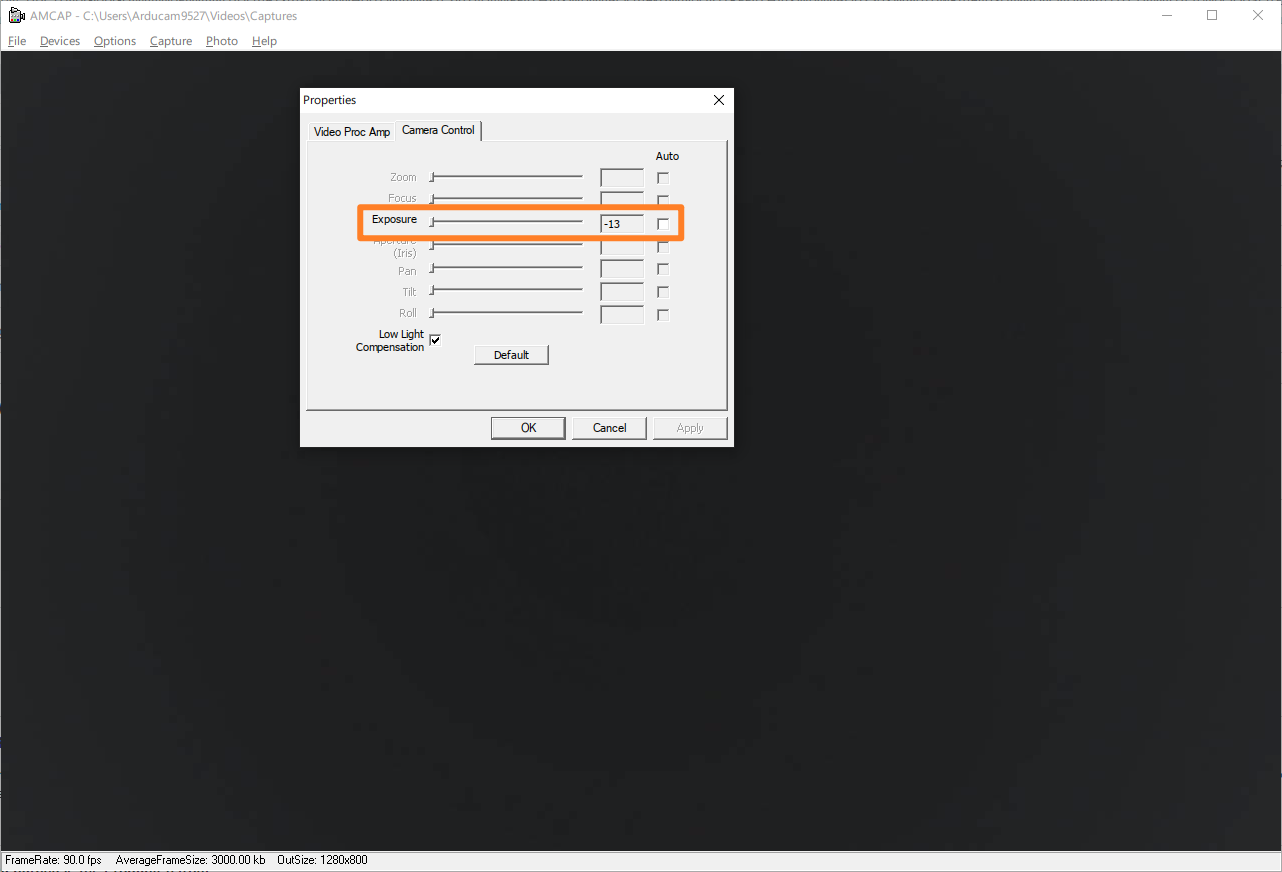
Thanks for the screenshot. Here’s where we stand: the camera is writing 75fps files from a 75Hz external trigger, but the playback duration is about 1.5x the actual recording time. So the framerate metadata is 75fps, but the timing is stretched. Changing AMCap’s fps setting seems to have no effect - even matching it to a 90Hz trigger still produced a 75fps slowed file. Exposure below -5 makes the image too dark, and exposure changes so far haven’t affected the timing. We haven’t identified the root cause yet. For now, keep exposure at the lowest usable value; we’re still investigating whether the exposure setting is a contributing factor. I’ll post back when I have more.