Hi, hoping someone can help. I’m trying to install the driver for the B0350 Arducam 8M Synchronized Stereo Camera Bundle Kit. The camera just isn’t being detected at all — libcamera reports ‘no cameras available’. Where should I start?
Welcome! Let’s get some basics first so we know what we’re working with. Can you tell me:
- Which board you’re on
- The OS image and version
- The kernel version (uname -a)
- The output of
dmesg | grep -i arducam
That’ll tell us whether the sensor is even being probed on the I2C bus.
Sure. Board is a Raspberry Pi 3 Model B Plus Rev 1.3 (Pi3B+). It’s a fresh install of Raspbian 32-bit 5.15 Bullseye.
uname -a gives:
Linux raspberrypi 5.15.32-v7+ #1538 SMP Thu Mar 31 19:38:48 BST 2022 armv7l GNU/Linux
And the sensor shows up as: arducam-pivariety 10-000c, firmware version 0x10003.
Good, the sensor is being seen on I2C, so that’s a positive sign. For 5.15.y kernels you need the matching driver build — the older 5.10 style packages won’t have binaries for your kernel.
Grab it with:
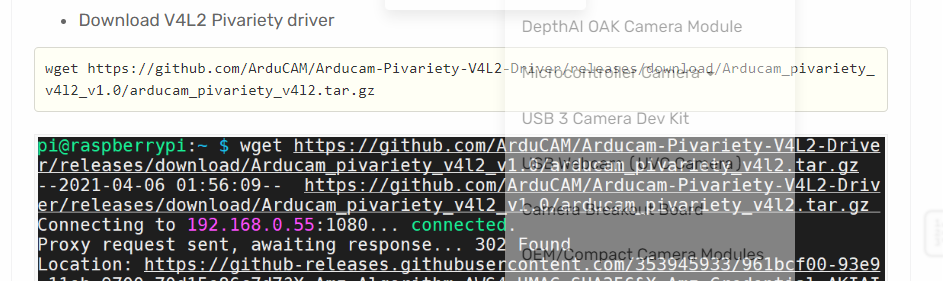
wget https://github.com/ArduCAM/Arducam-Pivariety-V4L2-Driver/releases/download/Arducam_pivariety_v4l2_v1.0/arducam_kernel_driver_5.15.y.tar.gz
Then:
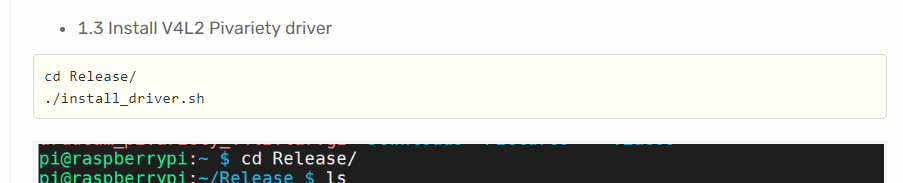
cd Release/
./install_driver.sh
Reboot when prompted and let me know how it goes.
Hmm, I think my first attempt went sideways before this. I originally used a driver package meant for the 5.10.17 Pi build, and the install script blew up:
arnold@raspberrypi:~ $ cd Release/
./install_driver.sh
Installing Arducam-Pivariety-V4L2-Driver...
--------------------------------------
install: cannot stat './bin/5.15.32-v7+/arducam.ko': No such file or directory
install: cannot stat './bin/5.15.32-v7+/arducam.dtbo': No such file or directory
reboot now?(y/n):
Also earlier when I extracted the archive I only saw 5.10.x variants:
arnold@raspberrypi:~ $ tar -zxvf arducam_pivariety_v4l2.tar.gz Release/
It had bin folders for 5.10.17 / 5.10.52 / 5.10.60 / 5.10.63 / 5.10.92 — nothing for 5.15.x. That’s why I did a fresh Raspbian install and tried again.
That explains it — the archive you had didn’t include a 5.15.32-v7+ build, so the script had nothing to install. Use the 5.15.y release link above and the install should find ./bin/5.15.32-v7+/arducam.ko. Reboot after, then run these and paste the output:
dmesg | grep arducam
ls /dev/video* -1
v4l2-ctl --list-formats-ext
libcamera-still -t 0
OK, fresh install done and I used the 5.15.y package this time. Here’s dmesg:
arnold@raspberrypi:~ $ dmesg | grep arducam
[   12.327066] arducam: loading out-of-tree module taints kernel.
[   12.342813] arducam-pivariety 10-000c: firmware version: 0x10003
[   12.858767] arducam-pivariety 10-000c: Consider updating driver arducam-pivariety to match on endpoints
ls /dev/video*:
arnold@raspberrypi:~ $ ls /dev/video* -1
/dev/video0
/dev/video1
/dev/video10
/dev/video11
/dev/video12
/dev/video13
/dev/video14
/dev/video15
/dev/video16
/dev/video18
/dev/video20
/dev/video21
/dev/video22
/dev/video23
/dev/video31
Then this one failed:
arnold@raspberrypi:~ $ v412-ctl --list-formats-ext
bash: v412-ctl: command not found
And libcamera-still -t 0 gives:
libEGL warning: DRI2: failed to authenticate
Made X/EGL preview window
[0:13:03.937046823] [1313]  INFO Camera camera_manager.cpp:293 libcamera v0.0.0+3424-e68e0f1e
[0:13:03.997184446] [1327]  WARN CameraSensorProperties camera_sensor_properties.cpp:141 No static properties available for 'arducam-pivariety'
[0:13:03.997297138] [1327]  WARN CameraSensorProperties camera_sensor_properties.cpp:143 Please consider updating the camera sensor properties database
[0:13:03.997369870] [1327] ERROR CameraSensor camera_sensor.cpp:551 'arducam-pivariety 10-000c': Camera sensor does not support test pattern modes.
[0:13:04.031467965] [1327] ERROR IPAProxy ipa_proxy.cpp:149 Configuration file 'arducam-pivariety.json' not found for IPA module 'raspberrypi'
[0:13:04.031633383] [1327] ERROR IPARPI raspberrypi.cpp:190 Could not create camera helper for arducam-pivariety
[0:13:04.031704916] [1327] ERROR RPI raspberrypi.cpp:1197 Failed to load a suitable IPA library
[0:13:04.032141514] [1327] ERROR RPI raspberrypi.cpp:1129 Failed to register camera arducam-pivariety 10-000c: -22
ERROR: *** no cameras available ***
I’ve attached my config.txt and a couple of screenshots too.
Thanks, that’s a lot to work with. Can you also paste the relevant boot/kernel lines from dmesg and confirm the full kernel string? And double-check that the driver overlay entries in config.txt are actually uncommented (e.g. dtoverlay=arducam-pivariety).
Here you go:
[    0.000000] Linux version 5.15.32-v7+ (dom@buildbot) (arm-linux-gnueabihf-gcc-8 (Ubuntu/Linaro 8.4.0-3ubuntu1) 8.4.0, GNU ld (GNU Binutils for Ubuntu) 2.34) #1538 SMP Thu Mar 31 19:38:48 BST 2022
[    0.000000] OF: fdt: Machine model: Raspberry Pi 3 Model B Plus Rev 1.3
[    8.675198] i2c 10-000c: Fixing up cyclic dependency with 3f801000.csi
[   12.327066] arducam: loading out-of-tree module taints kernel.
[   12.342813] arducam-pivariety 10-000c: firmware version: 0x10003
[   12.858767] arducam-pivariety 10-000c: Consider updating driver arducam-pivariety to match on endpoints
[   33.111192] cam-dummy-reg: disabling
Attachments: config.txt, screenshot 1, screenshot 2
Appreciate the details. I went through everything — the driver install logs, the dmesg output, the /dev/video* listing, the format command, the libcamera-still output, and your config.txt. One thing jumped out right away.
Look closely at the command that failed:
arnold@raspberrypi:~ $ v412-ctl --list-formats-ext
bash: v412-ctl: command not found
That’s v412-ctl — with the digit 1 after the v4. The actual utility is v4l2-ctl, with a lowercase letter l and the number 2 (v4l2 = Video4Linux2). So the command simply doesn’t exist, which is why bash says ‘command not found’. It’s a typo, not a missing package.
Oh wow, I stared at that for ages and completely missed it. Let me fix it:
arnold@raspberrypi:~ $ v4l2-ctl --list-formats-ext
I’ll grab the output and paste it here.
Perfect, go ahead and run:
v4l2-ctl --list-formats-ext
(letter l, number 2) and send the output back. I’ll also test the same camera on my end tomorrow so we can compare results, and I’ll report back here once I have them. For now the next step is just re-running that corrected command so we can actually enumerate the camera’s formats.