Hey everyone, I’m having trouble with an Arducam B0305 — the exposure time won’t change no matter what I set. I’ve been using qv4l2 to tweak settings. On my older B0292, if I set exposure_auto=1 and exposure_absolute=40, the image gets noticeably darker and there’s way less motion blur, so I know the exposure is actually changing. But on the B0305, the same settings do nothing — image stays bright, same amount of motion blur. It’s like the exposure setting is being ignored. I’m hoping someone can point me to the v4l2-ctl commands to force the B0305 exposure to around 4 milliseconds. The camera has never worked properly for me.
Welcome! Can you share a bit more about your setup so we can narrow this down? What platform/OS are you running, which instructions you followed, and how are you testing the motion blur? Also, is there any difference in how the B0292 and B0305 behave beyond the exposure issue?
I’m on a Linux virtual machine and I followed the official Arducam quick start guide for Linux (Redirecting...). For testing, I record video while moving the camera parallel to a wall at roughly 4 mph, then pull still frames. The B0292 clearly has much less motion blur at the reduced exposure and I have to crank up brightness to compensate because the image gets so dark. The B0305 just… doesn’t do that.
Got it. Could you paste the exact commands you’re using? I’m mostly interested in the v4l2-ctl lines for the B0292 that you said work, and anything you ran against the B0305. If you have any logs or dmesg output, that’d help too.
Sure. The main tools I’ve used: sudo apt install qv4l2, then qv4l2. For the B0292, the settings that work are exposure_auto=1 and exposure_absolute=40. I haven’t pulled any dmesg output or logs yet — nothing obvious showed up there.
Thanks. Just to be clear on what you’ve already tried: you got the B0292 exposure to change using v4l2-ctl, then ran the exact same procedure on the B0305 and nothing changed. Is that right? Any other attempts worth noting, like using qv4l2 directly on the B0305?
Right. I successfully changed the B0292 exposure with v4l2-ctl. Applied the same procedure to the B0305 — exposure did not change. Support also suggested using qv4l2 to modify the B0305 exposure, so I tried that too. Settings still don’t change the exposure or reduce the motion blur on the B0305.
Can you upload a couple of still frames so I can see the difference? One from the B0305 and one from the B0292, plus a screenshot of the camera settings you’re using.
Here you go:
B0305: 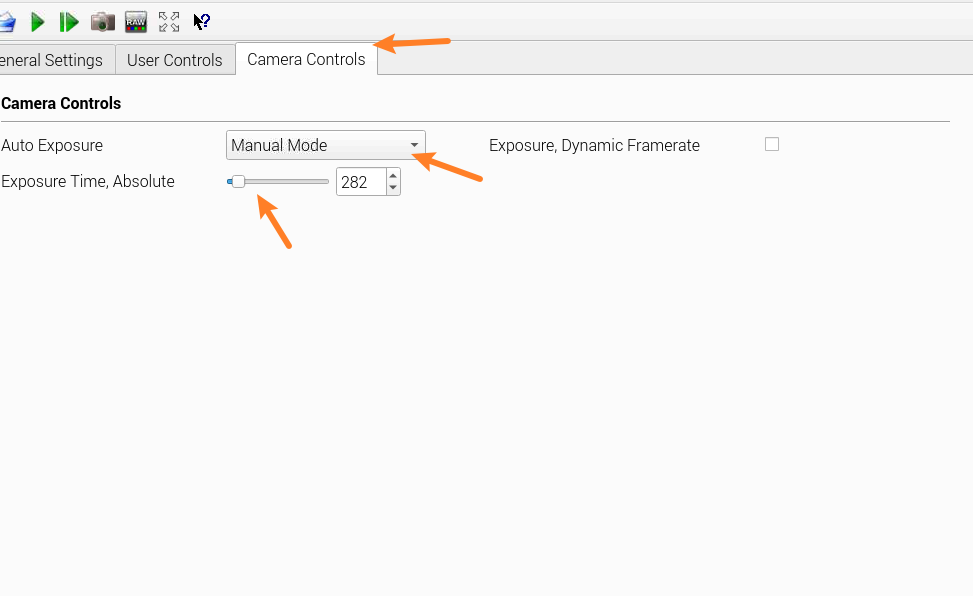
Settings: 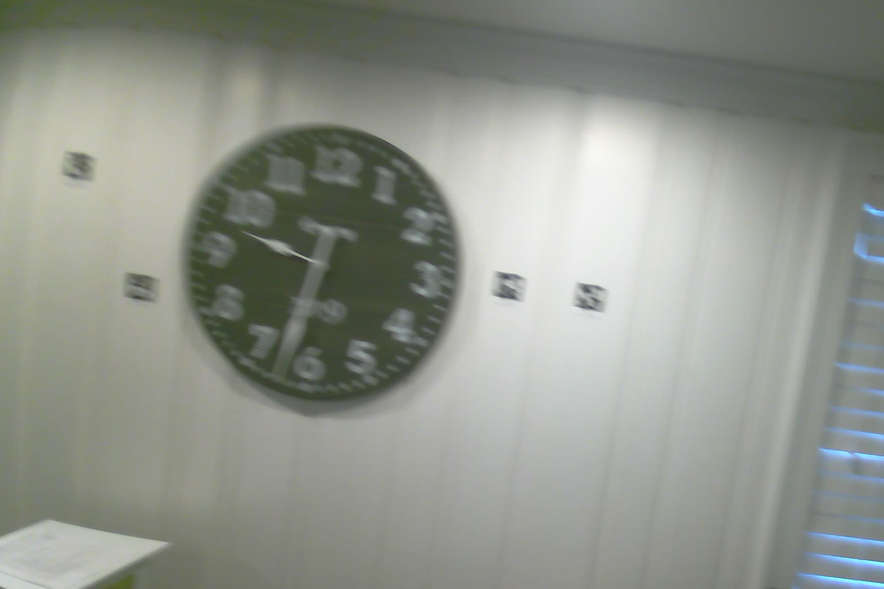
Thanks for the frames. The core issue is that the B0292 responds to exposure_auto=1 / exposure_absolute=40 (darker, less blur), but the B0305 doesn’t seem to react at all. The best tool for the B0305 here is qv4l2, since it gives you a graphical interface for V4L2 parameters including exposure. To install and launch it:
sudo apt install qv4l2
qv4l2
Once it’s open, pick the B0305 device and adjust the exposure control while watching the live preview. Let me know if the preview changes at all when you move the slider.
I’ve tried exactly that in qv4l2. When I change exposure on the B0305, the live preview doesn’t change — no visible difference in brightness or blur. For comparison, the B0292 gets noticeably darker and has much less motion blur, and I have to boost brightness a lot to compensate. My test is still the same: camera moving parallel to a wall at about 4 mph, then I grab still frames from the video.
Just to confirm the verification step: when you modify the exposure in qv4l2 on the B0305, does the exposure value itself at least appear to change in the GUI, or is it stuck? And is there any change in the stream at all, even a flicker? The B0305 should respond like the B0292 if the control is actually being applied.
The value in the GUI looks like it changes, but the stream doesn’t react. Exposure on the B0305 still doesn’t seem to change — no reduced motion blur, no darker image, nothing. It’s the same result whether I use v4l2-ctl or qv4l2.
Thanks for confirming. Based on everything so far, the B0305 is accepting the exposure control values in software but the actual sensor exposure isn’t changing — the image stays bright and motion blur is unchanged, while the B0292 reacts normally to the same settings. This points to the B0305 not applying the exposure control at the hardware/firmware level rather than a configuration mistake on your end. We haven’t found technical evidence of the control working on this unit yet. If you can grab the v4l2-ctl --list-ctrls output for the B0305 (and the B0292 for comparison), that would help us see what the driver reports for exposure support. For now, the workaround is to keep using the B0292 for anything where you need a fixed ~4ms exposure.