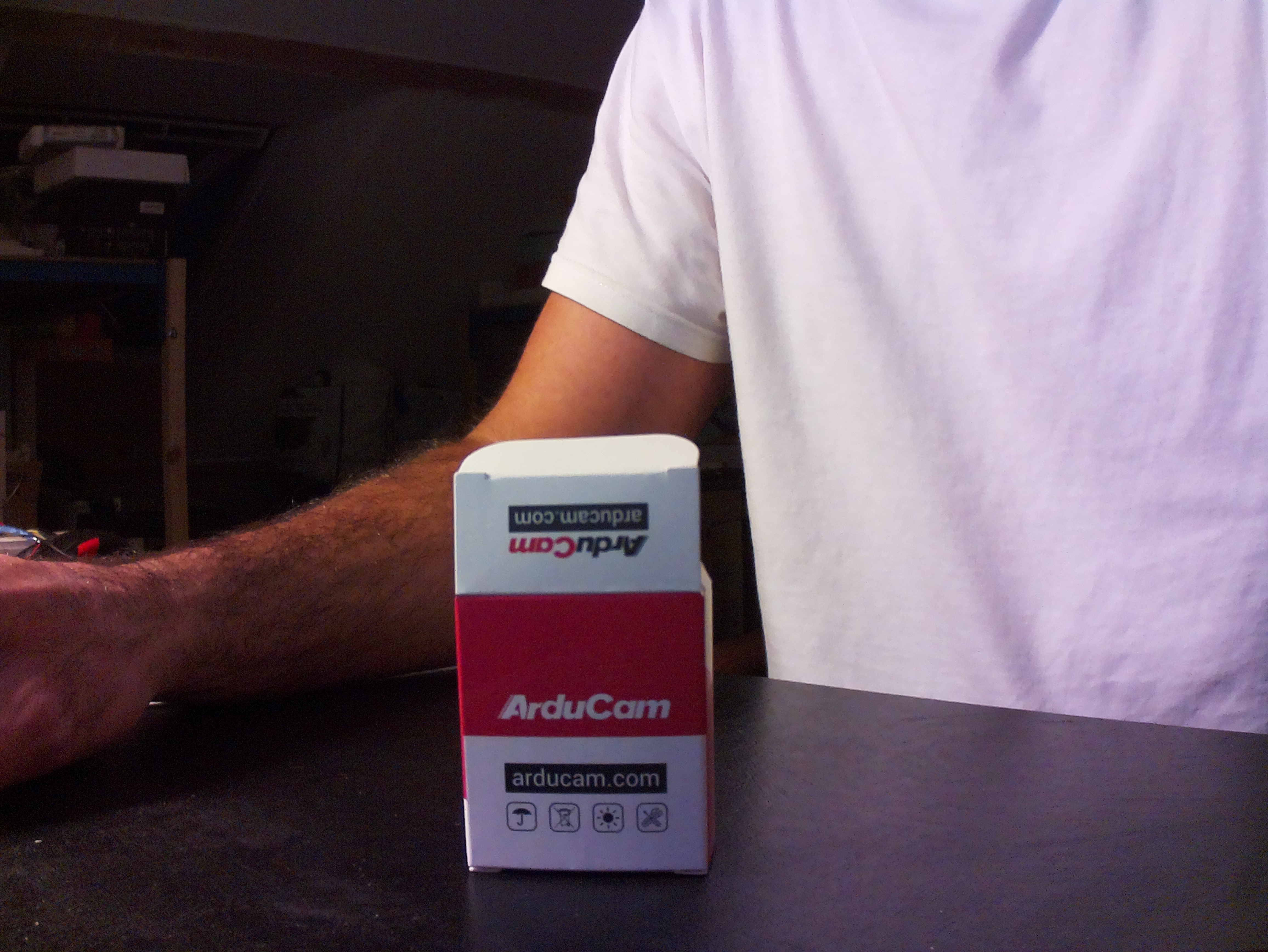
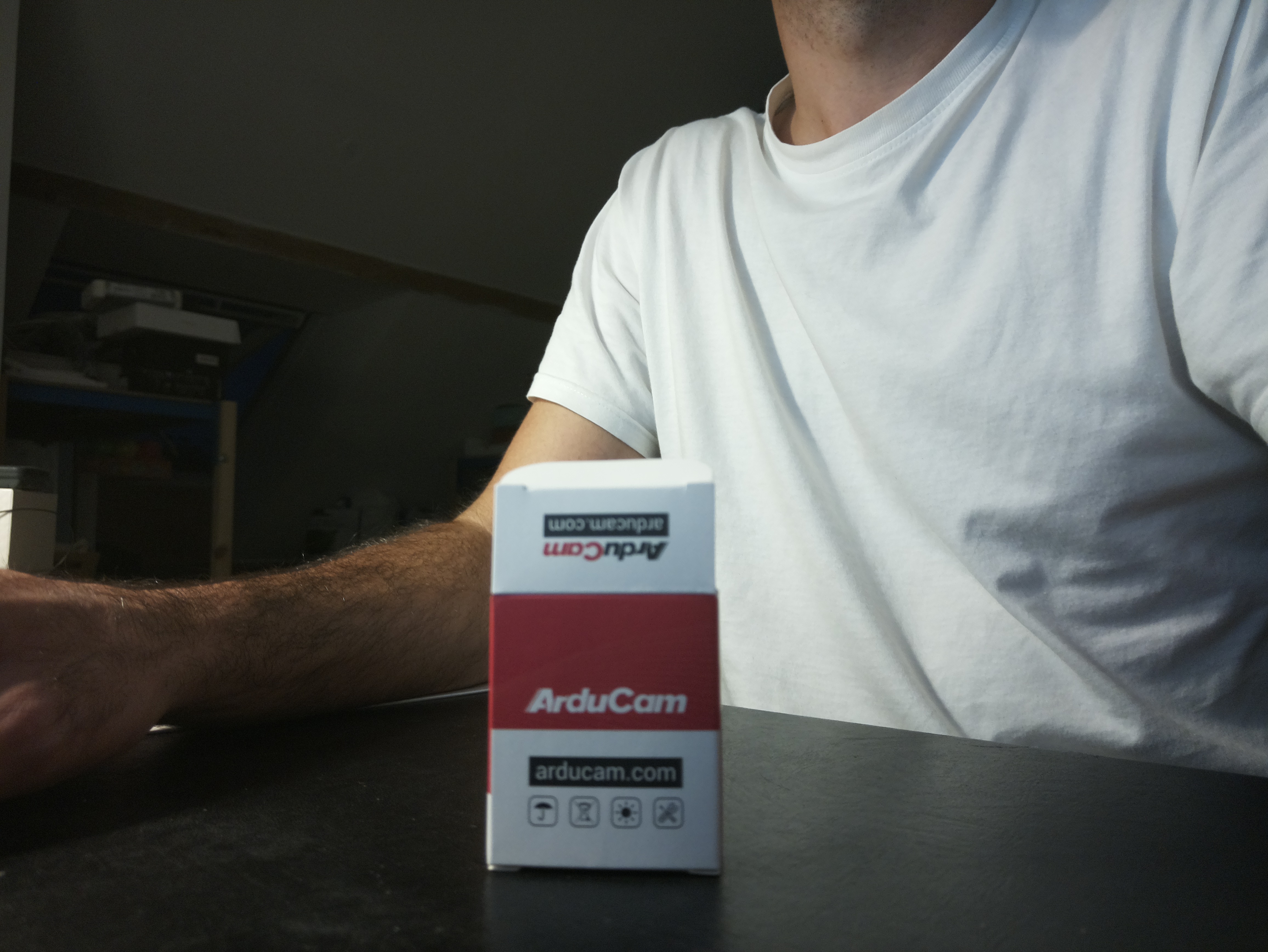
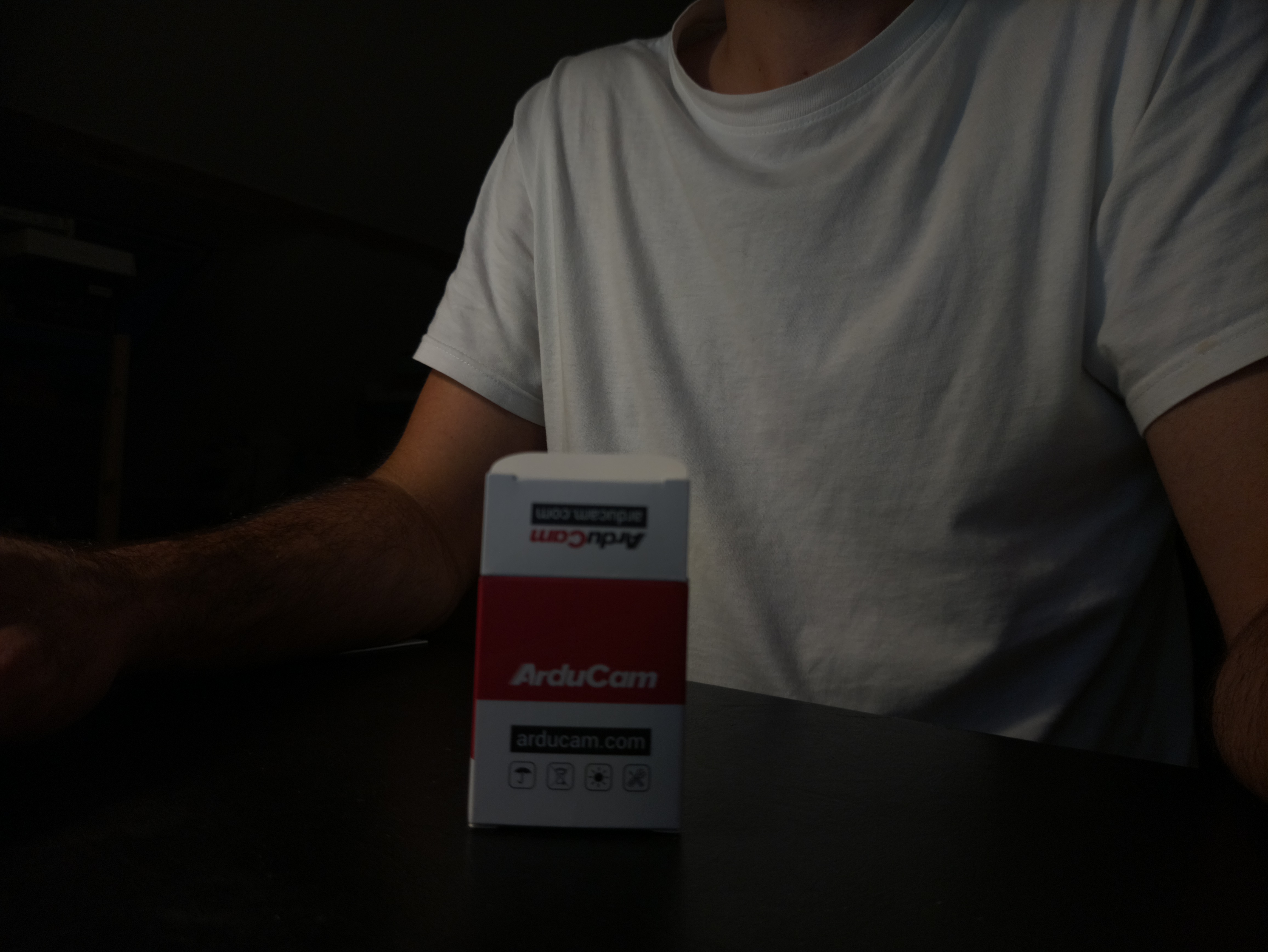
I’ve got an Arducam 64MP autofocus camera and the photos it captures come out really dark compared to my other camera modules. The autofocus itself works fine, it’s just the brightness that’s off.
I shot three images at the same time with three different modules to compare:
5MP = OV5647
16MP = Arducam 16MP with autofocus (IMX519)
64MP = Arducam 64MP with autofocus, running in 16MP mode
The 64MP version is way darker, so I think I’m missing something.
Environment:
Raspberry Pi 3B+ (dmesg says: “Machine model: Raspberry Pi 3 Model B Rev 1.2”)
Raspbian GNU/Linux 11 (bullseye)
Kernel: Linux version 5.15.32-v7+ #1538 SMP Thu Mar 31 19:38:48 BST 2022
Thanks for the very detailed report, that’s a lot of useful info to work with.
Short version: the darkness is related to exposure and gain settings, and those are user-adjustable. The 64MP sensor doesn’t behave the same out of the box as the OV5647 and the IMX519, so the defaults you’re used to from those two won’t carry over.
Two ways to go about it:
Set them directly from the command line. libcamera-still accepts --shutter (in microseconds) and --gain, for example:
Bump the shutter first and watch the image get brighter, then use gain to fine tune.
If you’re using the camera GUI/tuning preview, you can drag the exposure slider and the gain slider and watch the preview update live. That’s much faster for hunting down good values than taking a still each time.
I’ve sent you the screenshots showing exactly where to adjust the exposure and where to adjust the gain via private message, so please check your messages and give it a try.
Also, can you tell me what the lighting was like when you took those three shots? That’ll help me tell whether this is purely a settings issue or something lighting-dependent.
With the previous camera modules the result was correct out of the box, no tuning at all. I do understand that parameters have to be fine tuned each time a picture is taken to adjust quality, but this is not compatible with an instant photo for an event which does not last in time.
Two things I’m trying to do with this module:
taking pictures of birds with a sensor
having some AI detecting human presence in various lighting conditions
In both cases the module can’t be used like this. If I have to babysit exposure and gain for every frame then the whole thing falls apart.
For reference, the photos I posted were taken at the same instant in the same lighting, so the comparison should be fair. The exposure/gain tweaks do help a little, but then the next scene is off again.
Could you share the parameters used to take the demo photos on your website? That would at least give me a starting point instead of guessing.
Understood, and thanks for explaining the use cases - that context matters.
Let’s not jump to conclusions yet. Before we go further, can you test whether the 64MP camera image is still this dark in well-lit conditions? Take a shot outdoors in strong daylight, same command as before, and see how it comes out. If the image looks normal there, the darkness is lighting-dependent and we can work from that. If it’s still dark in bright light, then something else is going on and we need to dig into the tuning.
If you can also post the same scene shot with the IMX519 module next to it, that would make the comparison a lot clearer.
Once I see those I can check the exposure/gain values against what we use on our own demo shots.
Ok, but just to be clear on the setup, all three photos I attached were taken at the same time in the same lighting conditions - 5mp = OV5647, 16mp = Arducam 16mp with autofocus (IMX519), 64mp = Arducam 64mp with autofocus in 16mp mode. So it isn’t that the 64MP one got a darker moment.
Same device as before: Raspberry Pi 3B+ on Raspberry OS Bullseye, kernel 5.15.32-v7+.
The root cause we’ve identified so far is the exposure and gain settings, which are adjustable on your side. Increasing exposure and/or gain does brighten the captured image.
What we haven’t confirmed yet is whether the darkness is purely a default-tuning issue or whether it’s also dependent on the lighting in the scene. The test to settle that is shooting the same scene in strong, well-lit conditions and comparing the 64MP result against the IMX519 result side by side.
Your point about the use case stands - if the settings have to be re-tuned frame by frame, that doesn’t work for instant capture or for an AI presence-detection pipeline across varying lighting. That’s a real constraint and not something we can paper over with fixed values.
So the immediate workaround is: adjust exposure first, then gain, using the sliders in the preview (I sent the screenshots via private message) or --shutter/–gain on libcamera-still, and confirm the result in bright light before drawing conclusions.
If you can run that well-lit comparison shot and post it here along with the exact command and settings used, I’ll compare it against the parameters behind our website demo photos and we can take it from there. We don’t have a fix for the re-tuning-per-shot behavior yet, so I don’t want to claim this is solved.